 AI
AIThe best free AI tools for a small business owner in 2026: a six-tool starter kit that costs nothing
A small business owner does not need the best AI tool; they need one tool for each job they cannot delegate - answering and drafting, understanding documents, sitting in meetings, making marketing visuals, polishing every email, and producing a deck by Friday. This guide assembles a six-tool kit from free tiers that, per the vendors' own documentation as of October 2026, contain the actual product rather than a demo: ChatGPT, NotebookLM, Otter.ai, Canva Magic Studio, Grammarly and Gamma. It explains which allowance refills and which is spent once, where the privacy settings are, and when the first paid upgrade pays for itself. No account was opened for this page; everything is from pricing pages, help centres and public reports.
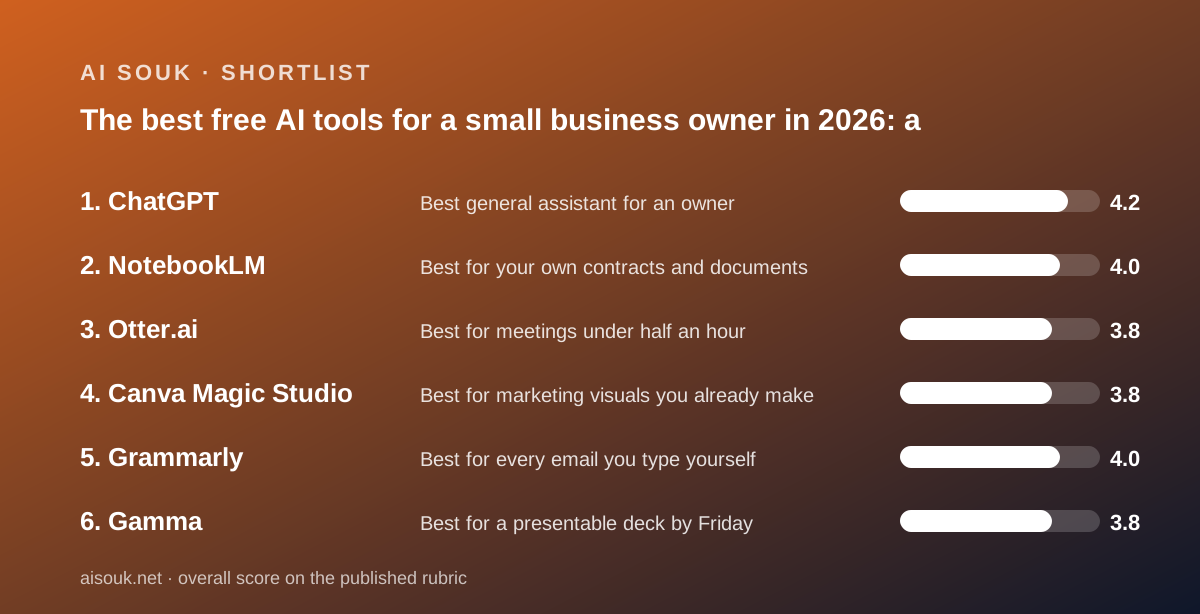
Our picks
- Best general assistant for an owner: ChatGPT
- Best for your own contracts and documents: NotebookLM
- Best for meetings under half an hour: Otter.ai
- Best for marketing visuals you already make: Canva Magic Studio
- Best for every email you type yourself: Grammarly
- Best for a presentable deck by Friday: Gamma
The mistake most owners make with AI is looking for one tool that does everything, and the second mistake is signing up for everything. A six-person company has an owner doing the work of six departments, and the useful question is which jobs eat the hours that nothing else can - replying, drafting, reading contracts, taking meeting notes, making a flyer, cleaning up an email, building a deck - and whether a free tier exists that genuinely does each. As of October 2026 the answer is yes for all six, with conditions, and the conditions are the point of this page. The kit is ChatGPT for asking and drafting, NotebookLM for your own documents, Otter.ai for meetings, Canva Magic Studio for visuals, Grammarly for every email, and Gamma for a presentable deck. None of the six needs a credit card to start. Every one of them has a free plan whose limits the vendor publishes at least in part, and where the vendor does not, this page says so rather than guessing.
The rule for building a free stack is to tell apart three kinds of allowance, because they behave completely differently in a working month. The first refills: Otter's 300 transcription minutes a month, Canva's pool of up to 20 AI uses a month, Grammarly's 100 AI prompts a month, Leonardo.Ai's 150 tokens a day. You can plan around these. The second is unlimited on one axis and capped on the others: ChatGPT's text chat, which the pricing page lists as unlimited on the default model while uploads, images and voice are each separately capped. The third is spent once and never returns: Gamma's 400 credits at signup, Descript's 100 AI credits, Runway's 125 credits. A one-time grant is a trial, however large the number looks, and it belongs in a kit only for a job you do rarely - which is why Gamma is here for the quarterly deck and Descript and Runway are not here at all. Read the word next to the number on the pricing page: per month, per day, or one time.
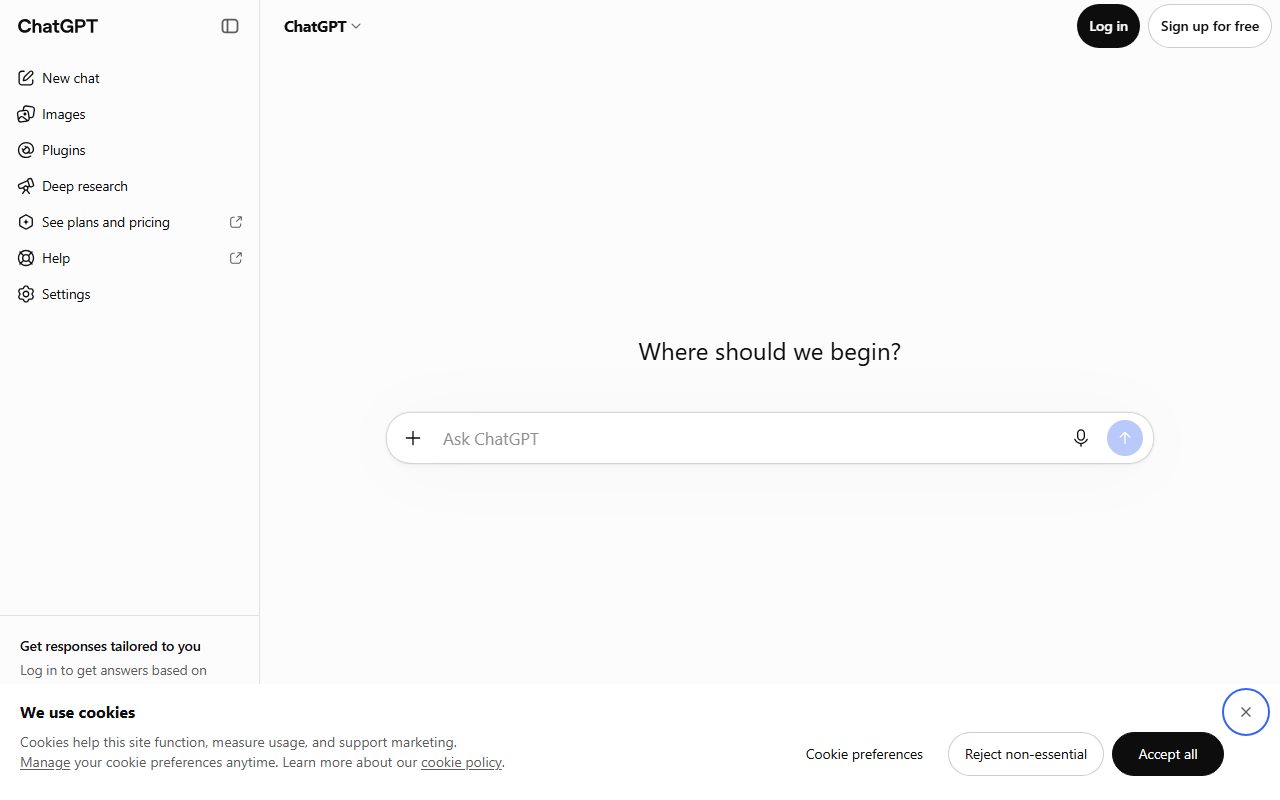
Job one is the assistant you ask questions and draft with, and ChatGPT's free tier is the pick for a reason that fits on one line of the pricing page: unlimited text chat with the default model, subject to abuse guardrails, as of October 2026. Replying to a customer complaint, drafting a quote, rewriting a supplier email, summarising a pasted policy - none of that is metered. What is metered, each with an unpublished cap that pauses independently, is file and image uploads, image generation, voice and deep research, and the help center says you are notified when you hit one and wait for the reset. Free users get 500 MB of storage and can use existing GPTs but not build their own. Two settings to find on day one: the training opt-out toggle, and Temporary Chat, which is not used for training. If your work is in sessions with reference material rather than all-day drafting, Claude's five free projects with cached content are the alternative; if your business runs on Gmail and Docs, Gemini lists Deep Research and image generation on free, with the caveat that its free model line is documented two ways this month.
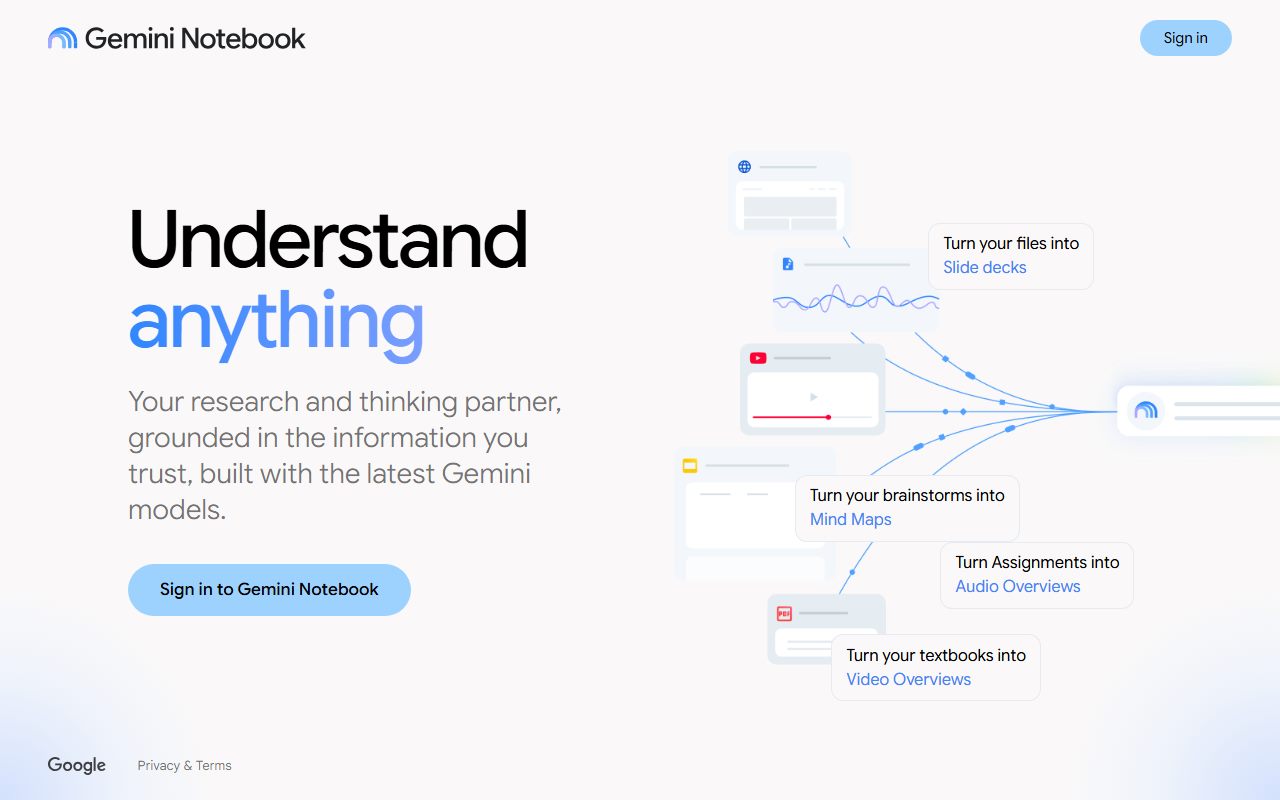
Job two is understanding your own paperwork - a lease, a supplier contract set, a year of invoices, the regulations for your trade - and this is the job general assistants do worst and NotebookLM does best, because it answers only from the sources you upload and cites the passage behind every sentence. Upload the pile, ask what the termination clause says across all three contracts, and click the citation to read the actual paragraph. The free tier delivers the product rather than a restricted demonstration; the constraints are per-notebook and per-source caps that the vendor changes often enough that this page quotes none. Two honest limits. Grounding reduces invention but does not remove it: a misread passage still produces a confident wrong sentence with a citation attached, so the citation is for checking, not for trusting. And the model will not tell you a source is outdated or contradicted by one you left out. For an owner who reads contracts at midnight, a tool that points at the paragraph is worth more than a tool that paraphrases it.
Job three is the meeting, and Otter.ai's Basic plan is the most complete free product in its category because nothing is withheld, only sized: the OtterPilot bot joins Zoom, Teams and Meet calls from your calendar, every conversation gets a transcript and a summary, and search and AI Chat are included, per the pricing page as of October 2026. The sizes are 300 minutes a month, 30 minutes of transcript per conversation, 20 AI Chat queries, three file imports for the life of the account, and the five most recent conversations visible. The 30-minute cap is the thing to plan around: a 45-minute call still spends its minutes but the transcript stops at 30. Three cautions the pricing page does not front. Configure which meetings the bot joins before connecting the calendar - the most common public complaint is a recorder nobody expected. Say that you are recording regardless. And the privacy policy states Otter trains its AI on de-identified recordings and transcriptions; if your calls are confidential, Fireflies.ai states it does not train on personal information and offers unlimited transcription with auto-join on, at the cost of no downloads and no video on free.
Job four is marketing visuals, and the kit picks Canva Magic Studio not for its allowance - up to 20 pooled AI uses a month, with the pricing page itself warning that complex tasks push real usage lower - but for where the output lands. A generated image or Magic Write paragraph goes straight into the flyer, post or menu you were already making, and exports as PDF, JPG or PNG, with no second tool. The free account is a working design editor before any AI is involved, with 1.6+ million templates and 4.7+ million stock assets per the comparison table, which is the real reason an owner keeps it. Twenty uses is a demo-sized budget for a campaign, so know the specialists. Ideogram renders readable text in images and gives 30 credits a week - only with Google, Apple or Microsoft sign-in, and every free image is public. Leonardo.Ai gives 150 tokens a day with a published cost table and permits commercial use on free, also with public creations. Neither public gallery is a place for a client's logo concept. Adobe Firefly is the choice if you need to say where the training data came from.
Job five is the forty emails a day you type yourself, and Grammarly's free tier is the lowest-effort tool in this kit: spelling, grammar and punctuation correction and a tone reading, running in the browser, the desktop, the mobile keyboard and the office suites, so it shows up where you already write. The free plan also includes 100 generative prompts a month, refilling on an account anniversary. What it withholds - one-click sentence rewrites, tone adjustment, fluency tools, plagiarism and AI-text detection - is all Pro, and the free experience shows a running count of withheld suggestions, which public forums find either motivating or irritating. The combination with job one is the point: the generator drafts the proposal, the corrector catches the typo in the reply you dashed off yourself. If what you need is a paragraph said differently rather than corrected, QuillBot's free paraphraser does 125 words a pass without a login. The privacy policy states content is used to improve AI subject to your settings; find the setting.
Job six is the deck or one-pager you need for a bank, a landlord, a partner or a pitch, and Gamma is in the kit with its one-time grant stated up front: 400 credits at signup, which the help centre says do not refresh on the free plan, as of October 2026. Within that grant it reaches every output type - presentations, documents, websites, social graphics - imports PDF and PPTX, exports to PDF, PPTX, PNG and Google Slides, and caps generation at 10 slides a prompt. Output carries Gamma branding, which the Plus tier removes. The vendor does not publish a per-generation cost, because it varies by model and length, but two rules make the grant spendable with care: no charge for AI errors or clarification requests, and image costs shown before generating. The practical use is a first draft of structure and layout - public reports consistently describe that as the strength and the content editing as the real work - exported to PowerPoint, where users report fidelity is imperfect for animated elements. Four hundred credits is enough to judge whether it saves you a Friday; if it does, Plus is the first paid tier and it is priced per region on the live page.
The traps that cut across the whole kit deserve their own paragraph, because they are the things an owner discovers after the fact. Training defaults differ on every tool: ChatGPT, Claude and Gemini publish toggles; Grammarly's is subject to your settings; Otter trains on de-identified recordings; and Le Chat, should you choose it for European hosting, trains on free and Pro accounts unless you opt out manually. Public galleries: Ideogram and Leonardo make every free image visible to other users, which is fine for a seasonal banner and wrong for anything confidential. Consent: a meeting bot is a participant, and recording law varies by jurisdiction. Commercial rights: the image tools in this kit permit or do not forbid commercial use on free, but the audio tools do not - ElevenLabs and Suno restrict free users to non-commercial use, so a free voiceover or jingle cannot go in an ad. And every number on this page is a snapshot: Gemini's limits changed three times in 2026, Fireflies rewrote its free plan in September, Canva's AI is mid-rebrand. The pricing page on the day you decide is the only current source.
When should an owner start paying, and for what? The honest rule from the documentation is to pay for the first wall you hit in a real month, not for the tool you like most. If the wall is the 30-minute meeting cap, Otter Pro at $8.33 a user a month billed annually ($16.99 monthly) lifts it to 90 minutes and 1,200 a month. If it is ChatGPT's upload or image caps, Go at $8 a month loosens them without changing the model. If it is Grammarly's withheld rewrites, Pro is $12 a member a month annually or $30 monthly. If it is Canva's twenty AI uses, Pro raises the pool tenfold at a regional price. If it is Gamma's branding, Plus removes it. A full paid stack of the six, at the cheapest documented rungs, is in the region of fifty to sixty dollars a month as of October 2026, and most owners will not need more than one or two of those rungs in the first year. The free tiers here are built to be outgrown one at a time, which is the right way to outgrow them. Run the kit for a month, write down which wall arrived first, and pay for that one.
Best general assistant for an owner: ChatGPT
ChatGPT is the first tool in the kit because its free plan does not meter the one thing an owner does all day: text. The pricing page, as of October 2026, lists unlimited text chat with the default model, subject to abuse guardrails, so replying, drafting, rewriting and summarising pasted material never hit a counter. What hits a counter - file and image uploads, image generation, voice, deep research, memory - is each capped at an unpublished number that pauses independently, with a notification and a wait. Paste documents rather than uploading them and most of those caps never matter. Free accounts get 500 MB of storage, can use existing GPTs but not create them, and the help center states ads may appear in certain regions. The training opt-out toggle and Temporary Chat mode are documented and are the two settings to find first. When a cap bites, Go at $8 a month is the cheapest documented step in the assistant category after Gemini's $4.99 Plus, loosening every free fence without adding the advanced reasoning models; Plus at $20 adds those models, projects and custom GPTs, which is where organised work begins. Claude's five free projects are the alternative for owners who work from reference material.
Visit ChatGPT
We have no affiliate relationship with this vendor. Link goes to the official site.
Best for your own contracts and documents: NotebookLM
NotebookLM does the job general assistants do worst: it answers only from the documents you upload, with an inline citation pointing at the passage behind each claim, so an owner reading a lease, a supplier agreement or a set of regulations can check every answer against the page in one click rather than taking a paraphrase on trust. It handles a mixed pile - PDFs, pasted text, slides, web pages, meeting transcripts - as one searchable notebook, and the free tier delivers the product's actual behaviour rather than a restricted demonstration. The constraints are per-notebook and per-source caps that the vendor adjusts often enough that this page quotes no figure; check the current page. Two limits to respect. Grounding reduces invention but does not remove it, so a misread passage can still yield a confident wrong sentence with a citation attached, and the citation is there to be clicked. And the tool will not tell you a source is outdated, unreliable or contradicted by one you left out; the curation is yours. For the end-of-quarter question - what did every client contract say about payment terms - it is the free tool that does the work, provided the documents are in one place.
Visit NotebookLM
We have no affiliate relationship with this vendor. Link goes to the official site.
Best for meetings under half an hour: Otter.ai
Otter.ai's Basic plan is in the kit because it is the only free meeting tool that holds nothing back in kind: the OtterPilot bot joins Zoom, Teams and Meet from your calendar, every conversation gets a transcript and an automated summary, and search and AI Chat are included, per the pricing page as of October 2026. It sizes rather than withholds - 300 minutes a month, 30 minutes of transcript per conversation, 20 AI Chat queries a month, three file imports for the life of the account, one concurrent meeting, the five most recent conversations visible with the rest archived until you upgrade. The 30-minute cap is a capability limit in disguise: a 45-minute client call spends its minutes but the transcript stops, and deleted recordings still count. Set which meetings the bot joins before connecting a calendar, and say you are recording. The privacy policy states Otter trains its AI on de-identified recordings and transcriptions; for confidential calls, Fireflies.ai states it does not train on personal information and gives unlimited transcription with auto-join on, though with no downloads and no video on free. Otter Pro at $8.33 a user a month billed annually ($16.99 monthly) buys 90-minute meetings and 1,200 minutes.
Visit Otter.ai
We have no affiliate relationship with this vendor. Link goes to the official site.
Best for marketing visuals you already make: Canva Magic Studio
Canva earns its place for where the AI lands, not how much of it there is. The free plan allows up to 20 pooled uses a month of Standard or Premium AI tools - no Ultra tier - per the pricing page and FAQ checked October 7, 2026, with the page itself warning that complex tasks or mixing tools reduce real usage to the lower end. That is a demo-sized budget. But the generated image or Magic Write paragraph drops directly into the flyer, post, menu or price list you were already building, and the free editor around it - 1.6+ million templates, 4.7+ million stock assets, PDF, JPG and PNG export - is a working tool before any AI is involved. Canva publishes a privacy statement that content is not used to improve AI unless consistent with your controls, and those controls exist on free. Which tools count as Standard, Premium or Ultra is referred to the Help Centre, and the product is mid-rebrand to a Canva AI 2.0 page, so names may shift. When twenty runs out, Pro raises the pool to 200 Premium uses at a regionally priced seat; there is no AI top-up on free. For text inside images, Ideogram; for daily volume with a cost table, Leonardo.Ai - both with public free galleries.
Visit Canva Magic Studio
We have no affiliate relationship with this vendor. Link goes to the official site.
Best for every email you type yourself: Grammarly
Grammarly's free tier is in the kit because it is the only tool here that needs no habit to form: install it and spelling, grammar and punctuation correction plus a tone reading appear inside the browser, the Windows and macOS apps, the mobile keyboard and the Microsoft and Google office suites, wherever an owner is already typing. The plans page, as of October 2026, adds 100 generative AI prompts a month, refilling on the account's anniversary rather than the first of the month. What is withheld is everything that changes rather than corrects - one-click sentence rewrites, tone adjustment, fluency tools for second-language writers - and both plagiarism and AI-text detection; all are Pro. The free experience displays a count of withheld Pro suggestions, which public forums describe as a constant reminder; it is a design choice. The privacy policy states content is used to develop and improve AI subject to your settings, and the default on a new account is not something this site could verify, so find the control. Pro is $12 a member a month billed annually or $30 monthly with a seven-day trial. QuillBot's free paraphraser, 125 words a pass without a login, is the alternative when a paragraph needs saying differently rather than fixing.
Visit Grammarly
We have no affiliate relationship with this vendor. Link goes to the official site.
Best for a presentable deck by Friday: Gamma
Gamma is the one tool in this kit with a one-time allowance, and it is included anyway because the job is occasional and the grant is large enough to judge it: 400 credits at signup, which the help centre states do not refresh on the free plan, as of October 2026. Within that, the free plan reaches presentations, documents, websites and social graphics, imports PDF and PPTX, exports to PDF, PPTX, PNG and Google Slides, caps generation at 10 slides a prompt, and puts Gamma branding on everything. The vendor does not publish a per-generation credit cost - it varies by model, length and complexity - but states that AI errors and clarification requests are not charged and that image costs are shown before generating, so the grant can be spent deliberately. Public reports consistently describe the generated structure and layout as a strong first pass and the content editing as the real work, and note that PowerPoint export does not always match the editor for animated elements; export is free, so test it. When the credits are gone the account still opens and edits what was made but generates nothing more. Plus, priced per seat in your local currency on the live page, removes the branding, lifts the cap to 100 slides and adds 1,000 monthly credits.
Visit Gamma
We have no affiliate relationship with this vendor. Link goes to the official site.
How we chose
Six jobs were chosen because they are the ones a small business owner cannot delegate and does every week: asking and drafting, understanding documents, meetings, visuals, polishing email, and presenting. For each job the tool was selected from this site's reviewed products on four tests, applied to vendor documentation as of October 7, 2026: does the free tier contain the actual product rather than a demonstration; does the allowance refill rather than run out once, or if it is one-time, is the job rare enough that a trial is adequate; does the vendor publish enough of the limits to plan around; and does the privacy documentation let an owner find the training and visibility settings. Alternatives in each job are named with their documented trade-offs. Sources were pricing pages, help centres, privacy policies and public user reports used only where they match the documentation. No account was opened and no tool was operated for this page; output quality is not graded. Prices are US and move often, and the dollar range given for a full paid stack is a sum of the vendors' cheapest listed rungs, not a quote.
Frequently asked
Can I run a small business on free AI tools alone?
For the six jobs on this page, the free tiers contain the actual product as of October 2026, sized rather than crippled: unlimited text on ChatGPT, grounded document answers on NotebookLM, 300 meeting minutes on Otter, 20 AI uses in Canva, correction everywhere on Grammarly, and a 400-credit trial on Gamma. Most owners outgrow one of them within a few months; the right move is to pay for that one wall, not the whole stack.
Which of these free allowances are one-time rather than monthly?
Gamma's 400 credits are granted at signup and do not refresh, per its help centre. Otter's 300 minutes, Canva's 20 AI uses and Grammarly's 100 prompts refill monthly; ChatGPT's text is unlimited with other features capped per period. Descript's 100 AI credits and Runway's 125 credits, not in this kit, are also one-time. Read the word next to the number on the pricing page.
What should I change in settings before pasting business material?
Each tool has a different training control. ChatGPT has an opt-out toggle and Temporary Chat; Grammarly's use of your content is subject to your settings; Otter's policy states it trains on de-identified recordings; Canva's controls exist on free. Also decide which meetings the bot joins before connecting a calendar, and avoid putting confidential images through Ideogram or Leonardo, whose free galleries are public.
Roughly what does the whole kit cost if I upgrade everything?
Summing the vendors' cheapest listed rungs as of October 2026 - ChatGPT Go $8, Otter Pro $8.33 a user annually, Grammarly Pro $12 a member annually, Gamma Plus and Canva Pro at regional seat prices, NotebookLM paid tiers unquoted here - lands in the region of fifty to sixty dollars a month. That is a sum of list prices, not a quote, and most owners need one or two of those rungs, not all of them.