 AI
AI
Canva Magic Studio
AI tools bolted onto the design editor small businesses already use - with a free allowance that is small, pooled and easy to misread.
Scored on the published rubric, from documentation, pricing and verified user reports.
Best for: A small business that already makes its social posts, flyers and decks in Canva and wants AI writing, image and resize help inside the same editor without learning a second tool.
Verdict
This is a documentation review, not a walkthrough: no account was opened for this page and no screenshots were captured, so nothing here is a first-hand claim about what the interface looks like today. On the documented design, Magic Studio - which Canva's own pages now mostly call Canva AI - is not a standalone generator but a set of AI actions inside a design editor that millions of small businesses already use, and that placement is the entire value proposition. The free tier is real but small: according to the pricing page (checked October 7, 2026), Canva Free gets up to 20 uses per month of Standard or Premium AI tools, pooled across all of them, with no access to the Ultra tier. That is enough to learn what the tools do and nowhere near enough to run a content calendar on. The honest framing is that the free plan is a demonstration of the paid plan, and the paid plan is where the AI becomes a working tool.
Visit Canva Magic Studio
We have no affiliate relationship with this vendor. Link goes to the official site.
Where it is strong
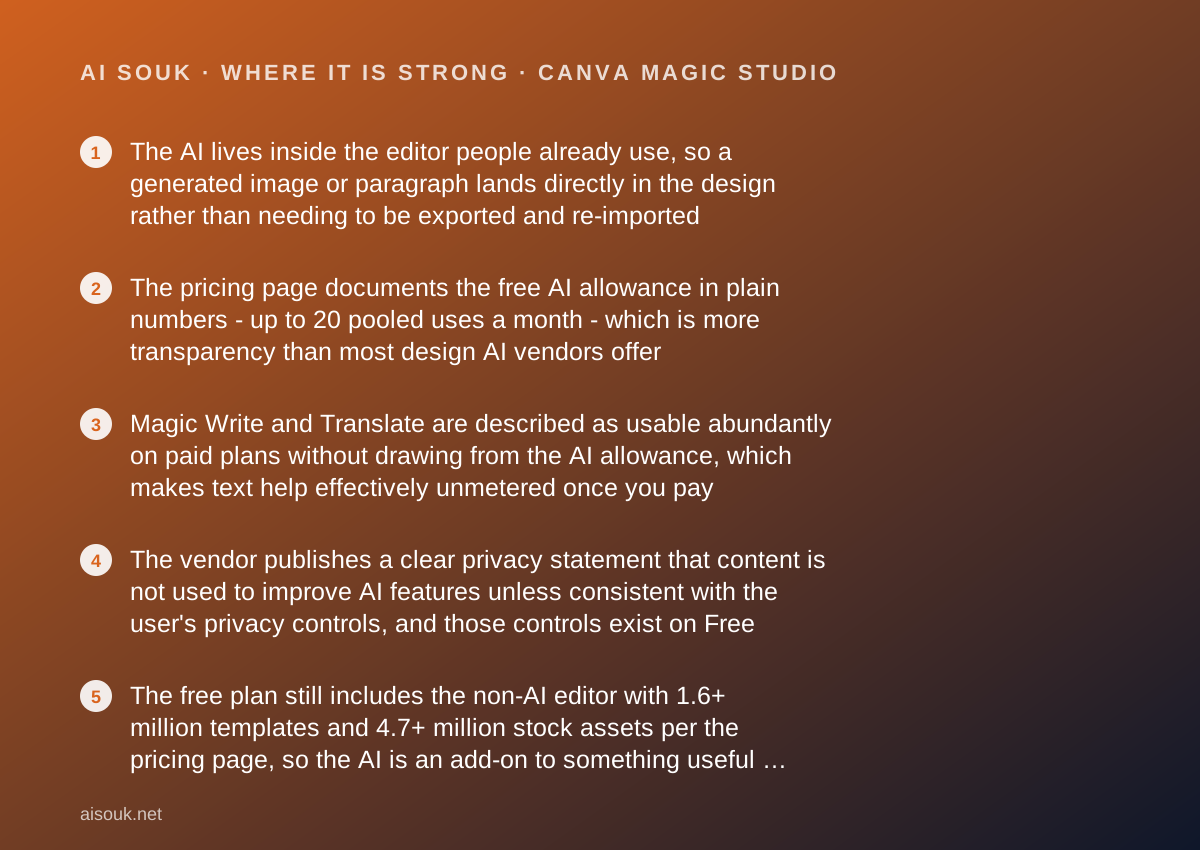
- The AI lives inside the editor people already use, so a generated image or paragraph lands directly in the design rather than needing to be exported and re-imported
- The pricing page documents the free AI allowance in plain numbers - up to 20 pooled uses a month - which is more transparency than most design AI vendors offer
- Magic Write and Translate are described as usable abundantly on paid plans without drawing from the AI allowance, which makes text help effectively unmetered once you pay
- The vendor publishes a clear privacy statement that content is not used to improve AI features unless consistent with the user's privacy controls, and those controls exist on Free
- The free plan still includes the non-AI editor with 1.6+ million templates and 4.7+ million stock assets per the pricing page, so the AI is an add-on to something useful rather than the whole product
Where it falls short
- Twenty pooled uses a month is a demo-sized allowance; a single social campaign would exhaust it, and the Ultra tier of tools is locked out of Free entirely per the pricing page
- The allowance is an estimate that shrinks with task complexity and tool mix - the pricing page itself says real usage may land at the lower end of the range, so the headline number is a ceiling, not a promise
- Pricing is shown in local currency and varies by region; the page viewed for this review displayed Vietnamese dong, so a US reader cannot take a number from this page and must check their own
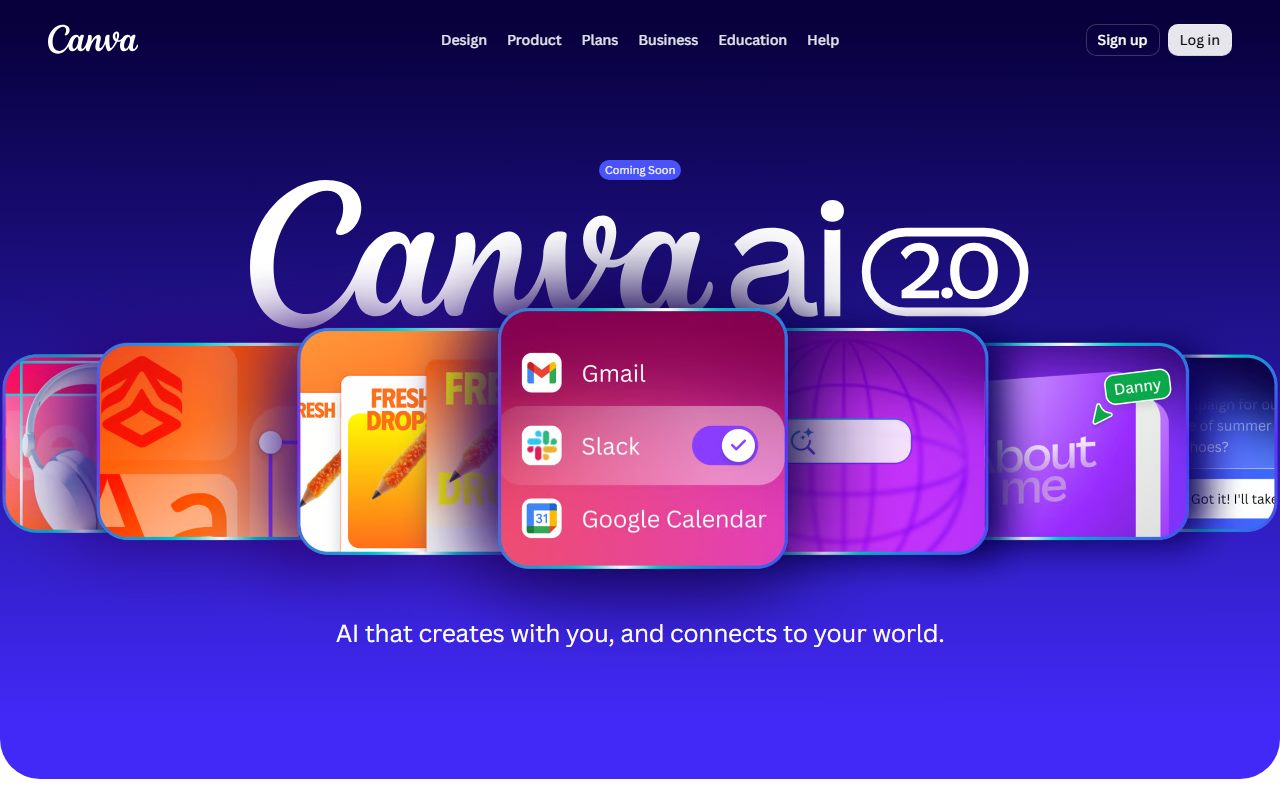
- The branding is in flux - the Magic Studio URL now resolves to a Canva AI 2.0 page marked Coming Soon - so documentation and interface names may not match for a while
- AI Pass and AI top-ups, the documented routes to more AI, are only available to Pro and Business subscribers who signed up online, so there is no way to buy more AI on Free
What the free tier actually includes
Everything in this section comes from the Canva pricing page and its FAQ, checked October 7, 2026. The pricing page is the primary source because it is the one place the vendor states the AI allowance in numbers rather than adjectives.
Canva Free costs nothing and includes the ordinary editor: per the comparison table, 4.7+ million stock photos, graphics, fonts, videos and audio, 1.6+ million templates, custom dimensions, PDF, JPG and PNG export, and social sharing. None of that is AI, but it matters, because it means a free account is a usable design tool before any AI is involved - which is not true of most products in this category.
The AI part is governed by what the FAQ calls a shared monthly AI allowance. Canva sorts its AI tools into three tiers - Standard, Premium and Ultra - and each draws on the same pool at a different rate. The FAQ's estimate for the free plan reads: Canva Free: up to 20 uses of Standard AI tools, or Premium AI tools. No access to Ultra AI tools. The allowance resets monthly.
Two qualifiers on the page deserve more weight than the number. First, the estimate assumes simple tasks with one kind of tool; the page says that completing more complex tasks or mixing tools may reduce your total uses to the lower end of the range. Second, the FAQ says that some AI tools like Translate and Magic Write can be used abundantly and do not count towards the allowance - but the sentence goes on to say that this includes all Standard AI tools for paid plans, and it is not explicit about whether the same unmetered treatment applies on Free. This review does not assume it does. If Magic Write matters to you on the free plan, test it against the allowance counter yourself before relying on it.
The tools themselves, per the Canva AI page, include Magic Write for text, a photo generator, a video generator, Magic Background, Resize, Style Match, a 3D content generator, an AI photo editor and the newer Magic Layers, which turns a generated image into editable layers. Which of these count as Standard, Premium or Ultra is referred to the Help Centre and is not spelled out on the pricing page, which is a gap worth noting.
- Free: up to 20 pooled uses per month of Standard or Premium AI tools; no Ultra tools
- Trial accounts get the same AI allowance as Free; the full paid allowance only starts when the paid plan starts
- Non-AI editor on Free: 1.6+ million templates, 4.7+ million stock assets, PDF/JPG/PNG export (per the pricing page, October 2026)
What sits behind the paywall
Three paid tiers are listed: Pro for one person, Business per person, and Enterprise by sales contact. The page viewed for this review displayed prices in Vietnamese dong (Pro at 150,000 dong per month, Business at 210,000 dong per month), because Canva localises pricing by region. The only US-dollar figure found on an official Canva page during research was in the October 30, 2025 newsroom announcement of Canva Business, which states it is available for US$20 per person per month. Do not treat any of these as your price; open the pricing page from your own location.
What the paid tiers change for AI, per the FAQ: Canva Pro gets up to 200 uses of Premium AI tools, or up to 20 uses of Ultra AI tools, per month. Business and Enterprise get up to 400 Premium uses or 40 Ultra uses. The FAQ frames the jump from Free to Pro as 10x more allowance. Paid plans also unlock the Ultra tier entirely, and the page says Standard AI tools on paid plans do not draw from the allowance at all, with the explicit exception of a Pro Lite plan where they do.
Beyond AI, paid tiers unlock the premium template and stock library (141+ million assets, 3.6+ million templates), brand kits, background removal, resize, print-ready CMYK export, more storage, and on Business, team collaboration, Grow Insights analytics, and bundled access to Leonardo.Ai's Essential plan and Flourish - a detail from the newsroom that is relevant if you are also reading this site's Leonardo.Ai review.
For people who hit the ceiling, the FAQ documents two routes: AI Pass, a monthly add-on for Pro and Business subscribers that the pricing page describes as 40x more AI than Canva Pro, and AI top-ups, a one-time purchase for Business subscribers worth one month's allowance and valid for 30 days. Both require an online subscription to a paid plan. There is no documented way for a free user to buy more AI without upgrading.
Who it is for, and who should skip it
The product makes sense for one kind of buyer above all others: a small business or solo marketer who already produces their visual material in Canva and wants AI help that stays inside the file they are working on. For that person, the value is not that Canva's image model is better than a dedicated generator - the documentation makes no such claim and neither does this page - but that a generated headline, background or product-free lifestyle image appears where it is needed, in the right dimensions, next to the brand kit, with no export step.
It also suits people who want to find out whether AI design help is worth paying for without committing money. The free tier is small, but it is real, and twenty uses is enough to generate a handful of images, rewrite a few captions and resize something, which is enough to form an opinion.
Who should skip it. Anyone whose main need is image generation volume should look at a dedicated generator; the free allowance here is a fraction of what the Ideogram or Leonardo.Ai free tiers offer in raw generation count, and those products are built around the generator rather than around an editor. Anyone who needs typographic control inside generated images - posters, packaging mockups, anything where the text must be exactly right - should read the Ideogram page, because text rendering is that product's documented specialty and not Canva's. And anyone who does not already use Canva for layout gains little from the AI alone; the AI is an accessory to the editor, not a reason to adopt it.
Limits and what users report
The limit that matters is the pooled allowance and the way it is counted. The pricing page is careful to say the 20-use figure is an estimate under ideal conditions - one tool type, simple tasks - and that mixing tools or doing complex tasks pushes real usage to the lower end of the range. A free user who generates an image, then edits it, then resizes the design, has used three AI actions from one pool, possibly at three different rates. The practical reading is that twenty is the ceiling and the floor is not published.
The second limit is which tools are in which tier. The pricing page refers that question to the Help Centre rather than listing it, and the Help Centre pages were not retrievable for this review. So this page cannot tell you whether, for example, the video generator is Premium or Ultra. If a specific tool is the reason you are interested, confirm its tier before assuming it is reachable on Free.
The third limit is naming: the magic URL now redirects to a Canva AI page that announces a 2.0 version, and the pricing page does not say how 2.0 will be metered. Expect guides and help articles to use several names for the same features.
On public forums and in third-party pricing guides, the recurring complaint is less about quality and more about counting: users describe reaching the free limit faster than the headline number suggested, which is consistent with the vendor's own caveat about complex tasks and tool mixing. Those reports are not verified here and are mentioned only because they match the documentation. Fair use limits also apply to the tools described as abundant, per the pricing page footnote, and the vendor does not publish what those limits are.
Privacy and data use
Canva's AI page carries a short, specific statement: Canva does not use your content to improve AI-powered features unless it is consistent with your privacy controls. It adds that granular privacy settings exist on Free and Pro, with organisation-level admin controls on Business and Enterprise, and it describes Canva Shield, a package of privacy, security and indemnification commitments for enterprise customers with over 100 seats.
Three things to check in the current policy rather than on this page. First, what the default privacy setting is on a new free account - the statement above is conditional on your controls, which means the controls, not the sentence, decide what happens. Second, whether designs that include uploaded photos of real people, customers or products are treated differently from generated content. Third, if you are on a Business plan that bundles Leonardo.Ai, which vendor's terms govern images generated through that bundle.
The general rule for this category applies here as it does on every page on this site: a prompt is a disclosure, and a design is often a disclosure of unreleased plans. Product launches, pricing changes and client names in a draft design have left your building the moment they are in a cloud editor, AI or not. That is a reason to read the policy at your tier, not a reason to avoid the product.
This page cannot verify current settings or policy wording. It is a documentation review and the policy is the document to read.
Alternatives worth a look
Two of the alternatives are covered elsewhere on this site, and the comparison is mostly about what shape of product you want.
Ideogram is a dedicated image generator with a documented strength in rendering legible text inside images, and a free tier of 30 credits a week for accounts that sign in with Google, Apple or Microsoft. It generates more images for free than Canva does, but everything on its free plan is public and it has no layout editor; you would generate there and bring the result into Canva.
Leonardo.Ai offers 150 fast tokens a day on its free plan, which at the documented one-token cost for a default image is a far larger daily generation budget than Canva's monthly one. It is also, per Canva's own newsroom, the generator bundled into Canva Business, which tells you how Canva itself positions the two: Leonardo for production-grade generation, Canva for the layout around it.
Adobe Firefly is the closest like-for-like: Adobe also pairs its generator with a design app (Express) and meters AI through credits, and it makes specific claims about the licensing of its training data that matter to businesses worried about commercial safety.
For a researched paragraph to drop into a design, Perplexity is the better tool for the research step.
Frequently asked
Is Magic Studio free? Partly. The free plan includes a shared AI allowance the pricing page estimates at up to 20 uses a month of Standard or Premium tools, with no access to Ultra tools. The non-AI editor is free without that cap.
Does the free allowance roll over? The FAQ says the allowance resets monthly. Nothing on the page describes rollover, so assume unused uses are lost.
Is Magic Write unlimited on Free? The FAQ says Magic Write and Translate can be used abundantly and do not count towards the allowance, then clarifies that this covers Standard AI tools on paid plans. It does not state the free-plan treatment explicitly. Check the counter rather than assuming.
What is the difference between Magic Studio and Canva AI? As of October 2026 the vendor's pages use Canva AI for the overall feature set and announce a Canva AI 2.0 as Coming Soon. The individual tools - Magic Write, Magic Background, Magic Layers and so on - keep their Magic names. Magic Studio is the umbrella name most third-party guides still use.
Can I buy more AI on the free plan? Not per the documentation. AI Pass and AI top-ups are for Pro and Business subscribers who signed up online.
Why no screenshots? Because none were captured for this page. That is what a documentation review means here.
Does this page earn a commission? No. There is no affiliate relationship with this vendor; the link goes to the official site.
Bottom line
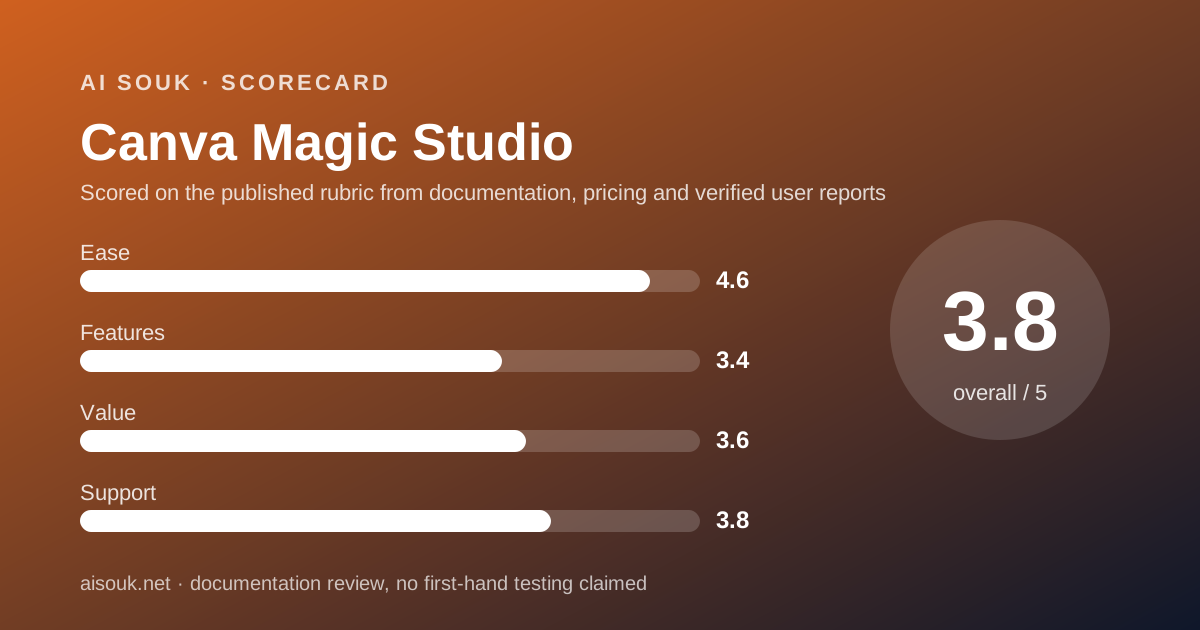
On the documented design, Canva's AI is a convenience layer on a design editor, and the right way to judge it is as one. The ease score is high because there is nothing to learn beyond the editor people already know. The features score is middling because, on the free plan, the AI allowance is twenty pooled uses a month and the strongest tier of tools is off-limits - which is enough to see what the tools do and not enough to do a month of work with them. The value score reflects that the free plan is a demo of the paid one rather than a smaller version of it, offset by the fact that the surrounding editor is genuinely usable for nothing. Support scores a little above the category norm because the pricing page states the allowance in numbers and the privacy statement is specific, though the Help Centre pages that would settle which tool sits in which tier were not reachable.
Use the free plan to learn whether AI help inside the editor changes how you work. If it does, Pro is where the allowance becomes workable. If what you need is volume image generation, read the Leonardo.Ai and Ideogram pages first.
What this page cannot tell you, stated plainly because the site's method requires it: what the interface looks like today, which tools sit in which allowance tier, what the price is in your currency, or how Canva AI 2.0 will change the metering. No account was opened and no screenshots were captured. Those facts live on the vendor's pricing page and Help Centre, and they will change faster than this review.
Visit Canva Magic Studio
We have no affiliate relationship with this vendor. Link goes to the official site.