 AI
AI
ChatGPT
The default AI assistant most people already have an opinion about, with a free tier that is wide on chat and narrow on everything else.
Scored on the published rubric, from documentation, pricing and verified user reports.
Best for: A small-business owner who wants a general-purpose assistant for drafting, rewriting and quick questions, and who can live with daily caps on uploads, images and voice until the work proves it is worth $8 or $20 a month.
Verdict
This is a documentation review, not a walkthrough: no account was opened for this page and no screenshots were captured, so nothing here is a first-hand claim about what the interface looks like today. On the documented design, ChatGPT's free tier is built around one generous promise and a ring of small fences. The promise, in the pricing page's own words as of October 2026, is unlimited text chats with the default model, subject to abuse guardrails. The fences are everything else: messages with file uploads, image creation, voice, deep research, memory and context, and the Codex coding tools are all listed as limited, and the help center says each has its own rate limit that pauses the feature until it resets. For a small business that mostly needs words - emails, policies, product descriptions, first drafts - that shape is close to ideal, and the $8 Go tier exists precisely to loosen the fences without jumping to $20. The things to understand before relying on it are that OpenAI does not publish the free caps as numbers, that ads may appear in some regions, and that the default model and its limits change without notice.
Visit ChatGPT
We have no affiliate relationship with this vendor. Link goes to the official site.
Where it is strong
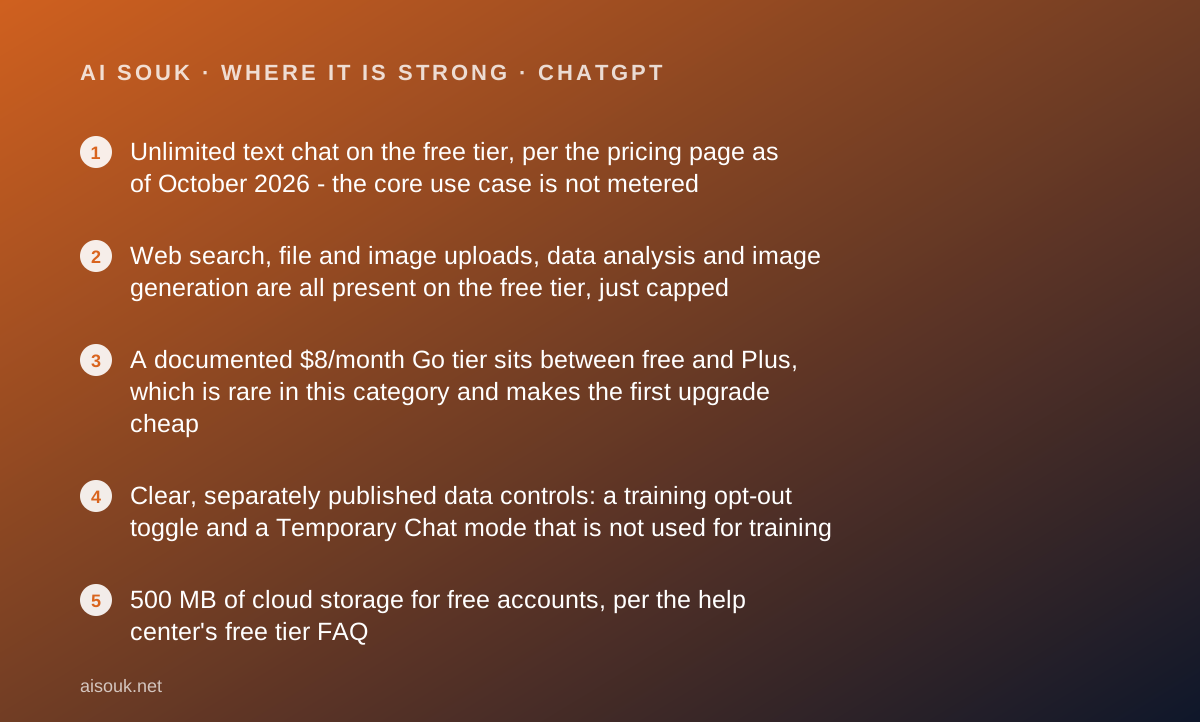
- Unlimited text chat on the free tier, per the pricing page as of October 2026 - the core use case is not metered
- Web search, file and image uploads, data analysis and image generation are all present on the free tier, just capped
- A documented $8/month Go tier sits between free and Plus, which is rare in this category and makes the first upgrade cheap
- Clear, separately published data controls: a training opt-out toggle and a Temporary Chat mode that is not used for training
- 500 MB of cloud storage for free accounts, per the help center's free tier FAQ
Where it falls short
- The free caps on uploads, images, voice and deep research are not published as numbers; the help center says you are notified when you hit one and must wait for the reset
- Free users can use existing GPTs but cannot create or publish their own, per the free tier FAQ
- The help center states that ads may appear for free users in certain regions, and that the default model and limits can change over time
- Projects, scheduled tasks, custom GPTs and the advanced reasoning models are reserved for Plus and above, so organised work is a paid feature
- Support for consumer tiers is self-service in character; even Plus is described as possibly subject to message caps during high demand
What the free tier actually includes
The pricing page, checked October 7, 2026, describes the free plan in eight short lines, and the first one carries most of the weight: unlimited text chats with GPT-5.6 Luna, the default model, subject to abuse guardrails. That is the headline. Plain conversation - asking questions, drafting, rewriting, summarising pasted text - is not metered on the free tier, which is not true of every product in this category.
The remaining seven lines all begin with the word limited: limited messages with uploads, limited image creation, limited voice chats, limited deep research, limited memory and context, limited Codex access, and limited ChatGPT Work access on desktop. The help center's free tier FAQ adds detail to the shape without adding numbers. It confirms that free accounts get web search, data analysis, image and file uploads, image generation, the ability to discover and use existing GPTs, and 500 MB of cloud storage. It also says the tools that are capped - file uploads, image generation, voice, data analysis - each carry their own rate limit, that ChatGPT notifies you when you reach one, and that the tool pauses until the limit resets, with the timing shown in the app.
Two other facts from the FAQ matter for a business reader. Free users can use GPTs that others have published but cannot create or publish their own. And the FAQ states plainly that ads may appear in certain regions, and that the default model and its limits can change over time. Neither is hidden, but neither is on the pricing page either.
- Unlimited text chat with the default model (abuse guardrails apply), per the pricing page
- Web search, uploads, data analysis, image generation and voice - each with an unpublished cap
- Use of existing GPTs, but no creating or publishing your own
- 500 MB of cloud storage, per the free tier FAQ
- Ads possible in some regions, per the free tier FAQ
What sits behind the paywall
As of October 2026 the consumer ladder has three paid rungs above free, and the prices on OpenAI's pricing page are $8 a month for Go, $20 a month for Plus and from $100 a month for Pro. A Business plan is listed with pricing on request. Check the current page before quoting any of these; they have moved before and the page itself says features and limits are subject to change.
Go is the interesting rung for a small business, because its whole description is a loosening of the free fences: more messages with tools, more uploads, more image creation, more voice chats, and longer memory. It does not, on the documented list, add the advanced reasoning models or the organisational features. It is the plan for someone who likes the free tier and keeps hitting the walls.
Plus is where the product changes character rather than quantity. The page lists advanced reasoning models with GPT-6, expanded messages and uploads, more complex and accurate image creation, expanded deep research, expanded memory and context, projects, scheduled tasks and custom GPTs, expanded Codex usage and early access to new features. If your use involves organising work into projects, building a reusable custom GPT for your team, or running long research jobs, this is the first tier that does it.
Pro, from $100, is described with a choice of three usage tiers, Pro reasoning powered by GPT-6 Astra, an always-on agent the page calls Dot, and the highest research and memory allowances. It is not a small-business plan in any ordinary sense and this review does not grade it.
One caution from the help center's own Plus article: Plus subscriptions may include usage limits such as message caps, especially during high demand. Paying does not buy you out of limits; it buys you higher ones.
Who it is for, and who should skip it
The free tier fits a specific person well: someone whose work is mostly words. A sole trader who writes quotes, replies to customer email, drafts terms, rewrites a clumsy paragraph and occasionally needs a spreadsheet formula explained will find that none of that touches a cap, because text chat is unlimited. If that is you, the honest advice is to use the free tier for a month before deciding anything.
It also fits someone who wants one assistant for everything and is willing to pay a small amount for breathing room. Go at $8 exists for exactly the user who uploads a PDF a few times a day and wants more images and voice without buying features they will not use.
It is a poorer fit for three kinds of reader. If your work is document-heavy - contracts, reports, scanned invoices - the free upload cap will be the first thing you meet, and the cap is not published, so you cannot plan around it. If you need a structured workspace with projects and reusable assistants, that is Plus. And if you need to know exactly where every claim in an answer came from, this is a general assistant, not an answer engine; the Perplexity review and the NotebookLM review on this site cover tools designed for that question.
Finally, if you are in a region where the help center says ads may appear, and that bothers you in a work tool, that is a reason to look at Go or at a competitor rather than a reason to stop reading.
Limits and what users report
The single most important thing to understand about ChatGPT's free tier is that its limits are real and unpublished. The pricing page uses the word limited seven times and gives no number for any of them. The help center's FAQ describes the mechanism - per-tool rate limits, a notification when you hit one, a wait until reset - but not the quantities. This site will not invent them.
What the documentation does say is that the limits are not all one pool. Running out of image generations does not stop you chatting. Running out of upload messages does not stop you using voice. Each tool pauses independently, which in practice means a free user learns which features are precious and which are not.
Public forum discussion of the free tier tends to cluster on three complaints, and all three are consistent with the documentation rather than contradicting it: that the model you get on free is the default rather than the strongest, that upload and image caps arrive sooner than people expect on a busy day, and that the limits themselves appear to shift. The FAQ's statement that the default model and limits can change over time is the official version of that last complaint.
The other recurring theme is positive and also matches the documents: because text is unlimited, people report that a free account is genuinely usable as a daily writing assistant, not just a trial. That is the fair summary. The free tier is a full product for text and a sampler for everything else.
Read the current pricing page before you plan around any of this. The numbers that matter most are the ones that are not written down.
Privacy and data use
OpenAI publishes a data controls FAQ for ChatGPT, and the parts that matter for a small business are concrete enough to act on.
By default, conversations on consumer accounts can be used to train OpenAI's models. There is a setting, named in the FAQ as Improve the model for everyone, which when turned off means your new conversations are not used for training. The FAQ says the setting applies across your devices when you are signed in.
There is also a Temporary Chat mode. Temporary chats do not appear in your history and are not used to improve OpenAI's models, but the FAQ states they may be retained for up to 30 days for safety purposes. Saving a temporary chat turns it into a regular one, subject to your account settings.
The FAQ draws a clear line for organisations: content from ChatGPT Business, Enterprise, Edu and the healthcare workspaces is not used for training by default, regardless of individual settings. That line is the practical reason a business should not let staff paste client material into personal free accounts. The same work done in a Business workspace sits on different terms.
Memory is a separate control from training. Turning memory off does not, by itself, change whether conversations are used for training, and the FAQ notes that safety-related context can still be used in high-risk situations even with memory disabled.
The rule that survives any policy change: a prompt is a disclosure. Client names, unreleased figures and anything under a confidentiality agreement do not belong in a consumer-tier chat box, and for a free account the training opt-out is a setting you should actually visit rather than assume. Read the current FAQ at the tier you are on.
Alternatives worth a look
Three products sit close enough to be worth comparing before committing to a paid tier.
Claude is the closest like-for-like. Its free tier, per Anthropic's pricing page, is shaped around a usage allowance rather than a list of capped tools: web search, file creation, code execution, memory and up to five projects are all on the free plan, and the trade is that the allowance itself is described as covering everyday questions with no fixed message count. If your work is organised into projects and you want that on a free plan, it is the one to try first.
Google Gemini is the value comparison. Its free tier lists image generation, Deep Research, Gemini Live and Canvas, and the cheapest paid tier, Google AI Plus, is $4.99 a month as of October 2026 - the lowest first paid step among the five assistants reviewed in this batch. The catch is a documented change to free model access in October 2026, covered in that review.
Microsoft Copilot matters if your business already pays for Microsoft 365, because the consumer plans bundle Copilot into Word, Excel and Outlook and the question becomes whether a second assistant is needed at all.
For research with sources rather than drafting, Perplexity is a different kind of tool and a better one for that job.
Frequently asked
Is the free tier unlimited? For plain text chat with the default model, the pricing page says yes, subject to abuse guardrails. Uploads, images, voice, deep research, memory and Codex are all listed as limited, with no numbers published.
Which model do free users get? The pricing page names GPT-5.6 Luna as the model behind unlimited free chat as of October 2026. The help center says the default model can change over time, so check the current page.
What happens when I hit a cap? Per the free tier FAQ, ChatGPT notifies you, the specific tool pauses, and the app shows when it resets. Other tools keep working. Upgrading resets the limits immediately.
Is Go worth it over Plus? Go, at $8, loosens the free caps without adding the reasoning models, projects or custom GPTs. Plus, at $20, adds those. If you hit caps but never wanted projects, Go is the cheaper answer.
Are my chats used for training? On consumer accounts, by default, yes, unless you turn off the Improve the model for everyone setting or use Temporary Chat. Business and Enterprise workspaces are excluded by default.
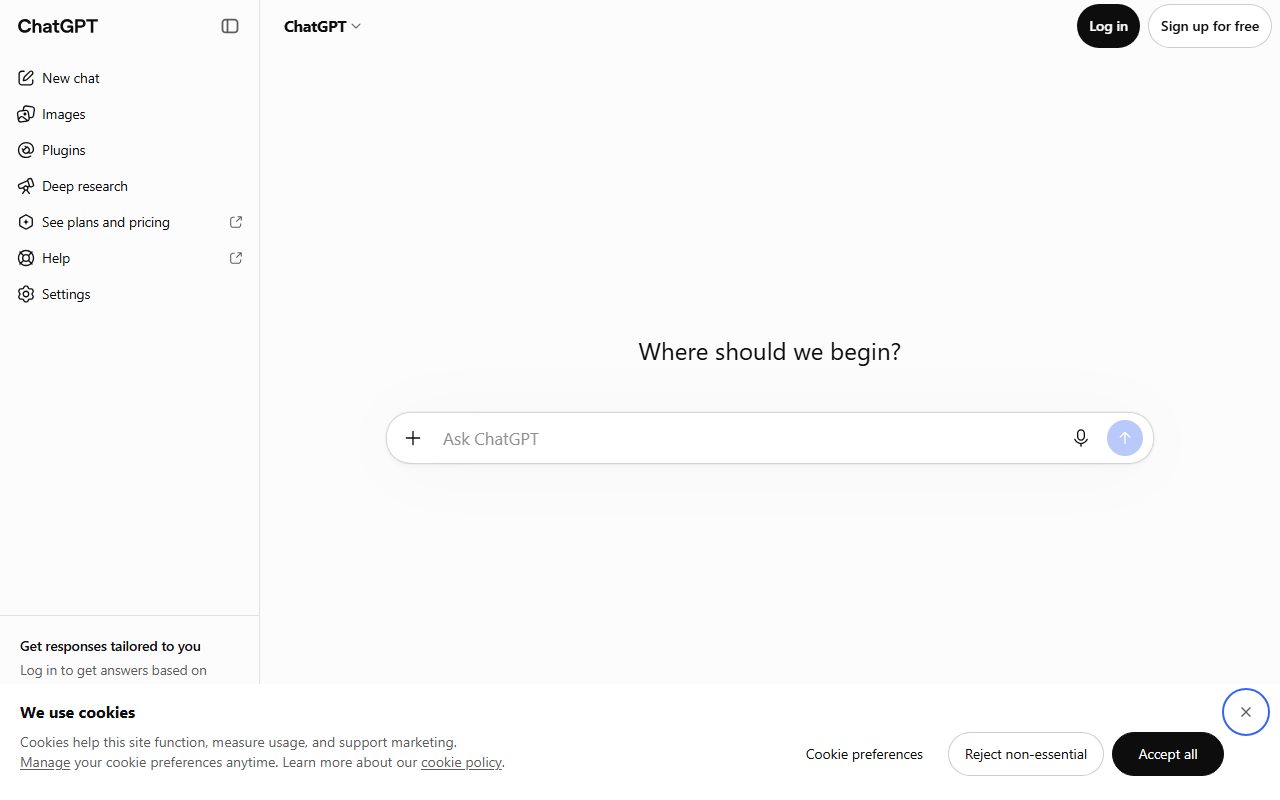
Why no screenshots? Because no account was opened for this page. That is what a documentation review means on this site.
Does this page earn a commission? No. There is no affiliate relationship with OpenAI; the link goes to the official site.
Bottom line
On the documents, ChatGPT's free tier is the most generous in this batch for one thing and the most hedged for everything else. Unlimited text chat is a real commitment and it makes the free plan a daily tool for anyone whose work is mostly writing. Every other capability is present but capped, and the caps are deliberately unpublished, which means the only way to learn them is to hit them.
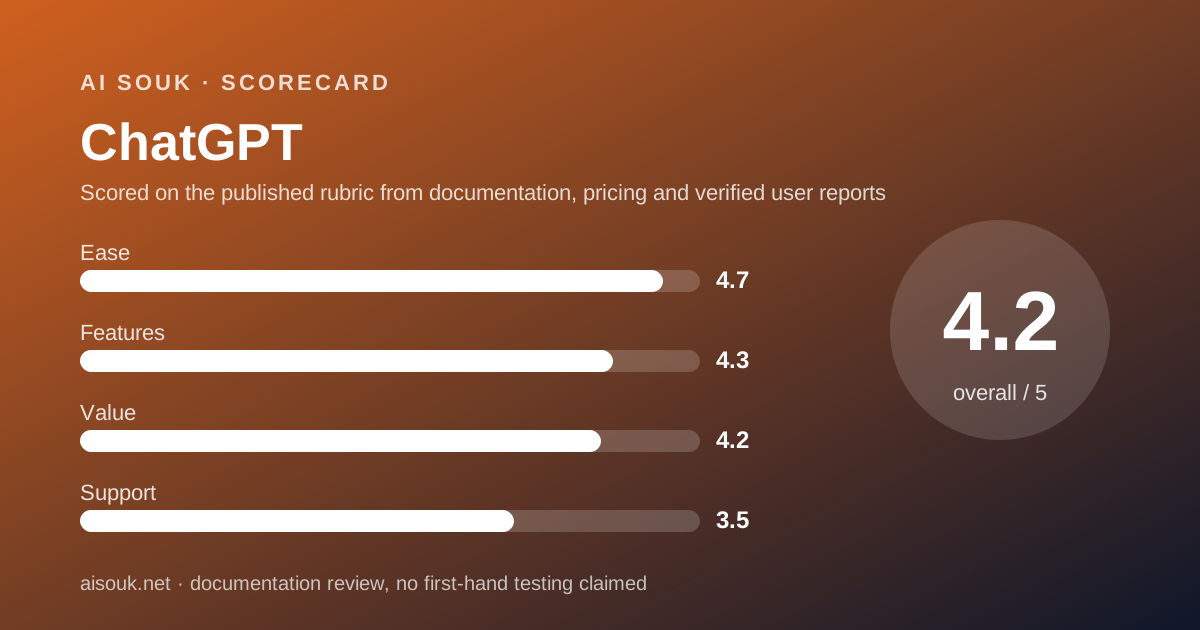
The ease score is high because there is nothing to configure and the free plan does the central job without a card on file. Features scores well because the breadth on free is real - search, uploads, analysis, images, voice - even if each is rationed. Value is good rather than excellent: the $8 Go tier is a genuinely useful step, but the things that make the product a workspace rather than a chat box start at $20. Support is graded as self-service, which is normal for consumer AI and still the weakest part.
The practical advice: use the free tier for your real writing for a month, visit the training setting on day one, and note which cap you hit first. That cap tells you whether you need Go, Plus or nothing.
What this page cannot tell you: what the interface looks like today, how quickly the caps arrive on a busy day, or whether the pricing page has changed since October 7, 2026. No account was opened and no screenshots were captured. Those facts live on the vendor's own pages.
Visit ChatGPT
We have no affiliate relationship with this vendor. Link goes to the official site.