 AI
AI
Adobe Firefly
The generator that sells provenance first - licensed training data, Content Credentials - with a free plan Adobe describes in words rather than numbers.
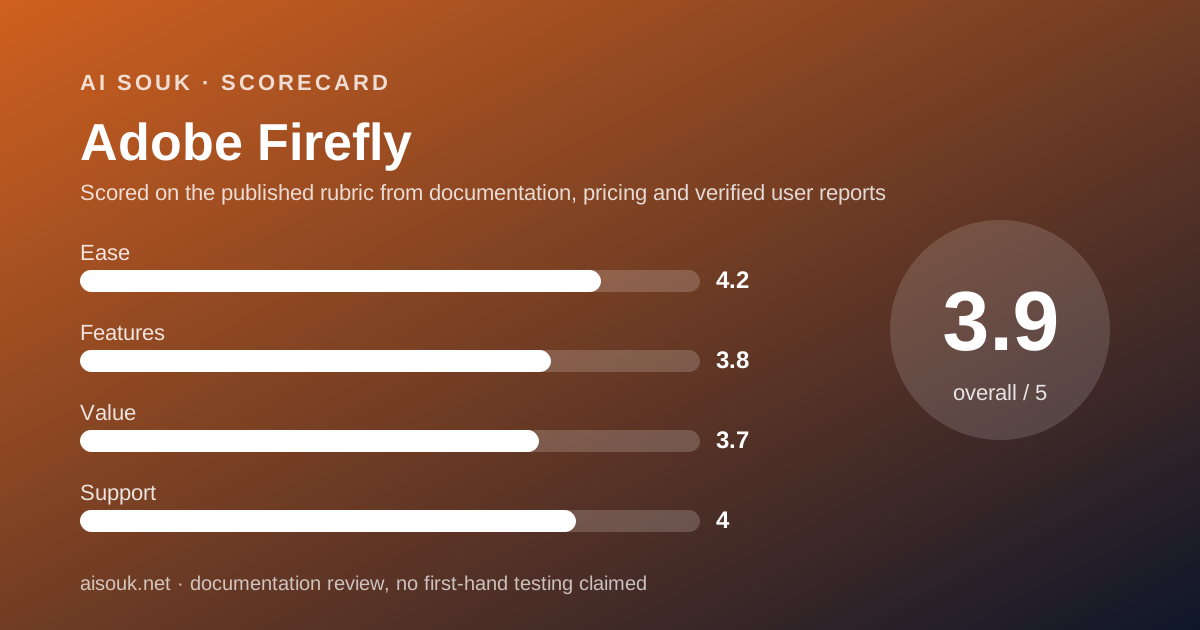
Scored on the published rubric, from documentation, pricing and verified user reports.
Best for: A business that needs to answer the question of where the training data came from before it will use generated images at all, and wants a free way to try the models before committing to a credit plan.
Verdict
This is a documentation review, not a walkthrough: no account was opened for this page and no screenshots were captured, so nothing here is a first-hand claim about what the interface looks like today. On the documented design, Firefly's distinguishing argument is not what it generates but what it was trained on: Adobe's product pages state that its own Firefly models are trained on licensed Adobe Stock and public-domain content, that outputs carry Content Credentials, and that Adobe does not train Firefly or partner models on subscribers' personal content. For a business whose legal or brand team has to sign off on AI imagery, those sentences are the product. The free plan exists - the pricing page (checked October 7, 2026) says you do not need a plan to get free daily generations across image, video and audio, with limits that refresh every day - but Adobe does not publish the daily number on the plans page, which is the single biggest gap in this review. The paid plans are metered in generative credits with a clear line between standard features, which are unlimited on paid plans, and premium features like video and partner models, which consume credits.
Visit Adobe Firefly
We have no affiliate relationship with this vendor. Link goes to the official site.
Where it is strong
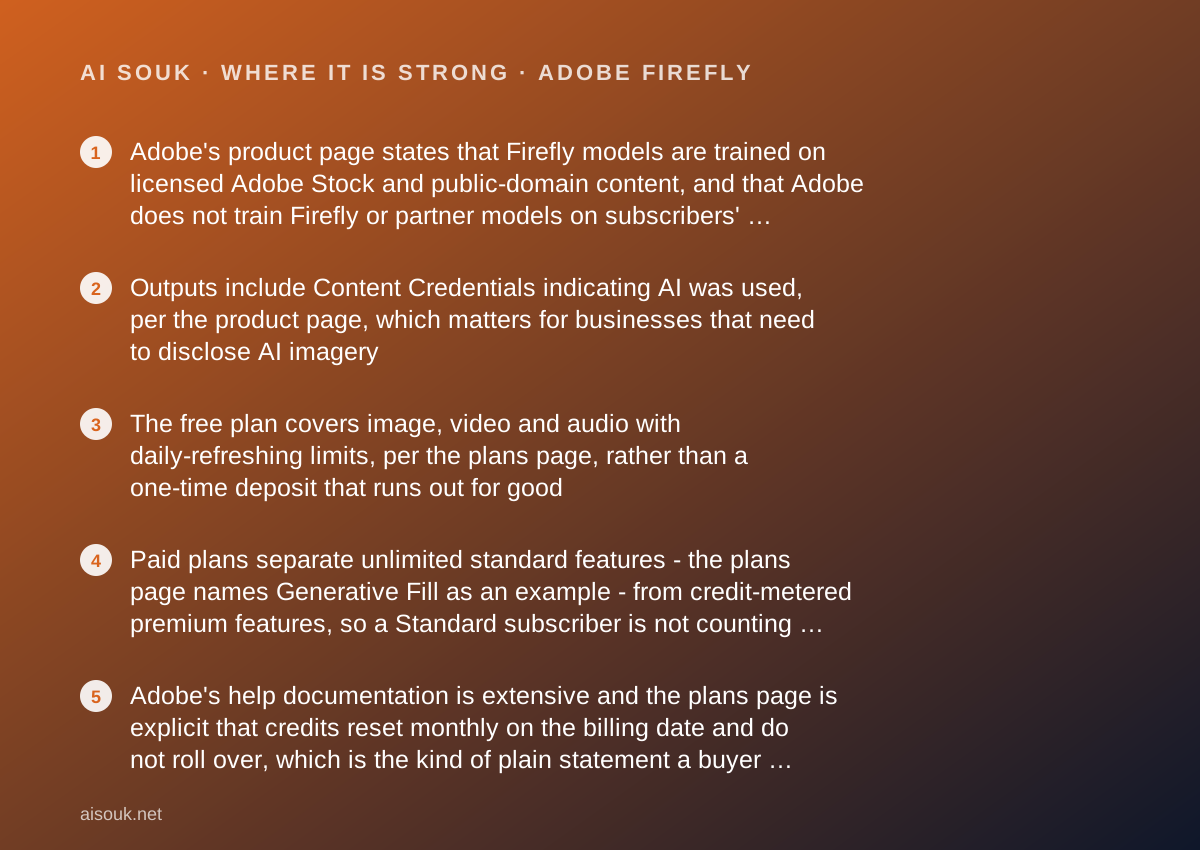
- Adobe's product page states that Firefly models are trained on licensed Adobe Stock and public-domain content, and that Adobe does not train Firefly or partner models on subscribers' personal content - the clearest provenance statement in this batch
- Outputs include Content Credentials indicating AI was used, per the product page, which matters for businesses that need to disclose AI imagery
- The free plan covers image, video and audio with daily-refreshing limits, per the plans page, rather than a one-time deposit that runs out for good
- Paid plans separate unlimited standard features - the plans page names Generative Fill as an example - from credit-metered premium features, so a Standard subscriber is not counting credits on everyday edits
- Adobe's help documentation is extensive and the plans page is explicit that credits reset monthly on the billing date and do not roll over, which is the kind of plain statement a buyer needs
Where it falls short
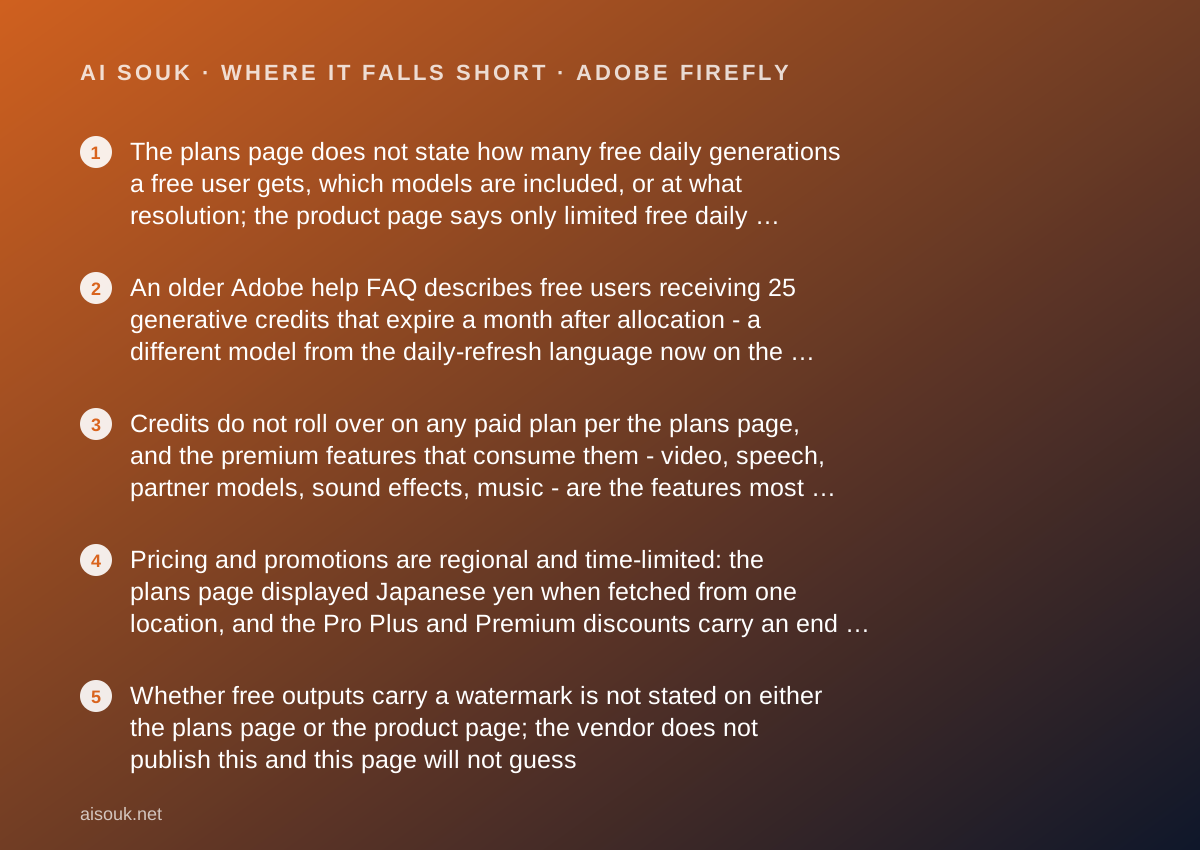
- The plans page does not state how many free daily generations a free user gets, which models are included, or at what resolution; the product page says only limited free daily generations across both standard and premium features
- An older Adobe help FAQ describes free users receiving 25 generative credits that expire a month after allocation - a different model from the daily-refresh language now on the plans page - and the two have not been reconciled in any document found for this review
- Credits do not roll over on any paid plan per the plans page, and the premium features that consume them - video, speech, partner models, sound effects, music - are the features most people upgrade for
- Pricing and promotions are regional and time-limited: the plans page displayed Japanese yen when fetched from one location, and the Pro Plus and Premium discounts carry an end date, so a US price seen today may not be the price next month
- Whether free outputs carry a watermark is not stated on either the plans page or the product page; the vendor does not publish this and this page will not guess
What the free tier actually includes
Everything in this section comes from two Adobe pages, the Firefly product page and the Firefly plans page, both checked October 7, 2026, plus one older Adobe help FAQ noted separately. The plans page geo-localises - fetched from one location it displayed Japanese yen - so the US-dollar figures below come from the product page, which displayed them, and should be confirmed against the plans page from your own location.
The free plan is described in three sentences across those pages and no numbers. The product page says: limited free daily generations across both standard and premium features, and start generating with select image, video and audio models. The plans page says: you do not need a plan to get free daily generations across image, video and audio, with access to popular models like Nano Banana and Luma Ray3.14, and that limits refresh every day. That is the whole of what the vendor publishes about the free allowance on its public plan pages, and this review will not fill the gap with a number from elsewhere.
One complication should be stated rather than hidden. Adobe's generative credits FAQ on its help site - a page that search results date to February 2025 and that was not directly retrievable for this review - describes a different model for free users: 25 generative credits allocated on first use of a Firefly feature, expiring one month from that date. The plans page in October 2026 describes daily-refreshing limits instead. Both are Adobe documents; one is older. This page reports the current plans-page language as authoritative and flags the older FAQ so that readers who find it understand why it disagrees.
What the free user does get in kind, per the product page: access to Adobe's own models and to select partner models for image, video and audio; outputs with Content Credentials; and the same training-data provenance claims that apply to paid outputs. Whether free outputs carry a visible watermark is not addressed on either page.
- Free daily generations across image, video and audio; limits refresh every day (plans page, October 2026); the count is not published
- Select Adobe and partner models on Free; the plans page names Nano Banana and Luma Ray3.14 as examples
- Content Credentials on outputs; watermark policy for Free not stated
What sits behind the paywall
The plans page lists four individual paid tiers, and the structure is the same on each: a monthly pool of generative credits for premium features, plus unlimited access to standard features. Standard is $9.99 a month per the product page, with 2,000 credits a month per the plans page. Pro is $19.99 a month with 4,000 credits. Pro Plus has a regular price of $49.99 a month, shown with a first-year promotional price of $34.97 (a 30 percent discount the plans page says ends October 21), and 10,000 credits. Premium is the top individual tier with 50,000 credits a month and, per the plans page, unlimited access to the Firefly Video Model; its US price was not on the product page retrieved and should be read from the plans page directly.
What the credits are for is the part worth understanding before buying. The plans page says all paid plans include unlimited access to standard image features like Generative Fill, and that premium features - it lists Text to Video and Generate Speech, partner model outputs, five-second video generation, audio translation, sound effect generation and music generation - draw on generative credits. The Standard tier's own feature list translates its 2,000 credits into examples: up to 20 five-second videos, 6 minutes of audio translation, 200 sound effects, 100 minutes of music. So a Standard subscriber generating still images with Adobe's own models is effectively unmetered, and a Standard subscriber generating video has a budget of roughly twenty clips a month.
Credits are shared across the Firefly web app, mobile app and compatible desktop applications, reset monthly on the billing date, and do not roll over - all three statements are on the plans page. Adobe sells add-on credit packs for subscribers who run out, priced regionally.
The paid tiers also bundle Adobe apps: the plans page lists Firefly on web and mobile, Adobe Express Premium and Adobe Fonts on Standard, and the product page notes that Pro and above add Photoshop on web and mobile. The plans page also shows a first-year promotion of unlimited generations on select models; promotions change, so read the current page.
Who it is for, and who should skip it
Firefly is the right starting point for one buyer above all: the business that cannot use AI imagery until someone has answered where it came from. Adobe's pages answer that question in writing - licensed Adobe Stock and public-domain training data for its own models, Content Credentials on outputs, no training on subscribers' personal content. None of the other generators reviewed in this batch makes an equivalent statement in the documentation examined. If a brand, legal or procurement team is the gatekeeper, those sentences are what gets the tool approved, and the free plan is the no-cost way to put the models in front of them.
It also suits people already inside Adobe's ecosystem. The credits are shared with Photoshop and Express per the plans page, and a Standard subscription at $9.99 buys Express Premium alongside the generator. For someone who would pay for Express anyway, the generator is close to free.
Who should skip it. Anyone whose question is purely how many free images can I get a day should look at Leonardo.Ai, whose free allowance is a published daily number, or Ideogram, whose weekly number is also published; Adobe does not publish its free count. Anyone who needs exact text inside images should read the Ideogram page, where that is the documented specialty. And anyone who wants a generator inside a layout editor rather than next to one should read the Canva Magic Studio page - though Adobe Express, bundled with paid Firefly, is the closest Adobe equivalent and is not reviewed here.
Limits and what users report
The first limit is informational, and it is the one this page has repeated because it matters: the free daily allowance is not a published number on the plans page. A reader cannot plan around it from documentation; they discover it in the app. Adobe's older help FAQ describes a 25-credit monthly model for free users, which may or may not still apply alongside the daily-refresh language, and no current document found for this review reconciles the two.
The second is the credit model on paid plans. Premium features consume credits and credits do not roll over. The plans page gives the Standard tier's 2,000 credits as, for example, up to 20 five-second videos. For a business whose reason to upgrade is video, twenty clips a month on the entry tier is the real constraint, and the next tier doubles it rather than removing it.
The third is regional pricing and promotional pricing. The plans page served yen to one request and the product page served dollars to another; the Pro Plus and Premium discounts are first-year only with an end date printed on the page. A price quoted in any review, including this one, is a snapshot.
The fourth is the watermark question, which the vendor's public plan pages do not address for the free tier.
On public forums, the recurring themes - consistent with the documentation and not independently verified - are confusion about why some generations cost credits and others do not, which the standard-versus-premium split explains; frustration that credits expire monthly; and a long-running debate about whether Adobe's models produce output as striking as competitors trained on broader data, which is a question of taste that documentation cannot settle.
Privacy and data use
This is the section where Firefly's documentation is strongest, and the statements are specific enough to quote rather than paraphrase.
On training data, the product page says Adobe Firefly models are commercially safe and are trained on licensed content from Adobe Stock and public-domain content where copyright has expired. On user content, it says Adobe does not train Adobe Firefly models or partner models on any Creative Cloud subscribers' personal content. On disclosure, it says Adobe Firefly outputs include Content Credentials that indicate AI was used in the creation process.
Three questions remain for the current policy rather than this page. First, the personal-content statement names Creative Cloud subscribers; whether an identical commitment covers a free account with no subscription should be confirmed in the privacy policy and terms for the free tier rather than assumed. Second, partner models - the plans page names third-party models from Google and others - are run under Adobe's umbrella, and which party's terms govern a prompt sent to a partner model is a question the product page answers only with the training statement above. Third, retention of uploaded reference images and of generated history is a separate question from training and should be read separately.
The commercial-safety language is a claim about training data, not a licence to use any output anywhere; a generated image of a recognisable trademark or a real person is still a problem. Firefly's documentation gives more reason than most to trust the vendor's handling of your prompts, and no reason to skip reading the policy for your tier. This page cannot verify current wording.
Alternatives worth a look
The three nearest alternatives are all reviewed on this site, and the comparison with Firefly is mostly about what you trade for the provenance story.
Leonardo.Ai publishes its free allowance as a number - 150 fast tokens a day, with a documented per-operation cost table - and states plainly that commercial use is permitted for free users. What it does not do, in the documentation reviewed, is make a training-data claim like Adobe's, and its free generations are public with a broad licence attached. If the daily count matters more than the provenance, go there.
Ideogram offers 30 credits a week for accounts using a major identity provider, leads with text rendering inside images, and also makes free generations public. Commercial rights are referred to its Terms rather than stated. If the words in the image are the job, it is the specialist.
Canva Magic Studio is the design-editor comparison: AI tools inside a layout tool, with a small pooled monthly allowance on Free. Adobe's own equivalent is Express, which is bundled with paid Firefly tiers per the plans page and is not reviewed separately here.
For the research that precedes generation - what a style is called, whether a visual idea has been done - Perplexity is the better tool, and for digesting a long brand guideline before generating against it, NotebookLM is the tool that will quote the page back to you.
Frequently asked
How many free generations do I get? The plans page says free daily generations across image, video and audio, refreshing every day, and does not state the number. An older Adobe help FAQ describes 25 credits a month for free users. This page reports both and endorses neither as current; the app will show you.
What is the difference between standard and premium features? Per the plans page, standard image features like Generative Fill are unlimited on paid plans; premium features - video, speech, partner models, sound effects, music, audio translation - consume generative credits.
Do credits roll over? No. The plans page says credits reset monthly on the billing date and do not roll over.
Is the output safe to use commercially? Adobe states its own models are commercially safe and trained on licensed and public-domain content, and that outputs carry Content Credentials. That is a claim about training data, not a blanket licence; trademarks and likenesses are still your responsibility.
Does the free plan watermark images? Not stated on the plans page or product page. The vendor does not publish this and this page will not guess.
Why are the prices different from what I see? Pricing is regional and the Pro Plus and Premium discounts are time-limited. The product page showed $9.99, $19.99 and $34.97 (regular $49.99) in October 2026; your plans page is the authority.
Why no screenshots? Because none were captured for this page. That is what a documentation review means here.
Does this page earn a commission? No. There is no affiliate relationship with this vendor; the link goes to the official site.
Bottom line
On the documented design, Firefly is the generator to start with when the first question in the room is not what does it make but can we use it, because Adobe's pages answer that question in writing and the competitors in this batch do not. The support score is the highest of the four sub-scores for that reason: the documentation is extensive, the plans page states the credit rules plainly, and the provenance statements are specific. The ease score is good because a free account needs no plan and the models are the same ones paid users get. The features score is held back by the vendor's silence on what the free tier actually allows per day, and the value score by the fact that the features most people upgrade for - video, partner models, audio - are the metered ones, with credits that expire monthly.
Use the free plan to put Adobe's models and its provenance claims in front of whoever has to approve AI imagery in your business. If they approve and you mostly make still images, Standard at $9.99 a month is close to unmetered for that work and bundles Express. If you mostly make video, read the Standard tier's own example - up to 20 five-second clips a month - before deciding which tier you need.
What this page cannot tell you, stated plainly because the site's method requires it: how many free generations a day you get, whether free outputs are watermarked, what the price is in your region today, or whether the older 25-credit FAQ still applies alongside the daily-refresh language. No account was opened and no screenshots were captured. Those facts live on the vendor's plans page and in the app, and they change more often than this review will.
Visit Adobe Firefly
We have no affiliate relationship with this vendor. Link goes to the official site.