 AI
AI
Gamma
Presentations, documents and simple websites from a prompt, with a free plan that gives you a one-time credit grant rather than a monthly one.
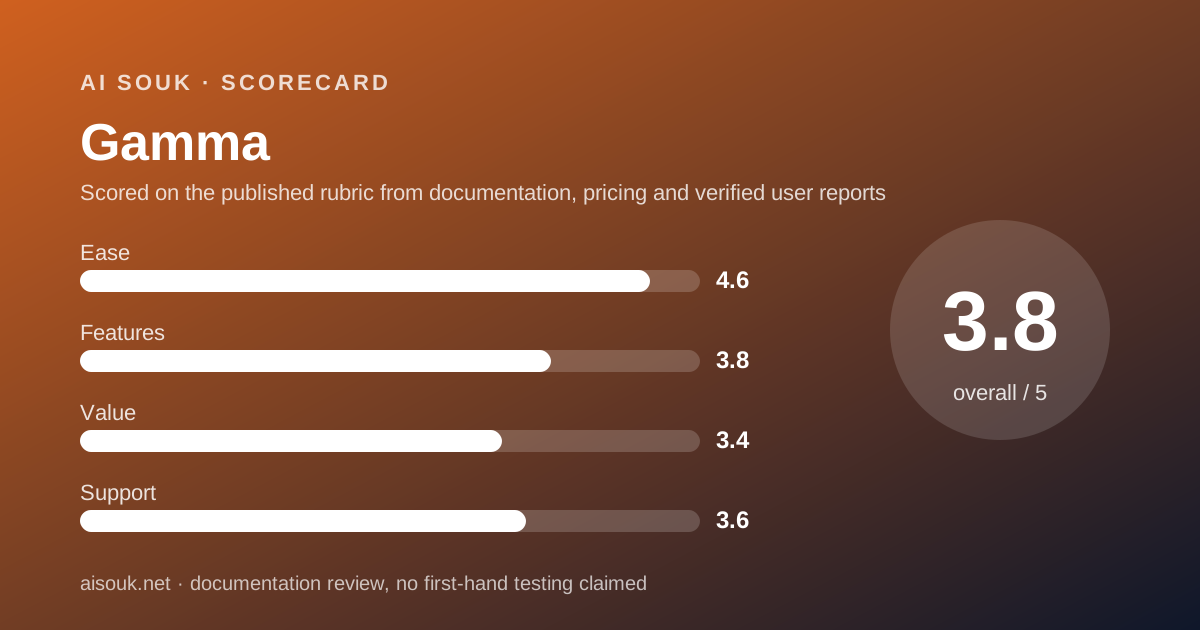
Scored on the published rubric, from documentation, pricing and verified user reports.
Best for: Anyone who needs a presentable deck or one-page document quickly and does not mind the vendor's branding on it, and who wants to judge the output before committing to a monthly seat.
Verdict
This is a documentation review, not a walkthrough: no account was opened for this page and no screenshots were captured, so nothing here is a first-hand claim about what the interface looks like today. On the documented design, Gamma turns a prompt or an imported file into a presentation, a document, a website or a social graphic, and the free plan can do all of those. The constraint is the shape of the allowance. The pricing page, checked October 7, 2026, lists 400 credits at signup for the free plan, and the help centre states that free credits do not refresh. So this is a one-time grant to try the product, not a standing free tier; when the 400 are spent, the free plan becomes an editor for what you already made. Free output also carries the vendor's branding, which the first paid tier removes. The pricing page shows seat prices in the visitor's local currency, so this page quotes the tier structure and credit volumes rather than a dollar figure for the individual plans, and sends readers to the current page for the price in their own currency. The ease score is high because the product's whole purpose is to remove setup; the value score is middling because the free plan is honest, branded and finite.
Visit Gamma
We have no affiliate relationship with this vendor. Link goes to the official site.
Where it is strong
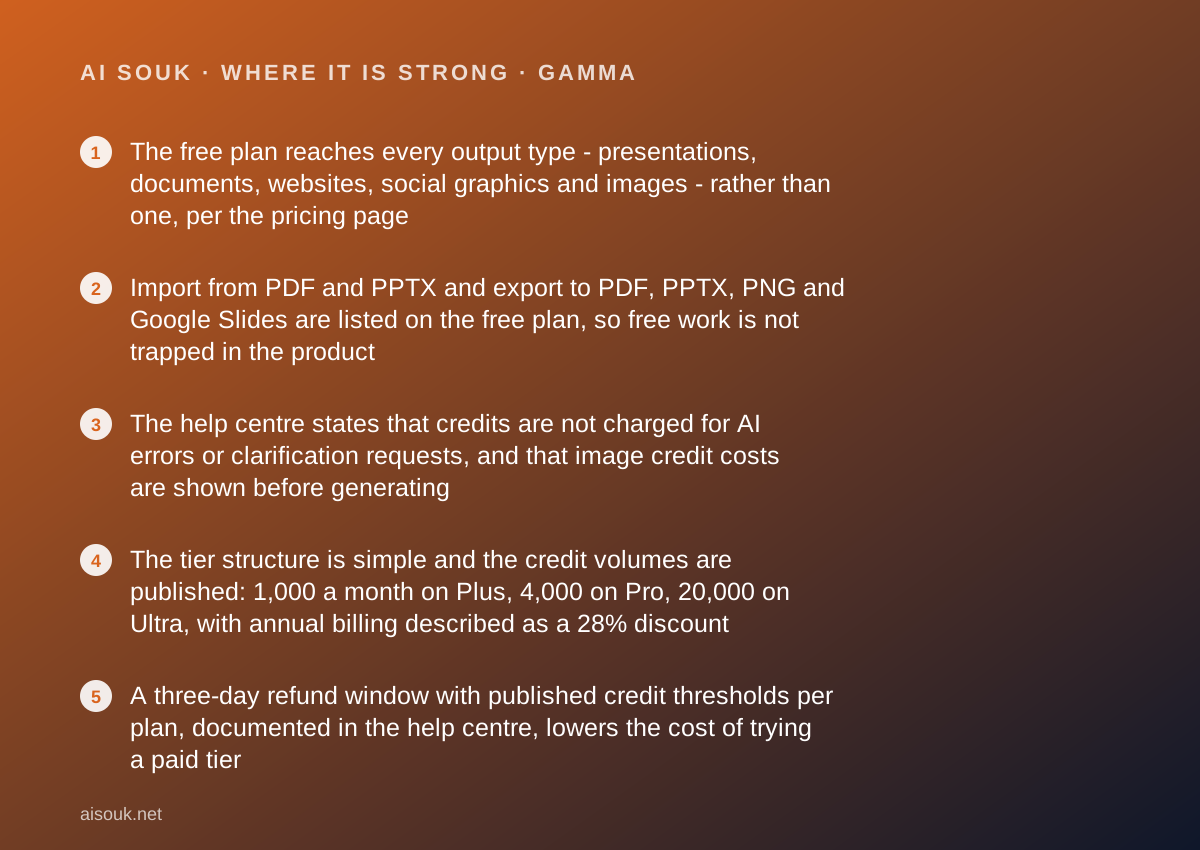
- The free plan reaches every output type - presentations, documents, websites, social graphics and images - rather than one, per the pricing page
- Import from PDF and PPTX and export to PDF, PPTX, PNG and Google Slides are listed on the free plan, so free work is not trapped in the product
- The help centre states that credits are not charged for AI errors or clarification requests, and that image credit costs are shown before generating
- The tier structure is simple and the credit volumes are published: 1,000 a month on Plus, 4,000 on Pro, 20,000 on Ultra, with annual billing described as a 28% discount
- A three-day refund window with published credit thresholds per plan, documented in the help centre, lowers the cost of trying a paid tier
Where it falls short
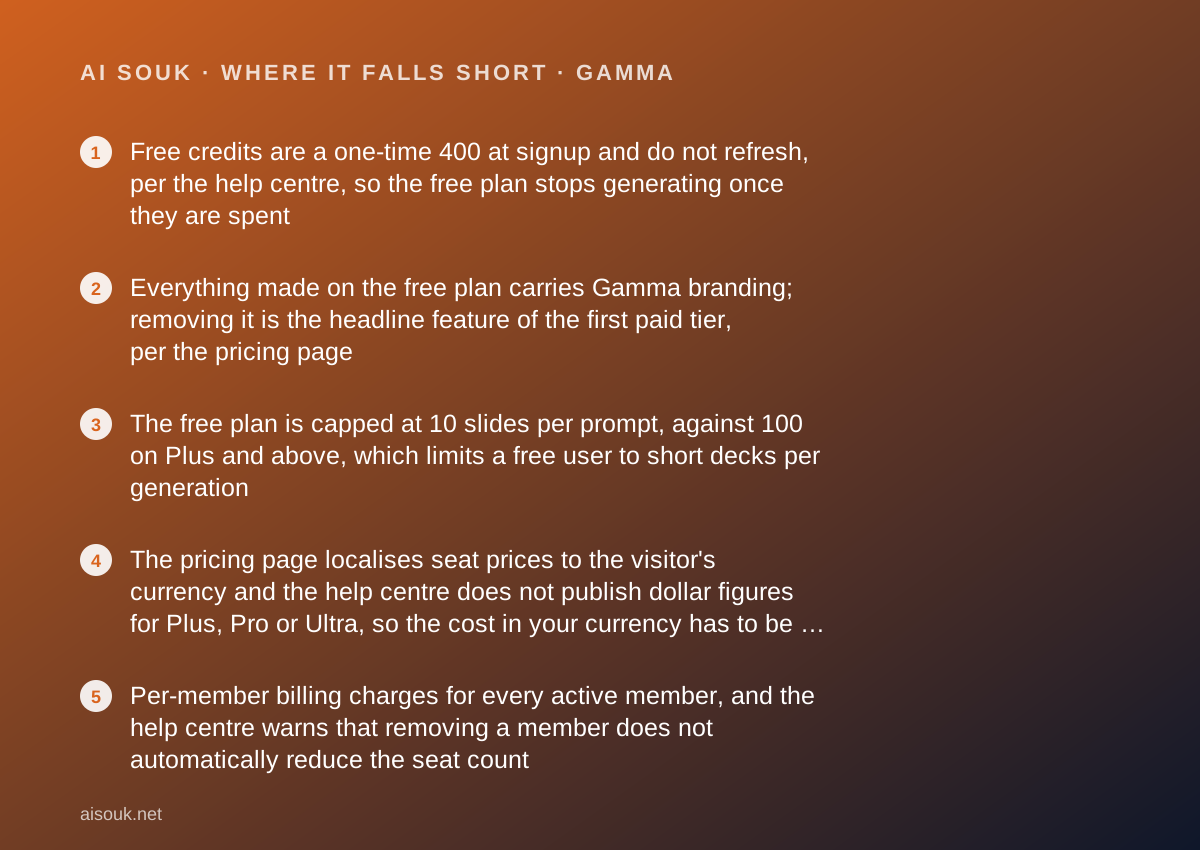
- Free credits are a one-time 400 at signup and do not refresh, per the help centre, so the free plan stops generating once they are spent
- Everything made on the free plan carries Gamma branding; removing it is the headline feature of the first paid tier, per the pricing page
- The free plan is capped at 10 slides per prompt, against 100 on Plus and above, which limits a free user to short decks per generation
- The pricing page localises seat prices to the visitor's currency and the help centre does not publish dollar figures for Plus, Pro or Ultra, so the cost in your currency has to be read from the live page
- Per-member billing charges for every active member, and the help centre warns that removing a member does not automatically reduce the seat count
What the free tier actually includes
According to the pricing page, checked October 7, 2026, the Free plan costs nothing, requires no credit card and includes 400 credits at signup. The help centre's article on credits confirms that each new free user receives 400 credits when initially signing up and states that on the free plan credits do not refresh, while on paid plans they refill monthly.
That sentence is the whole shape of the free plan. It is not a monthly allowance. It is a one-time grant, and when it is gone the free account can still open, edit and share what was made but cannot generate more without upgrading or buying credits.
Within that grant, the free plan is broad. The pricing page lists simple presentations, documents, websites, social graphics and images; import from PDF and PPTX; and export to PDF, PPTX, PNG and Google Slides. The generation cap is listed as up to 10 slides per prompt. Output carries Gamma branding, which the Plus tier is described as removing.
How far 400 credits goes is the question every reader has, and the vendor does not publish a fixed answer. The help centre says the number of credits an action uses varies with what you are doing, which AI model is used, and the length or complexity of the generation. It adds two user-friendly rules: credits are not charged for AI errors or clarification requests, and the credit cost of an image is shown before you generate it, so you can choose a cheaper option. Those rules mean the free grant can be spent deliberately rather than by accident, but the absence of a published per-generation cost means this page will not estimate how many decks it buys.
For a reader deciding whether to sign up, the practical reading is this: the free plan is a real trial of every output type, long enough to form a view, and then it stops.
- 400 credits at signup, one time; free credits do not refresh (pricing page and help centre, October 7, 2026)
- Presentations, documents, websites, social graphics and images; up to 10 slides per prompt
- Import from PDF and PPTX; export to PDF, PPTX, PNG and Google Slides
- Gamma branding on output; no credit card required
- No charge for AI errors or clarification requests; image credit cost shown before generating
What sits behind the paywall
The pricing page lists three individual paid tiers above Free, each priced per seat per month with a lower rate on annual billing, which the help centre's upgrade article describes as a 28% discount. The dollar prices are not quoted here for the reason given above.
Plus is described as everything in Free plus 1,000 monthly credits, up to 100 slides per prompt, removal of Gamma branding and advanced AI image models. For most individual users this is the tier that matters, because the branding and the per-prompt cap are the two things that make free output feel unfinished.
Pro adds 4,000 monthly credits, premium AI image models, custom branding, detailed analytics and advanced sharing, publishing to up to 10 custom domains, and API access. The help centre's upgrade article phrases the domains feature as publishing up to 10 multi-page sites to your own domains, which clarifies that the website output is meant for real publishing at this tier.
Ultra adds 20,000 monthly credits, access to the most advanced AI models for text, image and video, up to 100 custom domains and early access to new features.
For teams, the help centre's business article states that Business is $40 per member per month billed annually, with 6,000 monthly credits per member, single sign-on, the most advanced image models, 100 custom domains, SOC 2 documentation on request and a locked training opt-out so that workspace members cannot change the data-usage setting. Enterprise sits above that with admin controls and provisioning.
Two billing mechanics matter more than the tier list. The per-member billing article states that every active member in a workspace is charged a seat, that new members are charged immediately and prorated, and that removing a member does not automatically reduce the seat count. And the refund article states that refunds are available only within the first three days of a paid subscription, and only if credit usage is below a published threshold: fewer than 200 credits on Plus, 600 on Pro, 2,000 on Ultra, as of October 2026.
Read the current pricing page in your own currency before deciding. The tier names have been stable; the prices and credit volumes have not.
Who it is for, and who should skip it
The free plan suits someone who needs to know, quickly, whether an AI-generated deck or one-pager is good enough to use. Four hundred credits with every output type and every export format available is enough to generate a few real pieces on real briefs, export them to PowerPoint or PDF, and look at them in the tool you would actually present from. That is the decision the free plan is built for, and it is a sound one.
It also suits occasional personal use where branding does not matter: a club presentation, a school project, an internal note that nobody will judge on polish. Exporting to Google Slides or PPTX on the free plan means the result can be finished elsewhere.
It does not suit anyone who will show the output to a client or a customer, because of the branding, or anyone who presents regularly, because the grant does not refresh. Both of those people are Plus customers, and the honest advice is to use the free grant to decide whether Plus is worth it rather than to try to live inside it.
And it does not suit teams who expect to share one subscription. The per-member model charges for each active member, and the help centre is clear that seat management is manual. A small business should decide who actually needs to generate, and give everyone else guest access, which the help centre says does not consume a paid seat.
Limits and what users report
The published limits on the free plan are the one-time 400 credits, the 10-slide cap per prompt and the branding. The published limits on paid plans are monthly credit volumes and per-seat billing. The vendor does not publish a credit cost per generation; the help centre explains why, which is that cost varies by model, length and complexity, and offers two mitigations: no charge for errors or clarifying questions, and visible image costs before generating.
What users on public forums most often report is consistent with that structure. The first and loudest theme is the free credits running out, usually faster than expected, and the realisation that they do not come back. The vendor's documentation is explicit about this; the surprise comes from assuming every free plan is monthly.
The second theme is the gap between a good first draft and a finished deck. Users generally describe the generated structure and layout as strong for a first pass and describe editing the content as the real work, which matches the product's own framing of itself as a starting point rather than a finished artefact. This page cannot grade output quality and will not.
The third theme is export fidelity. Because the product's native format is its own, users report that exported PowerPoint files do not always match what the editor shows, particularly for animated or interactive elements. Export to PPTX is a free-plan feature, so this is testable for nothing, and worth testing if PowerPoint is where your deck will live.
This page cannot verify today's limits or credit costs. The pricing page and the credit display inside the product can.
Privacy and data use
A presentation tool is a strange place to think hard about privacy, until you remember what goes into presentations: financials, roadmaps, client names, unreleased plans. Three questions to answer from the vendor's own documents before pasting any of that into a prompt.
First, whether your content is used to improve the models and whether that differs by tier. The business plan article is unusually specific here: it lists a locked training opt-out as a Business feature, meaning the workspace owner can prevent members from changing the data-usage setting. The existence of a locked version implies an unlocked version at lower tiers, which is the setting to find and read on whatever plan you are on.
Second, sharing defaults. The product publishes to the web and, on Pro and above, to custom domains. A document meant for one client that is published to a shareable link is reachable by anyone who has the link, unless sharing is restricted. The pricing page lists advanced sharing as a Pro feature; read what the default is on the free plan before sharing anything sensitive.
Third, compliance posture. The pricing page states the vendor is SOC 2 Type II compliant and points to a trust centre, and the business article says SOC 2 documentation is available on request at that tier. That is relevant to a business buyer and irrelevant to the question of whether a free user's content is protected the same way; read the terms for your tier.
This page is a documentation review and cannot confirm current policy wording.
Alternatives worth a look
The alternatives depend on what the presentation is really for.
If the hard part is not the slides but knowing what to put on them, NotebookLM is a better first stop: it takes the documents a deck should be based on and answers only from them, with citations back to the passage, and its free tier is substantial because the grounding behaviour is the free behaviour. A sensible sequence for a research-heavy deck is to interrogate the sources there and then generate the deck here from a brief you actually trust.
If the deck needs current facts rather than your own documents, Perplexity searches, answers and cites, and the free tier contains the core behaviour. Pulling checked figures from an answer engine and then generating slides from them is more defensible than asking a presentation tool to know things.
If what you actually need is a video rather than a deck, Descript is in a different category, editing recordings by editing their transcript, but it is often the tool people wanted when they asked for an animated presentation.
Frequently asked
Do the free credits come back each month? No. The pricing page lists 400 credits at signup and the help centre states that on the free plan credits do not refresh. Paid plans refill monthly.
How many presentations is 400 credits? The vendor does not publish a per-generation cost; the help centre says cost varies by model, length and complexity. Image costs are shown before you generate, and errors are not charged. Expect a handful of real pieces, and watch the balance.
Can I remove the Gamma branding on the free plan? No. Removing branding is listed as a Plus feature on the pricing page as of October 2026.
What does Plus cost in dollars? The pricing page shows seat prices in the visitor's local currency and the help centre does not publish dollar figures for the individual tiers. Open the pricing page for the price in your currency; annual billing is described as a 28% discount.
Can I export to PowerPoint for free? Yes. The pricing page lists export to PDF, PPTX, PNG and Google Slides on the free plan. Test the fidelity on something real.
Can I get a refund if I upgrade and regret it? Within three days and under a published credit threshold - fewer than 200 credits on Plus, for instance - per the help centre's refund article. Contact support; it is not automatic.
Why no screenshots on this page? Because no account was opened for it. That is what a documentation review means here, and the method page explains the distinction.
Does this page earn a commission? No. There is no affiliate relationship with this vendor; the link goes to the official site.
Bottom line
On the documented design, Gamma's free plan is a well-stocked trial rather than a free tier. Every output type is available, every export format is available, and the help centre's rules about not charging for errors and showing image costs up front mean the 400-credit grant can be spent carefully. For the single question most readers have - is an AI-generated deck good enough for my purpose - that is enough to find out.
Then it ends. The credits do not refresh, the output is branded, and each prompt is capped at 10 slides. All of that is stated on the pricing page and in the help centre, so none of it is a trick, but a reader should understand that the free plan is designed to produce a decision about Plus, not to be lived in. Plus is where the branding goes and the monthly refill begins; Pro is for people who need custom domains, analytics or the API; Business is for teams, at $40 a member a month billed annually with the per-seat mechanics described above.
If you try it, generate something real, export it to the tool you will actually present from, and look at it there. That export test is free and it is the one most likely to change your mind in either direction.
What this page cannot tell you, stated plainly because the method requires it: what the editor looks like today, how good the output is on your brief, how many generations 400 credits buys, or what the individual tiers cost in dollars. No account was opened, no screenshots were captured, and the pricing page showed local-currency prices. Open it yourself; it costs nothing to look and nothing to start.
Visit Gamma
We have no affiliate relationship with this vendor. Link goes to the official site.