 AI
AI
Fireflies.ai
A meeting notetaker whose free plan is shaped by credits and storage rather than minutes - and whose privacy policy says, in writing, that your meetings do not train its models.
Scored on the published rubric, from documentation, pricing and verified user reports.
Best for: Small teams that want a bot in every meeting and a searchable archive of recent calls, who can live with a storage cap, no video on the free tier, and no transcript downloads until they pay.
Verdict
This is a documentation review, not a walkthrough: no account was opened for this page and no screenshots were captured, so nothing here is a first-hand claim about what the interface looks like today. On the documented design, Fireflies gives away more of the core loop than most of its competitors - the bot, real-time transcription in over 100 languages, AI summaries, search and the AskFred assistant are all listed on the free tier per the pricing page (checked October 7, 2026). The catch is that the free plan is bounded by three things that are easy to misread: a small number of transcription credits that the help center says become unlimited transcription when calendar auto-join is switched on, a storage allowance of 400 minutes, and a one-time grant of 20 AI credits for the advanced features. Video recording and downloading transcripts are documented as paid. The privacy policy's plain statement that personal information is not used for AI model training is the clearest such commitment among the meeting tools on this site, and for some buyers it will be the deciding fact.
Visit Fireflies.ai
We have no affiliate relationship with this vendor. Link goes to the official site.
Where it is strong
- The bot, real-time transcription in 100+ languages, AI summaries, meeting search and the AskFred assistant are all listed on the free tier per the pricing page as of October 2026
- The help center documents a route to unlimited transcription on the free plan: with calendar auto-join enabled, credits are spent only on summaries
- The privacy policy states personal information is not used for AI model training and that vendors are contractually prohibited from doing so
- Desktop app, mobile app, Chrome extension, 50+ integrations and API access are listed as available on the free plan
- The help center and billing pages document the free-plan rules in unusual detail, including which sign-up route grants how many credits
Where it falls short
- Storage on the free plan is 400 minutes - the pricing page says per team, a help article says per seat - after which older recordings are the constraint, not the bot
- The help center states that downloading transcripts requires a paid plan, and the pricing page lists video recording from Pro upward only
- The 20 AI credits for AI Skills, the personal assistant and voice agents are described on the billing page as a one-time grant, not a monthly refill, though one help article says per month
- The help center notes the current free-plan credit rules apply to accounts created on or after September 1, 2026, so older public reviews describe a different free plan
- The pricing page marks free transcription with an asterisk and 'limited AI summaries' without a number next to it
Read this first: what kind of page this is
This page is a documentation review. No free account was opened for it, no bot was sent into a meeting, and no screenshots were captured. Everything below comes from the vendor's pricing page, its help center articles on the free plan, transcription credits and billing terms, and its privacy policy, all read on October 7, 2026.
That caveat matters more than usual for this product, because the free plan has changed recently. The help center states that its current transcription-credit rules apply to users who signed up on or after September 1, 2026, and that accounts created earlier with unlimited free meetings are unaffected. So a large share of the public commentary you will find describes a free plan that new users will not get. This page describes the plan as documented for new sign-ups in October 2026.
Two of the vendor's own pages also disagree on small points - whether storage is per team or per seat, and whether AI credits are one-time or monthly. Where that happens, this page says so rather than picking a side.
What the free tier actually includes
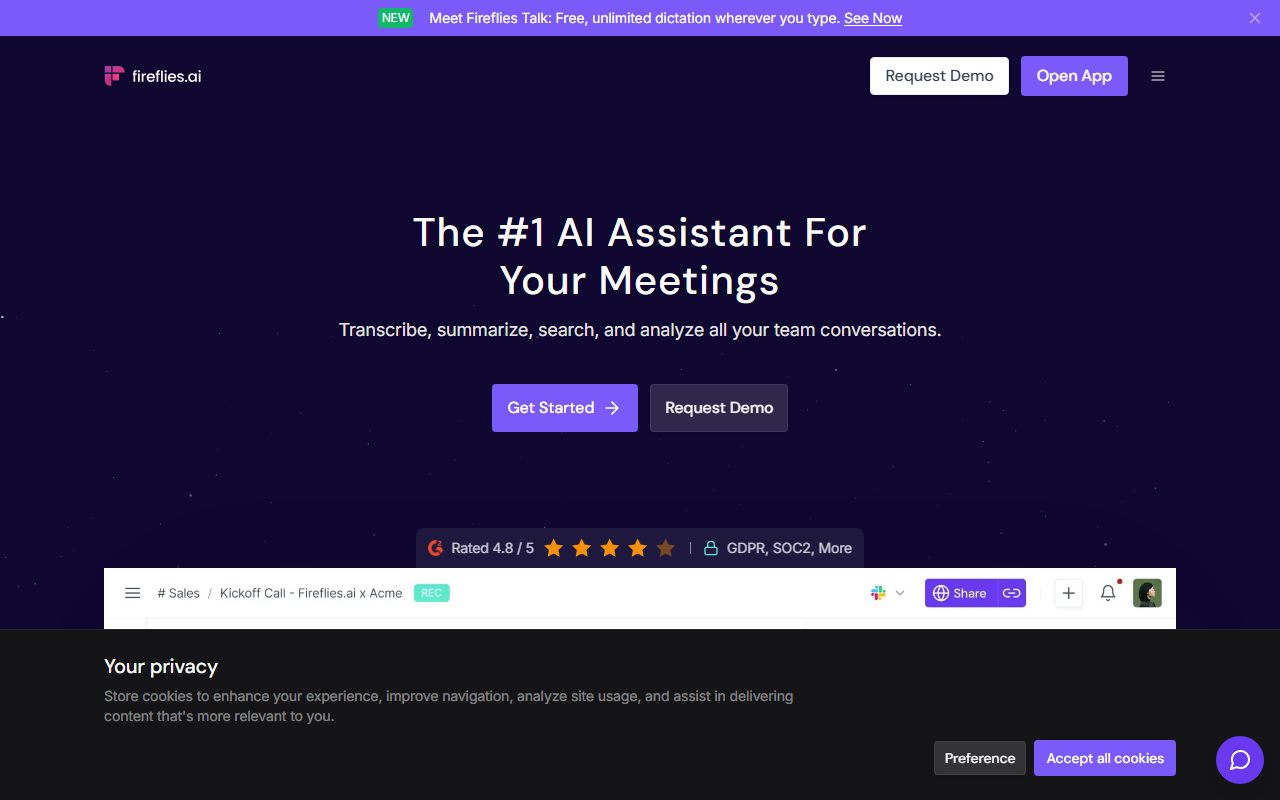
Per the pricing page (checked October 7, 2026), the free plan is listed at $0, 'free forever', and its headline items are: unlimited transcription marked with an asterisk, limited AI summaries, 400 minutes of storage per team, and 20 AI credits. The feature list beneath that names the Zoom, Google Meet and Microsoft Teams bot, transcription in more than 100 languages, real-time notes and live transcription, meeting search, the AskFred AI assistant, audio and video file upload, the desktop app, mobile apps for Android and iOS, a Chrome extension, and API access.
The asterisk is explained in the help center, and it is the most important paragraph on this page. By default a new free account receives a small number of transcription credits - three when signing up on the web, five through the Chrome extension, ten for new users on mobile, per the credits article - and one credit is consumed per meeting to transcribe and summarise it. But the same article states that when the auto-join calendar meetings toggle is on, credits are used only for summarising, not for transcribing, which the vendor describes as unlocking unlimited transcriptions with no cap on the number of meetings. In other words: connect a calendar and let the bot join automatically, and the transcript of every meeting is free; the summary is what the credits buy. That is a strange shape, but it is documented, and it favours exactly the habit the vendor wants you to form.
The AI credits are a separate currency. The billing page states that summaries, transcription and recap emails are never charged in credits; credits power AI Skills, the personal assistant and voice agents, and they are charged per query according to the complexity of the request. The billing page describes the free plan's 20 credits as one-time; a help article on the free plan says 20 per month. Assume one-time until the current page says otherwise.
Other documented free-plan details: uploads up to 100 MB and 150 minutes per file, recording up to two hours per meeting, three public channels, and the help center notes that storage is 400 minutes and that the figure is per seat on one page and per team on another.
What sits behind the paywall
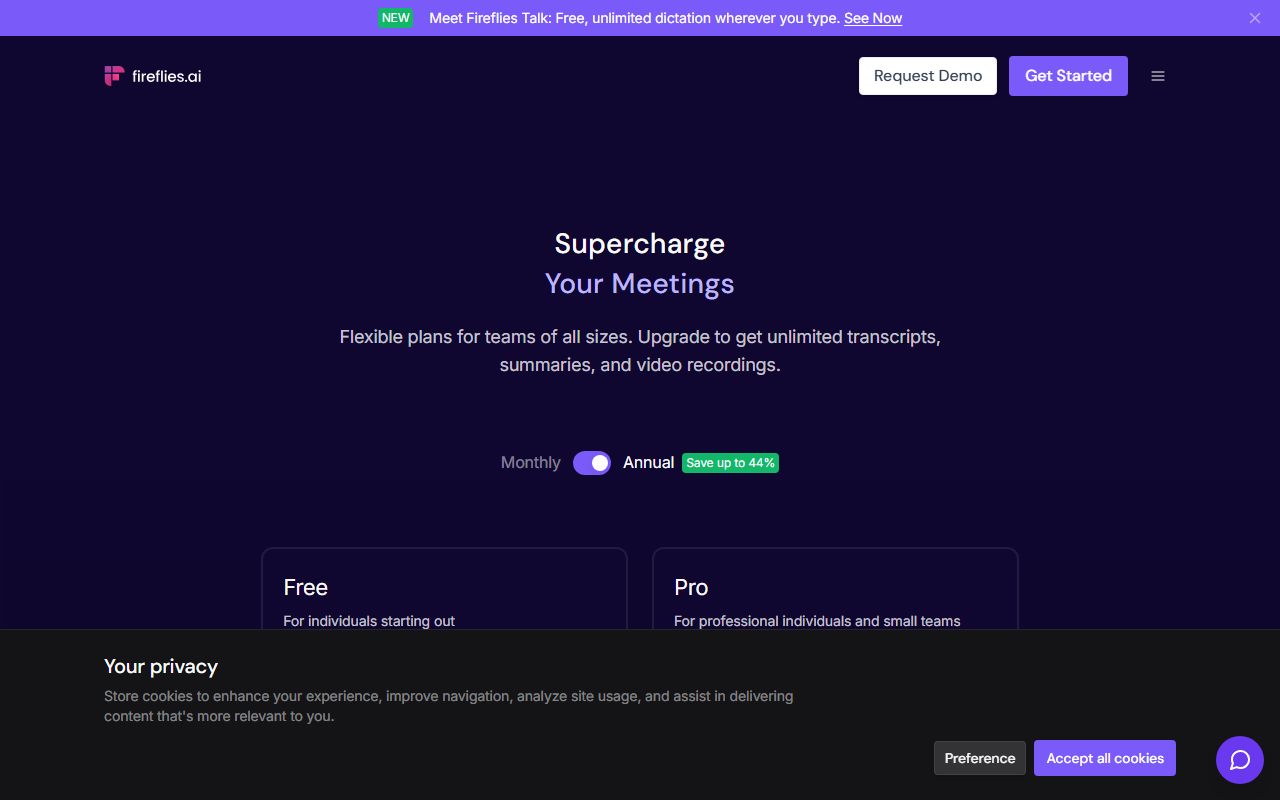
Per the pricing page as of October 2026, Pro is $18 per seat per month billed monthly or $10 billed annually; Business is $29 monthly or $19 annually; Enterprise is $39 per seat per month and is listed as annual only. Prices in this category move; read the current page.
What Pro adds, per the pricing page and the vendor's own July 2026 pricing explainer, is mostly capacity and output: storage rises from 400 minutes to 8,000 minutes per seat, video recording is included, and transcripts, summaries and recordings become downloadable. The pricing page describes Pro and Business as coming with more transcription credits and advanced exporting. Business adds unlimited storage, API access with analytics, private channels, a three-hour meeting limit, and team-management features. Enterprise raises the per-meeting limit to four hours and adds the usual organisational controls. AI credits also step up by tier - 20 on Free and Pro, 30 on Business, 50 on Enterprise per the billing page - and additional credits can be bought in blocks.
The structural reading: the free tier contains the loop - bot joins, transcript appears, summary appears, you search it - and the paid tiers sell retention, export and video. The two paid features most likely to be missed are the ones the help center is explicit about: you cannot download transcripts on the free plan, and the free plan does not record video. For a team that needs the notes inside another system, or needs to share a clip, the free plan stops at the screen.
It is also worth noting that the 400-minute storage cap is a rolling constraint, not a monthly one. The transcription may be unlimited, but the archive is not; what happens to recordings beyond the cap is a question for the current help center, and this page will not guess.
Who it is for, and who should skip it
The free plan suits a small team that wants the bot in every meeting and mostly reads the notes in the app. Sales teams running a handful of calls a week, founders who want a record of every investor conversation, agencies who want to search what a client said in March - the documented free loop covers that, provided the calendar is connected so auto-join does the work.
It also suits anyone for whom the training question is decisive. The privacy policy's statement that personal information is not used for AI model training is a plain commitment, and buyers who have ruled out tools without one have a documented reason to shortlist this.
Who should skip it: anyone who needs the transcript out of the app. The help center states downloads require a paid plan, so a workflow that ends in a CRM note, a Google Doc or a client email will run into the wall immediately. Anyone who needs video - a recorded demo, a clip of a customer reaction - should budget for Pro from the start. And anyone with a large archive, or who records long sessions daily, will hit 400 minutes of storage within weeks and should treat the free plan as a trial of the interface rather than a home for their meetings.
If the storage cap is the problem, the tl;dv review on this site documents a free plan with unlimited recording and a retention window instead. If your meetings are short and you would rather have a plain monthly minute budget, the Otter review covers that shape.
Limits and what users report
Three things recur in public discussion and are consistent with the documentation.
The first is confusion about what 'unlimited' means. The pricing page's asterisk and the help center's credit rules describe a free plan where transcription is unlimited only with auto-join on, and where summaries draw down a small credit balance. Users on public forums report running out of free summaries faster than they expected, which is the documented behaviour, not a fault. The practical advice is to turn auto-join on before the first meeting and to understand that the summary, not the transcript, is the rationed item.
The second is the September 2026 change. Because the help center states the current rules apply only to accounts created from that date, earlier reviews praising an unlimited free tier are describing a different plan. Anyone reading a comparison from 2025 should discount it.
The third is the bot in the room. Fireflies joins as a participant, and as with every tool in this category the most common complaint is from people who did not expect it - colleagues, clients, prospects. The vendor documents controls for which meetings the bot joins; the sensible practice is to set those before connecting a calendar, not after the first awkward call.
Transcript accuracy cannot be graded from documentation; the vendor claims automatic language detection across more than 100 languages, and only your own recordings will tell you what that means on your audio.
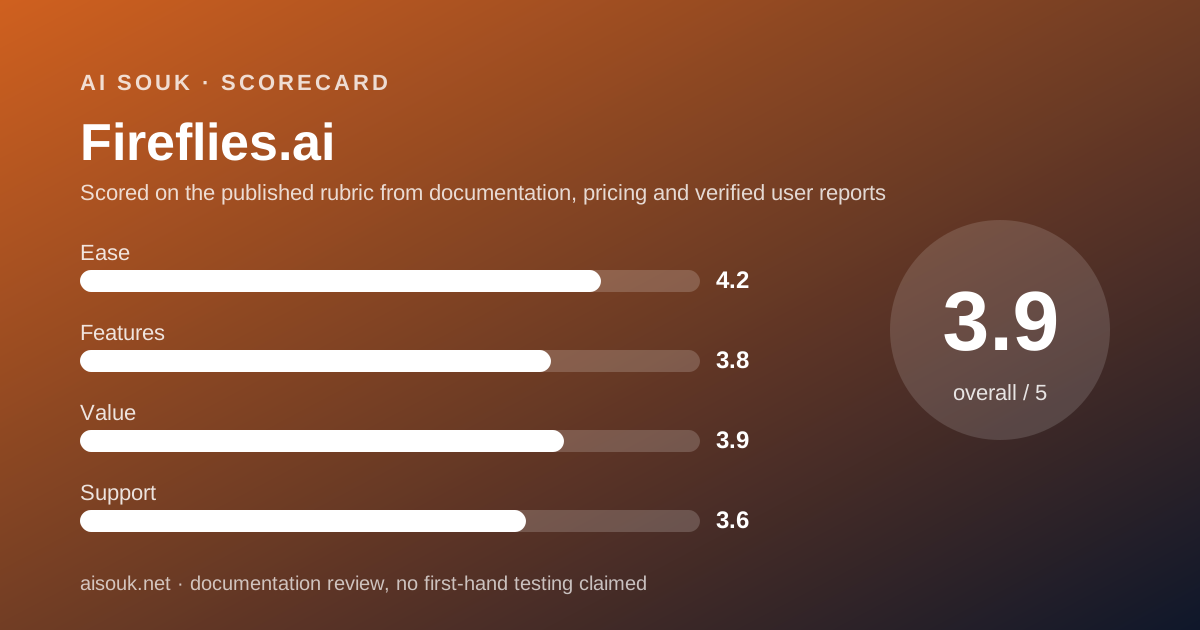
On the sub-scores: ease is high because the loop runs itself once a calendar is connected. Features is above the middle because so much of the product is on the free tier, held back by the lack of export and video. Value is similar - genuinely useful for free, but with a first upgrade that is hard to avoid for any team that needs the notes somewhere else.
Privacy and data use
The privacy policy (read October 7, 2026) is the most specific among the meeting tools on this site, and it is worth quoting the shape of it accurately.
It states that the vendor does not use personal information for AI model training and contractually prohibits its vendors from doing so, and separately that it does not collect, use or sell personal data for the purpose of training large language models. It describes a zero-data-retention arrangement with the third-party vendors it uses to process meeting content: audio, video, transcripts and summaries are not stored by those vendors after processing, not accessed afterwards, and not used for training. For account data generally, it states deletion within 30 days of account closure. The free-plan help article lists SOC 2 Type II and GDPR compliance as features; this page cannot verify a certification from a feature list and you should ask for the report if it matters to you.
What the policy does not do is manage consent for you. It notes that a meeting participant without an account who wants their data deleted should ask the meeting host, which tells you where the responsibility sits. A bot with a visible name is not consent, and recording laws vary by jurisdiction. Say that a call is being recorded, every time.
The tier question applies here as everywhere. A free consumer account is governed by consumer terms; an organisation handling client, patient or employee data wants the Business or Enterprise paper and a decision from whoever owns that risk. The strength of the training commitment does not change that.
Alternatives worth a look
Two direct competitors are reviewed on this site, and the choice between the three is mostly a choice of which cap you would rather live under.
Otter.ai documents a free plan built on a monthly budget of 300 transcription minutes with a 30-minute ceiling per conversation and three lifetime file imports. It is simpler to reason about than credits, and the 30-minute cap is its decisive limit. Its privacy policy states that de-identified recordings and transcripts are used to train its own models, which is the sharpest contrast with the policy described above.
tl;dv documents unlimited recordings and transcription on its free plan, with the limits placed on AI notes - a fixed number of meetings with AI notes per month - and a three-month retention window on free recordings. If your pain is storage, it is the obvious comparison. If your pain is wanting the summary on every call, it has the same rationing problem in a different costume.
For what to do with the transcripts afterwards, NotebookLM takes them as sources and answers with citations. And if your organisation already pays for Zoom, Google Workspace or Microsoft 365 at a tier with native AI summaries, check that first; a third-party bot is one more vendor holding your audio.
Frequently asked
Is transcription really unlimited on the free plan? Per the help center, yes - with a condition. With calendar auto-join enabled, credits are only spent on summaries, which the vendor describes as unlimited transcription. Without auto-join, each meeting costs one credit and a new web sign-up starts with three.
How many AI summaries do I get? The pricing page says 'limited' without a number. The credits article says each summarised meeting costs one transcription credit; the billing page says summaries are never charged in AI credits. Read both current pages, because the two credit systems are easy to confuse.
Can I download my transcripts? The help center states that downloading transcripts requires a paid plan. Pro lists downloadable transcripts, summaries and recordings per the pricing page as of October 2026.
Does the free plan record video? The pricing page lists video recording from Pro upward.
What does Pro cost? Per the pricing page on October 7, 2026, $10 per seat per month billed annually or $18 month to month. Check the current page.
Is my meeting audio used to train AI? The privacy policy states personal information is not used for AI model training, and that third-party processors are contractually bound the same way.
Why no screenshots? No account was opened for this page. That is what a documentation review means on this site.
Does this page earn a commission? No. There is no affiliate relationship with this vendor; the link goes to the official site.
Bottom line
Fireflies gives away more of the working loop than its nearest competitors: the bot, the live transcript in over 100 languages, the summary, search, the AskFred assistant, the apps and the integrations are all on the free tier per the pricing page as of October 2026. What it holds back is retention, export and video - a 400-minute storage allowance, no downloads, no video recording until Pro at $10 a month on an annual plan. The credit rules are more complicated than they need to be, and the help center's note that they apply to accounts created from September 1, 2026 means most older reviews are describing a plan you will not get.
The habit that makes the free plan work is documented: connect a calendar and turn auto-join on, so transcription is free and summaries are what you ration. The decision that makes it a shortlist candidate for cautious buyers is also documented: a privacy policy that says, plainly, that personal information is not used for AI training.
What this page cannot tell you: how accurate the transcript is on your audio, whether storage is really per seat or per team this month, whether the 20 AI credits refill, what the interface looks like today, or what the prices are next quarter. No account was opened and no screenshots were captured. The pricing page, the help center and the privacy policy are the record; read the current versions before deciding.
Visit Fireflies.ai
We have no affiliate relationship with this vendor. Link goes to the official site.