 AI
AI
QuillBot
A paraphraser first and a writing suite second - with a free tier that rewrites 125 words at a time in two modes and puts the rest behind one of the cheapest annual plans in the category.
Scored on the published rubric, from documentation, pricing and verified user reports.
Best for: Anyone who regularly needs a sentence or a short paragraph said differently - second-language writers, students, people rewriting templated email - and who can work in 125-word pieces without paying.
Verdict
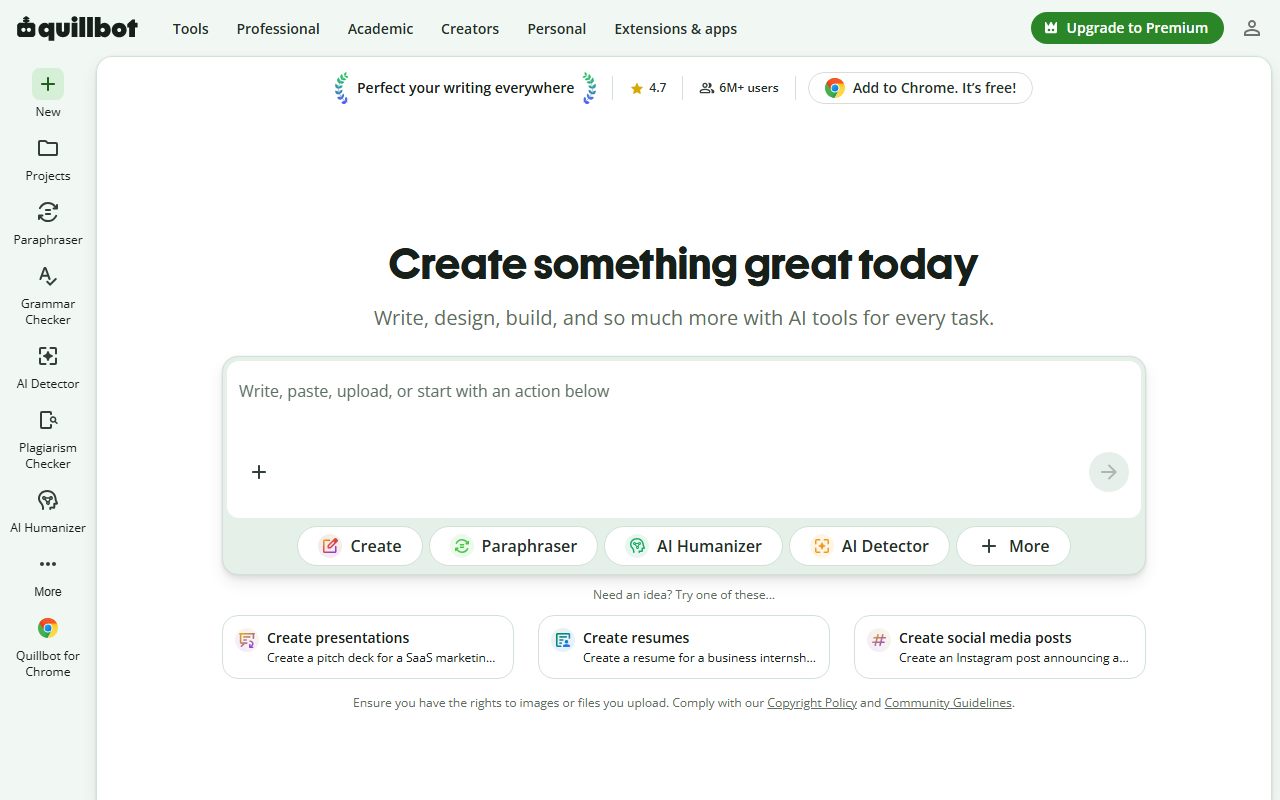
This is a documentation review, not a walkthrough: no account was opened for this page and no screenshots were captured, so nothing here is a first-hand claim about what the interface looks like today. On the documented design, QuillBot's free tier is a set of per-tool caps rather than a single allowance, and the help center (read October 7, 2026) lists them precisely: the paraphraser takes up to 125 words at a time in Standard and Fluency modes, the summariser up to 1,200 words, the translator up to 5,000 characters, the AI detector 1,200 words and ten scans a day, and the plagiarism checker is Premium-only. Those caps are small enough to be annoying and large enough to be useful, which is a defensible place to put a free tier. Premium is $19.95 a month or $99.95 a year per the vendor's own pricing FAQ, which makes the annual plan one of the cheaper paid writing tools. The two things to understand before leaning on it are that a paraphraser is a tool for rewording and not for checking, and that the vendor's privacy policy could not be retrieved for this review, so the data-use question is one you must answer from the live page yourself.
Visit QuillBot
We have no affiliate relationship with this vendor. Link goes to the official site.
Where it is strong
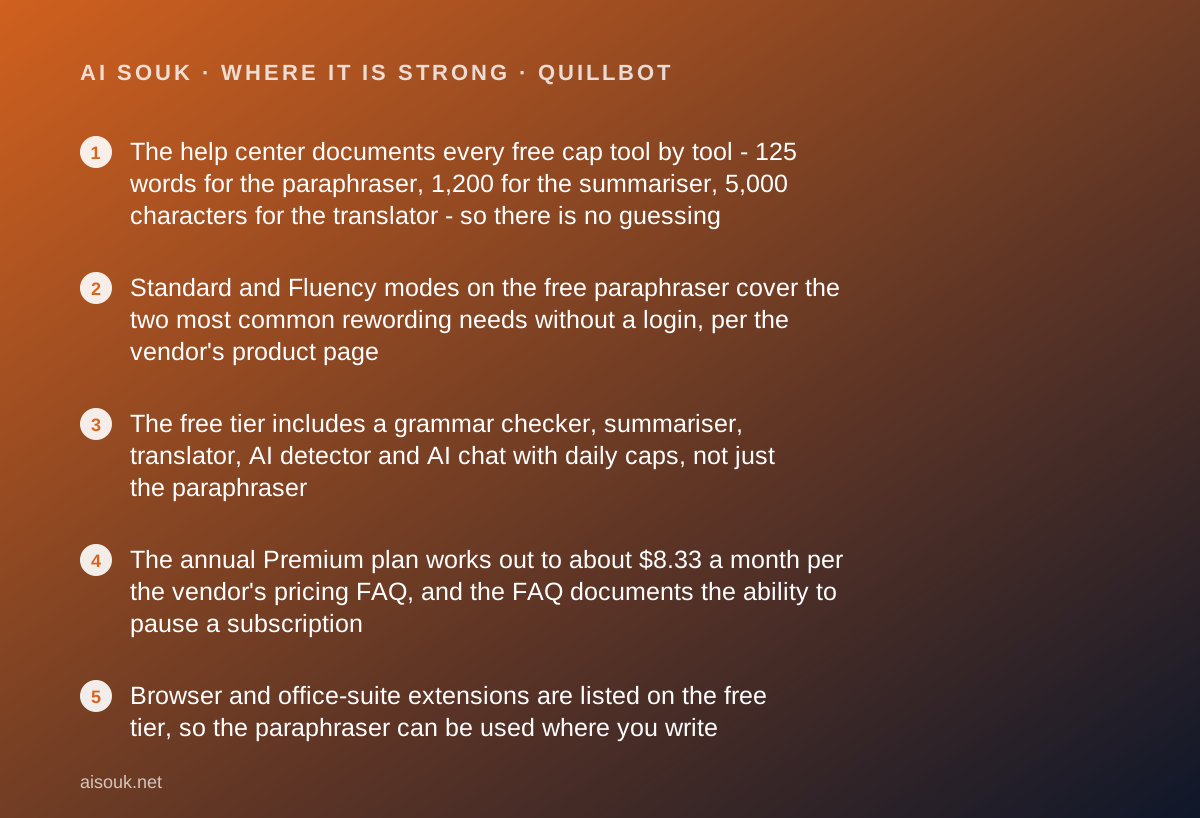
- The help center documents every free cap tool by tool - 125 words for the paraphraser, 1,200 for the summariser, 5,000 characters for the translator - so there is no guessing
- Standard and Fluency modes on the free paraphraser cover the two most common rewording needs without a login, per the vendor's product page
- The free tier includes a grammar checker, summariser, translator, AI detector and AI chat with daily caps, not just the paraphraser
- The annual Premium plan works out to about $8.33 a month per the vendor's pricing FAQ, and the FAQ documents the ability to pause a subscription
- Browser and office-suite extensions are listed on the free tier, so the paraphraser can be used where you write
Where it falls short
- 125 words per paraphrase on the free tier means anything longer than a paragraph has to be fed in pieces, per the help center
- Only two of the nine paraphrasing modes are free; Formal, Academic, Simple, Creative and the custom modes are Premium
- The plagiarism checker is Premium-only, with a documented 25,000-word monthly limit even on Premium
- The vendor's privacy page returned an access error on October 7, 2026, so this page cannot describe how user text is used or retained
- The vendor's pricing FAQ describes the middle plan as semi-annual but states it is billed every three months, which is the kind of inconsistency that should send you to the live checkout page
Read this first: what kind of page this is
This page is a documentation review. No free account was opened, no extension was installed, and no screenshots were captured. Nothing below is a first-hand account of how a paraphrase reads, how often the free tier interrupts you, or what the editor looks like today. Everything comes from the vendor's help center articles on free versus Premium, the paraphraser and the summariser; from its own pricing FAQ post; and from its product and plans pages, all read on October 7, 2026.
Two access notes. The vendor's main pricing page did not render in the tools used for this review, so the prices below come from the vendor's own published FAQ on the cost of Premium - an official page, but a post rather than a checkout. And the vendor's privacy policy returned an access error to every fetch attempted, so the privacy section below describes what you should check rather than what the policy says. That is a gap, and this page names it.
What a documentation review can do well here is lay out the free caps, which the help center documents precisely, and explain the one limit no cap describes: a paraphraser changes words, and changing words is not the same as checking them.
What the free tier actually includes
The help center's comparison article (read October 7, 2026) lists the free account as including Standard and Fluency paraphrasing modes, three synonym settings, paraphrasing up to 125 words, summarising up to 1,200 words, access to the extensions, 20 AI chat queries a day, three image generations a day and three AI presentation generations a day.
The comparison table in the same article adds detail per tool. The paraphraser: up to 125 words, two modes, no compare-modes view, no history. The humaniser in its advanced mode: three uses. The translator: up to 5,000 characters. The summariser: up to 1,200 words, with the help center's separate summariser article confirming that limit applies to all summarisation modes and that the Paragraph and Bullet Point modes are free. The AI detector: up to 1,200 words and ten scans a day. The text-to-speech tool: 4,000 characters per scan on both tiers. QuillBot Flow storage: 10 MB. The AI website builder: five creates or edits. The plagiarism checker: not available on the free tier at all.
The grammar checker is listed on the vendor's product pages as free; the help center puts no word cap next to it in the comparison table.
The practical shape: every tool is present on the free tier except plagiarism, and every tool has a ceiling sized for a paragraph or a short page, not a document. Someone rewriting a cover letter paragraph by paragraph is inside them; someone paraphrasing a 2,000-word report is feeding it in sixteen pieces. The paraphraser's own page states it needs no sign-up for basic use.
What sits behind the paywall
Per the vendor's own pricing FAQ, Premium is $19.95 billed monthly; $99.95 billed every twelve months, which the vendor presents as $8.33 a month; and a middle plan the FAQ labels semi-annual at $13.31 a month but describes as $39.95 billed every three months. Those last two descriptions cannot both be right, and this page will not resolve it; the live checkout will. The FAQ also states that a Premium subscription can be paused and used only when needed, which is unusual and useful for seasonal writers. A teams offering exists per the site footer; its pricing was not retrieved for this page.
What Premium adds, per the help center comparison table: unlimited paraphrasing length and all nine modes, with unlimited custom modes to set tone and style, a compare-modes view that shows several rewrites side by side, paraphraser history of up to 50 past paraphrases a month, the full synonym slider, advanced writing suggestions and tone insights, unlimited humanising, unlimited translation, summarising up to 6,000 words with a custom summary mode, the plagiarism checker with a 25,000-word monthly limit, unlimited AI detection, 100 MB of Flow storage, faster processing, priority assistance, unlimited AI chat, 300 image generations a month, 30 presentation generations a month and 20 website-builder actions.
The structural reading: the free tier is the product at reduced size, plus one missing tool. Nothing conceptual is withheld except plagiarism checking - the free paraphraser paraphrases, the free summariser summarises - and the upgrade buys length, modes and polish. That is a fair shape, and the annual price is low enough that for a heavy user the question is not whether it is worth it but whether a general AI assistant would do the same job for free. The vendor's FAQ frames the pause option as a way to pay only in the months you write, which is a sensible answer to that question.
Who it is for, and who should skip it
The free tier fits anyone whose need is a short rewrite, often. Writers working in English as a second language who have the meaning right and want it to read naturally - the Fluency mode exists for exactly that. Students rewording a paragraph of their own notes. Anyone sending the same kind of email forty times who wants it to not sound like the same email. Support and sales staff softening or formalising a reply. For all of them, 125 words at a time is a sentence or two or a short paragraph, which is the unit they actually work in.
Who should skip the free tier and either pay or look elsewhere: anyone paraphrasing at document length, for whom the 125-word cap turns a task into a chore. Anyone who needs the plagiarism checker, which is Premium-only. Anyone who wants Formal, Academic or Simple modes, which are among the seven paid ones. And anyone whose actual need is correction across every app they write in, which is a different product; the Grammarly review on this site covers the one built for that.
Who should skip the product category: anyone hoping a paraphraser will make an AI-written or copied text undetectable or acceptable. That is the use the tool is most associated with in public discussion, it is the use most institutions prohibit, and the vendor's own AI detector on the same site is an indication of how the vendor sees that market. A paraphrase of someone else's work is still someone else's work.
Limits and what users report
The caps are above. This section is about the limit no cap describes, and about what public discussion adds.
The conceptual limit is that a paraphraser is a rewording engine, not a reviewing one. It takes a sentence and produces a sentence that means roughly the same thing in different words. Roughly is the operative word. Users on public forums and in published reviews consistently report that paraphrasers can change meaning subtly - softening a hedge, swapping a technical term for a near-synonym that is wrong in context, or producing a sentence that is grammatical and hollow. The Standard mode is described by the vendor as the balanced default and Fluency as the mode that fixes grammar while changing as little as possible, which is the safer choice for anyone who cares about meaning. Either way, the discipline is to read the output as carefully as you would read a stranger's edit of your work, because that is what it is.
The second theme is the 125-word cap itself. The help center presents it as the permanent free limit, and pasting a document in pieces is tedious enough that it functions as the main upgrade pressure. That is by design and honestly documented.
The third theme is the AI detector, free at 1,200 words and ten scans a day. It produces a probability, not a verdict; checking your own draft is a reasonable use, judging someone else's work on the score is not.
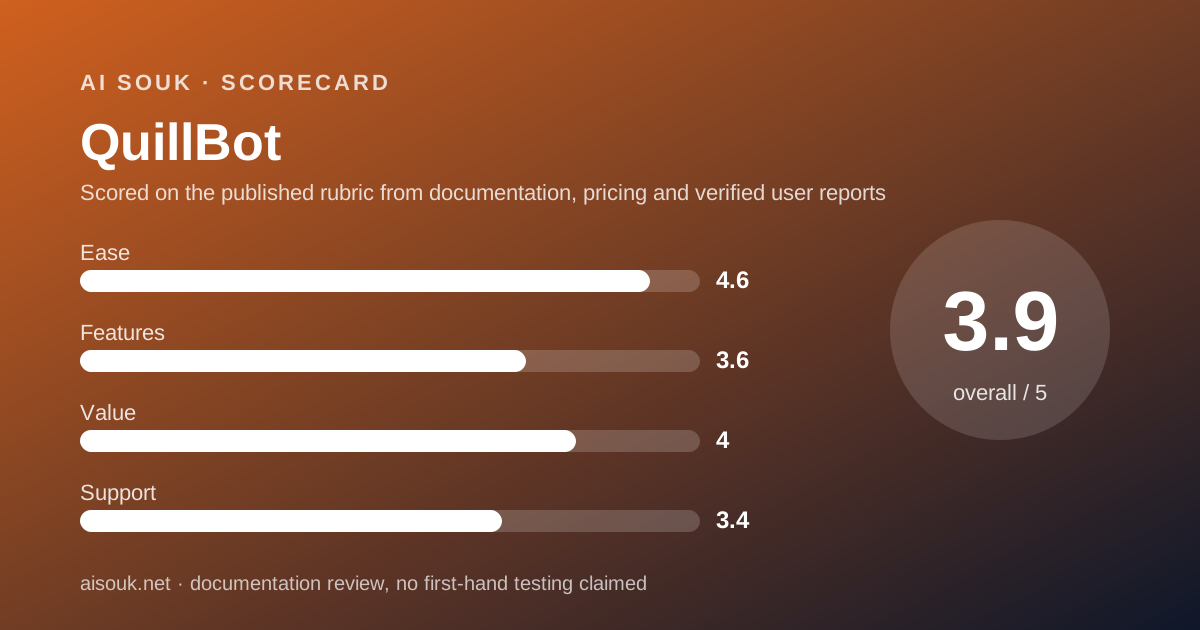
The sub-scores reflect the shape. Ease is high because the paraphraser works without a login. Features is middling because every tool is capped and one is missing. Value is good because the annual price is low and the caps are honest. Support is middling because free users get a help center and the vendor's own pages contain at least one internal contradiction about billing.
Privacy and data use
This section is shorter than it should be, and the reason is stated plainly: the vendor's privacy policy returned an access error on October 7, 2026 to every fetch attempted for this review, with more than one method. This page therefore cannot tell you what the policy says about whether pasted text is used to train models, how long it is retained, or how to delete it. It will not guess, and it will not paraphrase a third party's summary of the policy as if it were the policy.
What it can tell you is what to look for, because the questions are the same across the category and this product has one feature that makes them sharper. The questions: whether text you paste into the paraphraser, summariser or translator is used to train or improve the vendor's models, and whether that differs between free and Premium; whether there is a control to turn that off; how long inputs and outputs are retained and whether a logged-out use is treated differently from a logged-in one; and what the browser and office extensions can see when they are active, since an extension that checks grammar in a text box has to read the text box.
The feature that sharpens them is that the paraphraser works without an account. Text pasted into a tool with no account attached is still text sent to a server, and the policy is what governs it.
The general rule that does not depend on any policy: a paraphraser is a disclosure. Client drafts, unreleased material, anything under a confidentiality obligation and anything containing personal data about someone else do not belong in a consumer rewording tool, not because this vendor is untrustworthy but because the text has left your building the moment you pressed the button. For work covered by an agreement, that is a contractual question and it belongs with whoever owns the risk.
Alternatives worth a look
The comparison most people want is with Grammarly, reviewed on this site, and the two are less alike than their marketing suggests. Grammarly's free tier is correction inside every app you write in; its rewriting and tone tools are paid. QuillBot's free tier is rewriting, in 125-word pieces, with a grammar checker beside it. If your need is a sentence said differently, QuillBot's free tier does what Grammarly charges for. If your need is catching mistakes as you type across a working day, Grammarly's reach is what QuillBot does not match. Using both for free and paying for neither is a common and reasonable outcome.
The second comparison is with a general AI assistant, which will paraphrase, summarise and translate on request, usually without a 125-word cap. What QuillBot offers over that is a purpose-built interface - the synonym slider, the modes, the side-by-side compare on Premium - and extensions that work where you write. For a heavy rewording habit the interface is worth something; for an occasional one the assistant is already open.
For research rather than prose, this is the wrong category. Perplexity is for finding what is true with sources attached, and NotebookLM is for interrogating documents you already have. Neither will reword your paragraph, and this product will not tell you whether it is correct.
Frequently asked
How much can I paraphrase for free? Up to 125 words at a time, in Standard and Fluency modes, per the help center as of October 2026. Premium removes the length limit and unlocks all nine modes.
Do I need an account? The paraphraser's own page states basic use needs no sign-up. The daily caps on AI chat, image and presentation generation are described per account in the help center.
Is the plagiarism checker free? No. The help center lists it as Premium-only, with a 25,000-word monthly limit on Premium.
What does Premium cost? Per the vendor's pricing FAQ on October 7, 2026: $19.95 a month, or $99.95 a year presented as $8.33 a month, with a middle plan the FAQ describes inconsistently. Check the live checkout.
Can I pause Premium? The vendor's FAQ states a Premium subscription can be paused and used only when needed.
How long can a summary input be? Up to 1,200 words on the free tier and 6,000 on Premium, per the help center, across all summariser modes.
Is my text used to train QuillBot's AI? This page does not know; the privacy policy could not be retrieved on October 7, 2026. Read it before pasting anything sensitive.
Why no screenshots? No account was opened for this page. That is what a documentation review means on this site.
Does this page earn a commission? No. There is no affiliate relationship with this vendor; the link goes to the official site.
Bottom line
QuillBot's free tier is a set of honest, documented caps around a complete set of tools, minus one. The paraphraser does its job on 125 words at a time in two modes without a login; the summariser, translator, grammar checker and AI detector each have their own ceiling; only the plagiarism checker is missing. For anyone whose rewording need comes a paragraph at a time, that is a working free product, and the help center documents it more precisely than most vendors manage. For anyone working at document length, or who needs a plagiarism check, Premium at $99.95 a year - about $8.33 a month, with a documented pause option - is cheap enough that the real competitor is not another paraphraser but a general assistant that does the same job without the interface.
The habit that separates good use from bad: read every paraphrase as a stranger's edit, because a tool that changes words can change meaning, and nothing in it checks that it has not. Rewording your own draft is what the tool is for; laundering someone else's is not.
What this page cannot tell you, and must say because the site's method requires it: what the privacy policy says, since it could not be retrieved on October 7, 2026; which of the vendor's two descriptions of its middle plan is right; how a paraphrase reads on your text; or what the editor looks like today. No account was opened and no screenshots were captured. The help center and the live checkout page are the record. Read them before deciding.
Visit QuillBot
We have no affiliate relationship with this vendor. Link goes to the official site.