 AI

GitHub Copilot
A free coding-assistant tier that numbers its completion cap and then leaves its credit allowance as a word, not a figure.
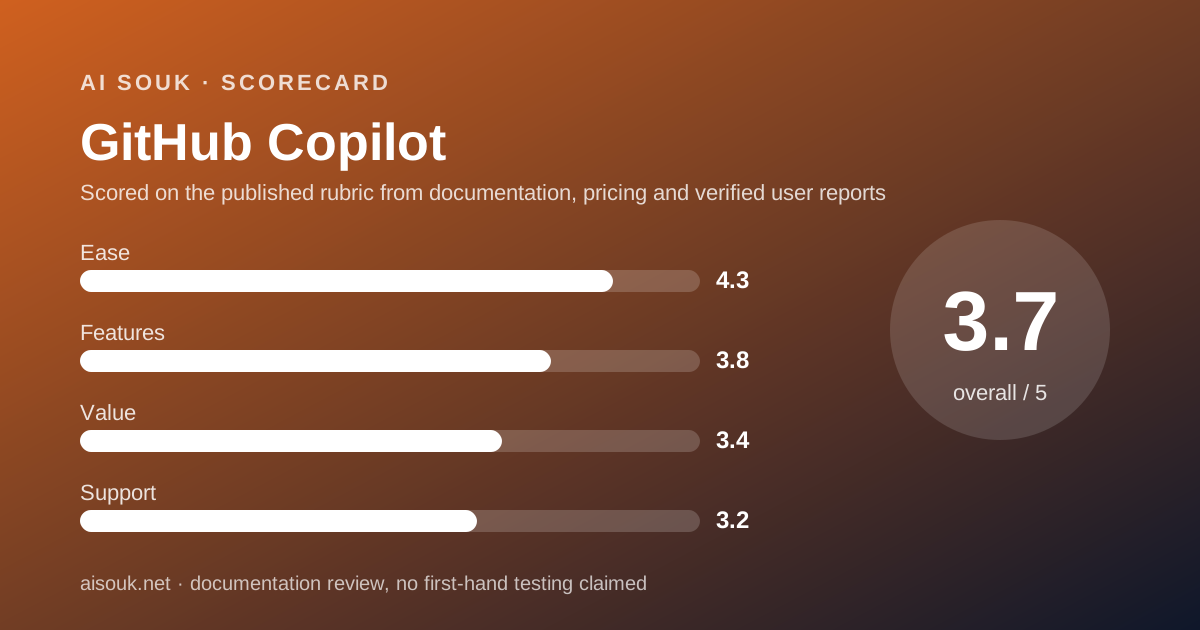
Scored on the published rubric, from documentation, pricing and verified user reports.
Best for: A developer who already works in VS Code, Visual Studio or a JetBrains IDE and wants to find out what an in-editor agent changes, without putting a card on file.
Verdict
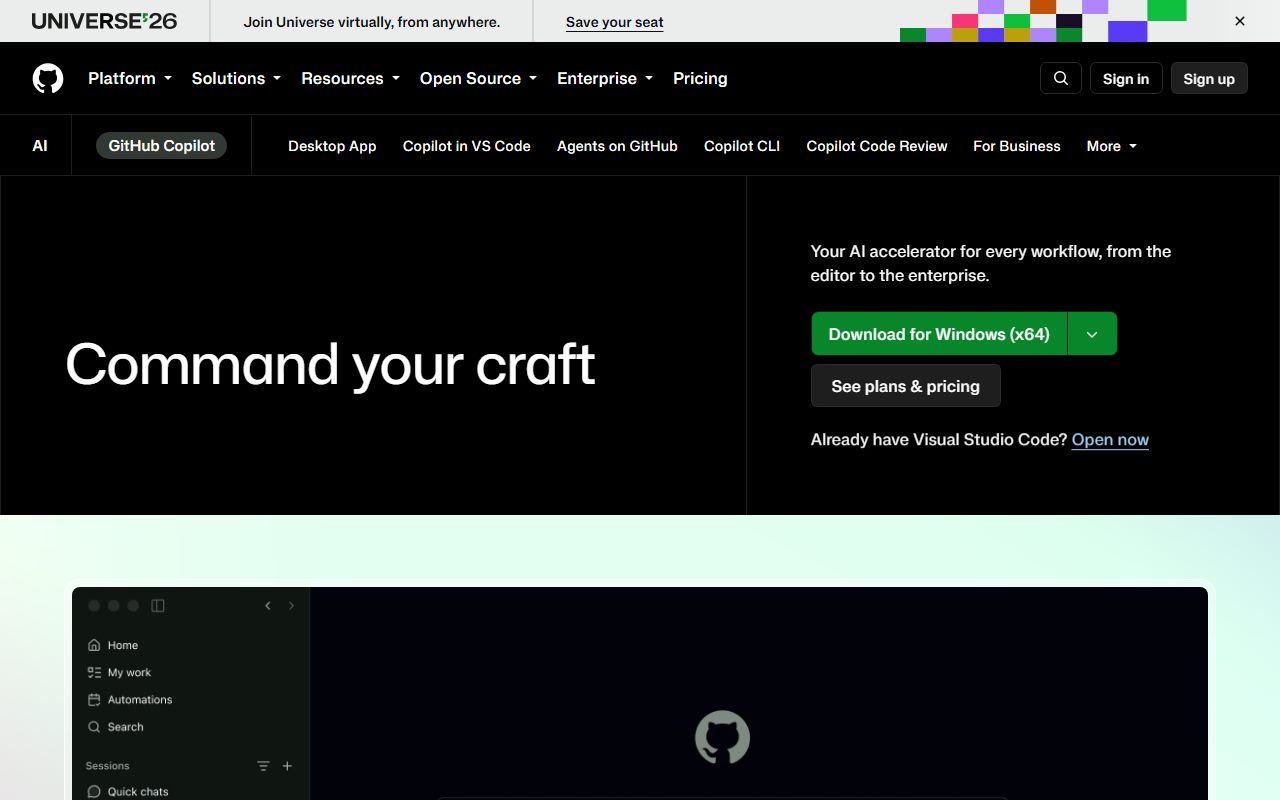
This is a documentation review. No account was opened for this page and no screenshots of the product interface were captured, so nothing below is a first-hand claim about what Copilot looks like on your machine today.
Read as a free tier, Copilot Free is unusually generous in shape and unusually vague in size. The GitHub Docs feature tables, read on October 25, 2026, mark agent mode, Model Context Protocol, prompt files, custom instructions, the Copilot CLI and the Copilot app as included on the free plan.
That is most of the product's character rather than a crippled demo. The cap that is numbered is code completions: 2,000 per month on Copilot Free.
The cap that is not numbered is the one that now matters most. GitHub has moved Copilot onto a credit meter, and chat and agent work is what spends credits. For the Free plan the plans page prints the words "Limited chat and agent usage" and GitHub Docs prints "An allowance of GitHub AI Credits". Neither puts a number on it.
So the free plan is a real way to learn the tool and a poor way to plan work. The value score reflects that, plus one more line from GitHub's own FAQ: for individual subscribers, Free included, prompts and generated code may be used to train models.
Visit GitHub Copilot
We have no affiliate relationship with this vendor. Link goes to the official site.
Where it is strong
- The free plan needs no payment card and installs into editors a developer is likely to already have, per the plans page checked October 25, 2026
- Agent mode, Model Context Protocol, prompt files and repository custom instructions are all marked included on Copilot Free in the GitHub Docs feature tables
- The Copilot CLI and the Copilot app are both marked included on the free plan, which is more surface than most free AI tiers expose
- One free limit is stated as a hard number: GitHub Docs says inline suggestions are limited to 2,000 completions per month on Copilot Free
- The paid ladder is documented in full: Pro $10, Pro+ $39 and Max $100 per month, Business $19 and Enterprise $39 per granted seat per month
- Credit arithmetic is published rather than implied: 1 AI credit equals $0.01 USD, and code completions are not billed in credits on paid plans
Where it falls short
- The free plan's AI credit allowance is published as a word rather than a figure: "Limited chat and agent usage" on the plans page, "An allowance of GitHub AI Credits" in the docs, as of October 25, 2026
- GitHub's own FAQ says that for individual subscribers, which includes Free, it may use prompts, suggestions and code snippets from Copilot sessions to train and improve AI models
- Copilot Free is marked as not including the Copilot cloud agent, third-party agents, pull request summaries or audit logs, and Copilot Chat skills in IDEs are listed as unavailable on Free
- Free has no flex allotment, so there is no documented way to buy a little more usage without moving to a paid plan
- Copilot Free is restricted to individual developers who do not already have Copilot through an organisation or enterprise, which rules out many readers who want a trial
- The product name collides with Microsoft Copilot, a different product on a different price list, and neither pricing page resolves that confusion for a newcomer
At a glance
| Starting price | Free plan at $0; Pro $10 USD per month (plans page, October 25, 2026) |
|---|---|
| Free plan | Yes, Copilot Free, individual developers only |
| Free completion cap | 2,000 completions per month (GitHub Docs) |
| Free credit allowance | Stated as an allowance; no figure published |
| Seat minimum | None stated; Business is priced per granted seat |
| Team price | Business $19 USD per granted seat per month, 1,900 credits per user |
| Credit unit | 1 AI credit = $0.01 USD |
| Model choice on free | Auto model selection only |
What GitHub Copilot actually is
GitHub Copilot is a coding assistant that sits inside an editor and inside GitHub. It is not a site you visit to ask questions. It works on code you already have.
It does two distinct jobs. It completes code as you type, which GitHub calls inline suggestions and next edit suggestions. It also runs an agent that can read, edit and run code across a project.
The commercial model is a meter. Every plan carries a monthly allowance of what GitHub calls AI Credits, and the plans page states that 1 AI credit equals $0.01 USD. That page was read on October 25, 2026.
One clarification before anything else, because the names collide in practice. This page is about GitHub Copilot, the coding product. It is not Microsoft Copilot, the general assistant in Windows and Microsoft 365.
Those are two products, two price lists and two sets of limits. A reader searching for Copilot pricing will land on both.
What Copilot Free includes, as of October 2026
The free plan is wider than most free AI tiers and the official feature tables say so plainly. The list below is read from the GitHub Docs plans page on October 25, 2026, using the included and not-included labels carried by the page's own icons.
What stands out is that the agent is not withheld. The thing people actually want to try is in the free plan, and the restrictions fall on scale and on the team features around it.
- Price: Free. Listed as $0 on the plans page comparison row.
- Code completions: limited to 2,000 completions per month on Copilot Free, per the inline suggestions section of the docs.
- AI credits: "An allowance of GitHub AI Credits". No figure is given on either page.
- Models: auto model selection only. Picking a specific model is a paid-plan feature.
- Agent mode: marked included. Model Context Protocol: marked included.
- Copilot code review: only "Review selection" in VS Code, per the feature table's own wording.
- Customization: repository and personal custom instructions, prompt files, and blocking suggestions that match public code are all marked included.
- Copilot CLI and the Copilot app: both marked included.
- Not included: Copilot cloud agent, third-party agents, pull request summaries, audit logs, content exclusion, GitHub Spark.
- Eligibility: individual developers only, and only those who do not have Copilot through an organisation or enterprise.
The number GitHub does not put on the free plan
One free limit is a number and the other is an adjective. That asymmetry is the central fact of this review.
The completion cap is a number: 2,000 per month. Completions are also the part of Copilot that no longer costs credits on paid plans, so GitHub is being precise about the cheap thing.
Chat and agent work is what spends credits, and that is where the figure disappears. The plans page comparison row for total AI credits reads "Limited chat and agent usage" for Free. The flex allotment row reads "Not included".
GitHub Docs says only "An allowance of GitHub AI Credits", with the agents column reading "Limited". Both pages were read with a headless browser on October 25, 2026, not from a summary of them.
So the honest sentence is a narrow one. GitHub does publish something for the free plan. What it publishes is a word rather than a figure, which is a different failing from silence and worth naming as such.
This is the pattern our guide on how to read an AI free tier treats as the main warning sign. An unquantified allowance cannot be planned around. It can only be discovered by hitting it.
How the paid plans are priced
The paid side is the opposite: documented in detail, with arithmetic you can check. GitHub Docs publishes base credits, flex allotment and a total for each individual plan, read October 25, 2026.
Pro is $10 USD a month with 1,000 base credits and a 500 flex allotment, for 1,500 total. Pro+ is $39 with 3,900 and 3,100, for 7,000. Max is $100 with 10,000 and 10,000, for 20,000.
On the organisation side, Business is $19 USD per granted seat per month with 1,900 credits per user, and Enterprise is $39 with 3,900. Credits pool across the licences rather than sitting with one developer.
Here is a check worth doing, and it is our own arithmetic rather than a GitHub claim. At $0.01 a credit, Pro's 1,500 credits are worth $15, Pro+'s 7,000 are worth $70 and Max's 20,000 are worth $200.
Those three figures appear on the plans page as the monthly total credits for each tier. The two pages agree, which is the kind of cross-check that tells you a price set is real rather than paraphrased.
Overage is handled by budget rather than by a hard stop. GitHub says you set a dollar budget, credits draw down at $0.01 each so $10 covers 1,000, and alerts fire at 75, 90 and 100 percent of the budget.
For the longer version of how these meters behave across vendors, our note on what AI credits actually mean compares the wording several companies use for the same mechanism.
Your prompts on the free plan can train the models
This is the line that should decide the matter for anyone working on client code. It is on GitHub's own pricing page, in the FAQ, read October 25, 2026.
The FAQ splits subscribers in two. For Business and Enterprise subscribers it lists operational uses: delivering the service, troubleshooting, improving reliability and security.
Then it adds a clause for individual subscribers only, a group it names as Free, Pro and Pro+. GitHub may use Copilot interaction data, including prompts, suggestions and code snippets generated during sessions, to train and improve AI models.
So the free tier and the cheap paid tiers sit on the training side of that line. The paid team tiers sit on the other side. That is a product decision stated in public, not a rumour.
It is also the standard shape across this category, which our note on what trains the model sets out vendor by vendor. Free tiers are rarely free of consideration. They are usually paid for in data.
Who Copilot Free is best for
The free plan answers one question well and another question badly. It answers whether an in-editor agent changes how you work. It does not answer whether you can rely on it.
- A developer curious about agent mode who already uses VS Code, Visual Studio or a JetBrains IDE
- A student or hobbyist on personal repositories, where the training clause carries little cost
- An open-source maintainer, since GitHub Docs notes that verified teachers and maintainers of popular projects may be eligible for free Copilot Pro
- A technical lead sizing up Business before asking for budget, using Free personally to understand what the seats buy
- Anyone who wants the Copilot CLI on a terminal without a subscription, since that surface is marked included
Who should skip it
Two groups should not start here. People under a confidentiality obligation on the code they write, because of the training clause above. And people who already reach Copilot through an employer's organisation, who GitHub Docs says are not eligible for Free at all.
A third group should skip it for a duller reason. If you need agent work daily, the free plan's unnumbered allowance will interrupt you at an unpredictable point, and $10 removes that question entirely.
Our checklist on when to leave the free tier covers how to spot that moment before it costs you a working afternoon.
Ease of use: what the score is built from
Ease scores 4.3, the highest of the four sub-scores. The reason is structural rather than aesthetic.
Copilot does not ask you to adopt a new editor. It installs into editors a developer is likely to already have, and the plans page lists GitHub itself, VS Code, Visual Studio, JetBrains IDEs, Xcode, Eclipse, Vim, Neovim and Zed among supported platforms.
Signing up needs a GitHub account and no payment card. For most of this product's audience that account already exists, which removes the step that stops people trying free tiers.
The score is not 5 because the credit model adds a concept to learn before you can predict cost. Reading the plans page carefully is now part of using the product, and that is a real cost of the usage-based turn.
It is also where the free plan is weakest as a teaching tool. Without a figure for the allowance, a free user cannot build an accurate mental model of what work costs.
Features: what the free tier can reach
Features score 3.8. Against the whole product the free tier is a slice, but it is a well-chosen slice.
Included on Free, per the docs tables: agent mode, Model Context Protocol, repository and personal custom instructions, prompt files, blocking suggestions that match public code, the Copilot CLI and the Copilot app.
Withheld on Free: the Copilot cloud agent, third-party agents in public preview, pull request summaries, audit logs, content exclusion and GitHub Spark. Copilot Chat skills in IDEs carry a footnote saying they are not available on Copilot Free.
Code review is the one row with a partial answer. The table does not say yes or no for Free. It says only "Review selection" in VS Code, which is a narrower feature than reviewing a pull request.
Model choice is the other meaningful absence. Free and Student plans get auto model selection only, so you cannot route a hard problem to a stronger model deliberately.
Value and support: what the scores are built from
Value scores 3.4 and support 3.2, and both scores are about missing information rather than missing function.
On value, a free plan that includes the agent should score well. It is dragged down by the unnumbered allowance and by the training clause.
A free tier whose size you cannot see, and whose inputs feed a model, is a trial with a cost attached.
The paid tiers score better on this axis. Pro at $10 for 1,500 credits is legible, and the published arithmetic holds up to a cross-check, which is more than many vendors in this category manage.
On support, GitHub Docs does not list a response-time commitment for individual plans. The free plan's route is documentation and community rather than a ticket queue.
No published target was found to cite on October 25, 2026. The score therefore reflects the gap, not a measured failure.
One footnote on the plans page is worth reading if you buy through a phone. It says users who purchase Pro, Pro+ or Max through GitHub Mobile in-app purchase cannot buy additional AI credits through GitHub Mobile.
Alternatives with a free tier
Two comparisons matter here, and they point in different directions.
Cursor is the closer competitor: an AI-first editor built around the same agent idea. Choose Cursor if you want the editor itself designed around the agent.
Choose Copilot Free if you would rather keep your editor and still have a numbered completion cap to reason about.
On transparency the two fail differently. Cursor's free Hobby plan says only limited Agent requests, with no number anywhere. Copilot Free numbers completions and leaves credits as a word. Neither tells you when the agent stops.
The general assistants are the other option, and a worse fit for this job. Claude, ChatGPT and Google Gemini all write code in a chat window on their free tiers, but none of them sits in your project and edits files.
If you are assembling a free stack rather than picking one tool, our note on building a free-tier stack and the small-business starter kit cover how to split work so no single allowance runs dry.
What this page is and is not
This is a documentation review. It is built from GitHub's plans page and GitHub Docs, read with a headless browser on October 25, 2026, so that every figure above exists as a string in the page rather than in a summary of the page.
No account was created for this page. No interface screenshots were captured. Nothing here describes what the editor feels like, because that would be a claim we cannot support.
Where a figure is absent we have said which page was read and what it said instead. The free credit allowance is the clearest case: the vendor publishes a word, and we report the word.
Our grading method for free tiers sets out the four sub-scores and what evidence each one is allowed to use.
Bottom line
Copilot Free is the most generous free coding tier in shape and one of the least legible in size. Install it if you want to learn what an agent does to your workflow.
Do not build a week of work on it. The completion cap is 2,000 a month and the agent allowance is an adjective, so the plan will stop at a point you cannot predict.
And read the training clause before you point it at anything confidential. GitHub states plainly that individual subscribers, Free included, may have their prompts and generated code used to train models.
If the tool proves itself, Pro at $10 a month is the honest version of the same product: a published credit figure, a flex allotment, and a budget you control.
Buy it if
- You want to see what an in-editor agent does to your habits and you are happy for the trial to end without warning
- You already live in VS Code, Visual Studio or a JetBrains IDE and would rather add a layer than change editors
- Your repositories are public, personal or low-stakes, so the training clause in GitHub's FAQ is not a problem for you
- You bill your time, in which case Pro at $10 a month removes the unnumbered limit for less than an hour of work
Skip it if
- You need to know in advance how much agent work you get, because the free allowance is a word rather than a number
- Your code is under a client or employer confidentiality term, given the training clause that applies to individual subscribers
- You already have Copilot through an organisation, which GitHub Docs says makes you ineligible for Copilot Free
Frequently asked
Is GitHub Copilot free?
There is a free plan. GitHub Docs lists Copilot Free at $0, with inline suggestions limited to 2,000 completions per month, auto model selection only, and an allowance of AI credits that is not given a figure (checked October 25, 2026).
Is GitHub Copilot the same as Microsoft Copilot?
No. GitHub Copilot is the coding product priced on GitHub's own plans page. Microsoft Copilot is the general assistant in Windows and Microsoft 365, sold separately. The shared name is a real source of billing confusion.
Who cannot use Copilot Free?
Anyone who already reaches Copilot through an organisation or enterprise. The GitHub Docs plans page states that Copilot Free is only available to individual developers who do not have that access, as of October 2026.
How much is Copilot for a ten-person team?
Copilot Business is listed at $19 USD per granted seat per month, so ten seats is $190 a month by our own arithmetic. Each seat contributes 1,900 AI credits to a shared pool, per GitHub Docs.
Does the free plan use my code to train models?
GitHub's pricing page FAQ says that for individual subscribers, which includes Free, it may use Copilot interaction data, including prompts, suggestions and code snippets from sessions, to train and improve AI models. Read October 25, 2026.
Is agent mode available on the free plan?
Yes. The GitHub Docs feature table marks agent mode and Model Context Protocol as included on Copilot Free. The Copilot cloud agent and third-party agents are marked not included, as of October 25, 2026.
What happens when the allowance runs out?
GitHub says the included allowance resets every month. On paid plans you can set a dollar budget for extra usage at $0.01 per credit, with alerts at 75, 90 and 100 percent. Free has no flex allotment.
Sources
- GitHub Copilot plans and pricing - checked October 25, 2026
- GitHub Docs: GitHub Copilot plans - checked October 25, 2026
- GitHub Docs: GitHub Copilot features - checked October 25, 2026
Visit GitHub Copilot
We have no affiliate relationship with this vendor. Link goes to the official site.