 AI
AI
Microsoft Copilot
Free with a Microsoft account, but the real product is the one inside Word, Excel and Outlook, and that one is a Microsoft 365 subscription.
Scored on the published rubric, from documentation, pricing and verified user reports.
Best for: A small business that already pays for Microsoft 365 and wants to know whether the bundled Copilot replaces a separate assistant subscription, or a Windows user who wants a free chat assistant without creating another account.
Verdict
This is a documentation review, not a walkthrough: no account was opened for this page and no screenshots were captured, so nothing here is a first-hand claim about what the interface looks like today. On the documented design, Microsoft Copilot is two products wearing one name. The first is the free assistant at copilot.com, which the site describes, as of October 7, 2026, as free with a signed-in Microsoft account, offering chat, creation and search, with some capabilities subject to usage limits that the page does not quantify. The second is Copilot inside the Microsoft 365 apps, which arrives with the consumer subscriptions: Personal at $9.99 a month, Family at $12.99 and Premium at $19.99, with Premium described as the plan for AI and productivity and the home of the Researcher and Analyst agents. The thing to understand is that Microsoft's consumer pages are precise about prices and vague about everything a free-tier evaluator wants to know - which model, how many messages, what runs out first - and that AI features on Family and Premium are documented as available only to the subscription owner. Privacy controls are well documented, including a training opt-out that the help page says does not stop use for product improvement or advertising.
Visit Microsoft Copilot
We have no affiliate relationship with this vendor. Link goes to the official site.
Where it is strong
- Free with a signed-in Microsoft account, per copilot.com as of October 2026, with web, Windows, Mac, iOS and Android apps
- If you already pay for Microsoft 365, Copilot in Word, Excel, PowerPoint, Outlook and OneNote is bundled rather than a second subscription
- Clear consumer pricing on the Microsoft 365 pages: Personal $9.99, Family $12.99, Premium $19.99 a month
- Privacy controls documented step by step: training opt-out, personalisation and memory switch, full history deletion, personalised-ad toggle
- Premium includes agents the page describes as producing source-cited research reports and data analysis, which is the kind of output a small business actually needs
Where it falls short
- Microsoft does not publish the free tier's limits as numbers, which model powers it, or which features are capped; copilot.com says only that some capabilities are subject to usage limits
- AI features on Family and Premium are available only to the subscription owner and cannot be shared with other members, per the Microsoft 365 pages
- The training opt-out, per the privacy controls page, does not exclude conversations from general product improvement, advertising, safety, security or compliance uses
- Premium at $19.99 is the same price as ChatGPT Plus and Gemini AI Pro, and the pages checked do not say what model or what quantity you get for it
- Business Copilot is a separate per-user add-on at $18 a user a month billed yearly, on top of a business Microsoft 365 plan
What the free tier actually includes
The copilot.com site, checked October 7, 2026, states that Microsoft Copilot is free with a signed-in Microsoft account. It describes three things the free assistant does - chat for conversation and information, create for content and images, and search for information and files - and it names two renamed features: Cowork, previously called Tasks, and Notebook, previously called Project. It is available on the web, as a Windows and Mac desktop app, and on iOS and Android, and the page says the experience rolls out automatically without reinstalling.
Then comes the sentence that matters for this review: some capabilities are subject to usage limits. The page does not say which capabilities, what the limits are, or what happens when you reach them. It does not say which model answers free users. It does not list a message count, an image count or a storage figure. The Microsoft support hub for Copilot, also checked, covers getting started, prompting, agents and app integration, and likewise contains no free-tier limits.
That absence is the defining fact of the free Copilot for a documentation review. Where ChatGPT's pricing page says limited seven times and Claude's says there is no fixed message count, Microsoft's consumer pages say almost nothing. A reader cannot plan around a cap that is not described, and this site will not invent one.
What can be said from the documents is that the free assistant is a general chat, creation and search tool tied to a Microsoft account, with image creation included, and that the richer capabilities - the agents, Copilot inside the Office apps, and the advanced features the Premium page says are currently exclusive to Premium subscribers - are paid.
- Free with a signed-in Microsoft account; web, Windows, Mac, iOS, Android
- Chat, create (including images) and search, plus Cowork and Notebook features
- Some capabilities subject to usage limits - not quantified anywhere on the pages checked
- No published model name, message count or storage figure for free users
What sits behind the paywall
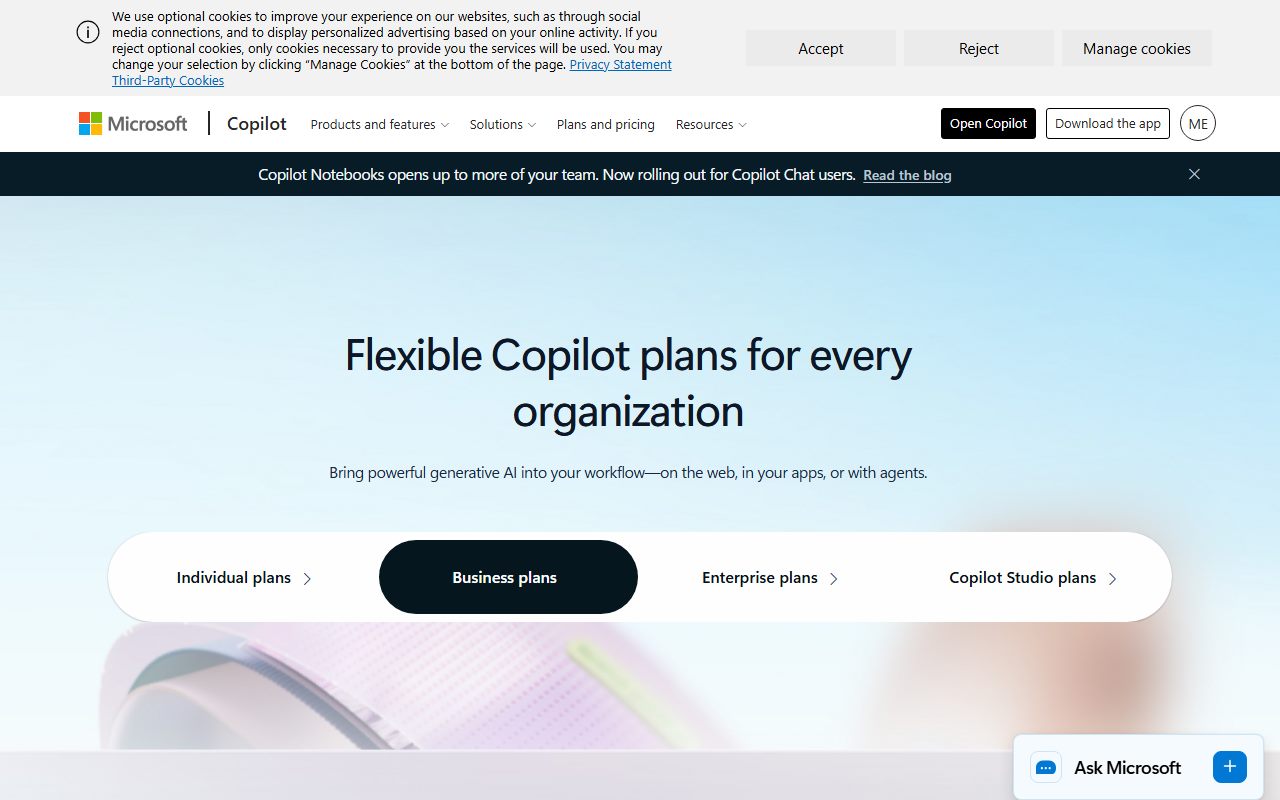
The paid product is not a Copilot subscription in the way ChatGPT Plus is a ChatGPT subscription. It is a Microsoft 365 subscription that includes Copilot, and the Microsoft 365 consumer pages, checked October 7, 2026 with US pricing, list four tiers.
Microsoft 365 Personal is $9.99 a month or $99.99 a year for one person with 1 TB of storage. Family is $12.99 a month or $129.99 a year for up to six people with up to 6 TB. Premium is $19.99 a month or $199.99 a year, also for up to six people, and is marked as best for AI and productivity. A Pro tier at $99.99 a month is listed on the Copilot consumer page as having the highest usage limits. Office Home 2024, a one-time purchase at $179.99, has no subscription and is not an AI product.
The Premium page describes what the $19.99 buys: the Word, Excel, PowerPoint, Outlook and OneNote desktop apps with Copilot; access to advanced Copilot features currently exclusive to Premium subscribers; AI agents to perform complex tasks such as creating source-cited research reports and performing data analysis; AI image creation in Microsoft 365 Copilot Chat; and the ability to use Copilot in select apps with work files in a secure way. The consumer Copilot page names the agents as Researcher and Analyst, and adds AI Restyle for photo editing and AI-generated audio.
Two footnotes on those pages deserve more attention than they get. First, AI usage limits apply on every paid plan; the pages say a subscription unlocks higher AI usage limits without saying what they are. Second, AI features included in Family and Premium are available only to the subscription owner and cannot be shared with others. A Family plan for six people is a Copilot plan for one.
For businesses, the Copilot pricing page lists Microsoft 365 Copilot Business as an $18 per user per month add-on billed yearly, shown as reduced from $21 during a promotional period from July 1 to December 31, 2026, requiring an existing business Microsoft 365 plan. Business Standard with Copilot is $23.50 and Business Premium with Copilot $32 per user per month, yearly. The page notes availability may vary by market and language.
Who it is for, and who should skip it
The free Copilot fits one reader cleanly: a Windows or Microsoft 365 user who wants a chat assistant without creating another account, signing into another service or deciding anything. It is already there, it is free, and the documented feature set - chat, creation, images, search - covers everyday questions. Whether its unpublished limits suit a working day is something only use will reveal.
The paid Copilot fits a different reader: a small business that already pays for Microsoft 365 and does its real work in Outlook, Excel and Word. For that business the question is not whether Copilot is the best assistant but whether an assistant inside the spreadsheet beats a better assistant in a separate tab. The Premium page's description of the Researcher and Analyst agents - source-cited reports and data analysis - is aimed exactly at that question.
It is a poor fit in three cases. If you want to evaluate the free tier against rivals on published limits, you cannot, because Microsoft has not published them. If you want to share the AI features across a family or a small team on one consumer plan, the pages say you cannot; the AI goes to the owner only, and a team needs the business add-on at $18 a user. And if you are choosing a $20 assistant on merit rather than on bundle, Premium's pages do not tell you which model or how much usage you get, where ChatGPT Plus and Claude Pro at the same price list their models by name.
For research with sources outside the Microsoft ecosystem, Perplexity remains the cleaner tool.
Limits and what users report
This section is shorter than it would be for a rival, because the documented limits are shorter. The copilot.com page says some capabilities are subject to usage limits. The Microsoft 365 pages say AI usage limits apply and that a subscription unlocks higher ones. The Copilot consumer page says Pro has the highest usage limits. None of these pages, as checked on October 7, 2026, attaches a number, a period or a feature to any of those statements, and the support hub does not either.
Public forum discussion fills the gap with reports rather than documentation, and this review treats them as reports. Three themes recur. The first is that the free assistant has had limits on its deeper reasoning modes and on image creation that users describe as arriving without warning, which is consistent with a page that says some capabilities are limited and declines to say which. The second is confusion about which Copilot a person is using - the free consumer assistant, the one inside a personal Microsoft 365 plan, or the work version their employer provides - because they share a name and look similar; the copilot.com page's note that the experience rolls out automatically does not help a user who wants to know which product they are in. The third is the Family-plan surprise: people discover after buying that the AI features belong to the owner alone, which the pages do state, in a footnote.
What the documents do make clear is the direction of travel: Microsoft has folded consumer Copilot into Microsoft 365 plans, so the free tier is a front door and the paid tiers are the office suite. Expect the free assistant's limits to be set with that in mind, and read the current pages rather than this one for whatever Microsoft decides to publish.
Privacy and data use
Microsoft's privacy controls page for Copilot on a personal account is one of the better-documented in this batch, and it is worth reading in full because the opt-out is narrower than its name suggests.
The page says you can control whether your conversations are used for model training at any time, and gives the path: profile icon, Privacy, then the toggle for training on conversation activity, with a separate toggle for training on voice conversations. Turning it off excludes future conversations from training the AI models.
Then comes the qualifier, quoted here because it matters: the setting will not exclude your conversations from being used for other general product or system improvements nor from use for advertising, digital safety, security and compliance purposes, as described in the Microsoft Privacy Statement. In plain terms, the training toggle is a training toggle, not a do-not-use-my-data toggle. Conversations can still feed product improvement and advertising uses after you opt out.
Personalisation and memory are a separate switch. The page says you can disable them, after which Copilot forgets its memories of your conversations, while past conversations remain viewable. You can opt out of training and keep personalisation on, or the reverse. Conversation history can be deleted item by item or in full at any time. Personalised ads have their own toggle, and users under 18 do not receive them.
The practical reading for a business: the free consumer Copilot and the Copilot in a personal Microsoft 365 plan sit on consumer terms, where conversations may be used for advertising even after a training opt-out. Work material belongs on a business plan with business terms, and the copilot.com page itself points to separate documentation for how an organisation's data is protected. Read the current privacy controls page at the account type you actually use.
Alternatives worth a look
ChatGPT is the comparison for anyone choosing an assistant on its own merits rather than as part of a suite. Its free tier promises unlimited text chat and publishes which tools are capped, its $8 Go tier is cheaper than any Microsoft 365 plan, and its $20 Plus names the models you get. What it lacks is any presence inside your spreadsheet.
Google Gemini is the mirror image from the other suite: free with a Google account, a $4.99 Plus tier, and the real integration arriving inside Gmail and Docs on paid plans. A business that runs on Google rather than Microsoft should read that review instead of this one, with the caveat that Gemini's free model line is documented to change in October 2026.
Claude is the comparison for organised work on a free plan - five projects, file creation and code execution are free - and its Pro tier includes a Microsoft 365 integration of its own, which is an interesting option for a Microsoft shop that wants a different assistant inside the same apps.
Mistral Le Chat, now Vibe, is the European alternative at $14.99 for Pro. For grounded answers from your own files, NotebookLM is a different product shape and a better one for that job.
Frequently asked
Is Copilot free? Yes, with a signed-in Microsoft account, per copilot.com as of October 2026. Some capabilities are subject to usage limits that Microsoft does not quantify on the pages checked.
Which model does it use? The consumer pages do not say. This review will not guess.
What do I get for $19.99? Microsoft 365 Premium: the Office desktop apps with Copilot, advanced Copilot features the page says are exclusive to Premium, the Researcher and Analyst agents, AI image creation, and higher usage limits that are not published as numbers.
Can my family or team share the AI features on a Family or Premium plan? No. The Microsoft 365 pages state that AI features are available only to the subscription owner. A team needs the business add-on, listed at $18 per user per month billed yearly.
Does opting out of training protect my data? It stops future conversations being used to train models. The privacy controls page says it does not stop use for general product improvement, advertising, safety, security or compliance.
Why no screenshots? Because no account was opened for this page. That is what a documentation review means on this site.
Does this page earn a commission? No. There is no affiliate relationship with Microsoft; the link goes to the official site.
Bottom line
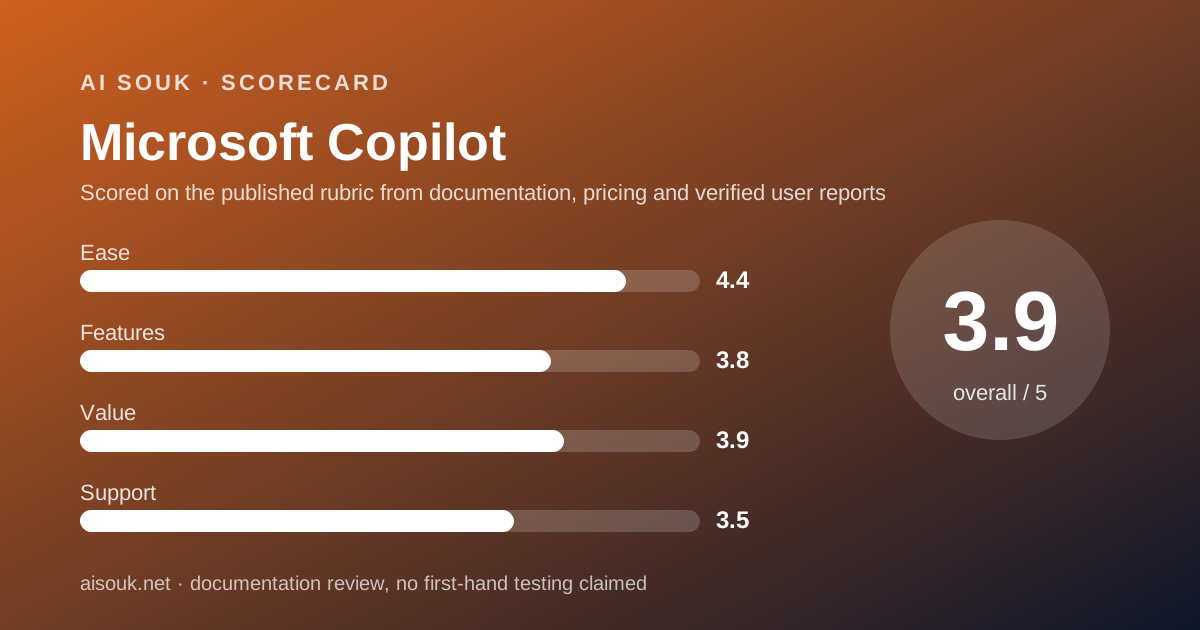
On the documents, Microsoft Copilot is the easiest assistant in this batch to start using and the hardest to evaluate. It is free with an account most Windows users already have, it runs everywhere, and it does the basic chat, creation and search jobs. But Microsoft's consumer pages decline to publish the free tier's model, limits or quantities, so a reader comparing free tiers on paper has nothing to compare, and a reader comparing $20 tiers finds that Premium's pages describe features and not models.
The ease score is high for the reason above. Features is the lowest in the batch, not because the product lacks them but because the documents describe so few of them for free users, and this site grades what is documented. Value is middling: the bundle is real for a business already paying for Microsoft 365, and poor for anyone buying Premium purely as an AI subscription, especially given that Family and Premium share the AI with nobody. Support is self-service through the general Microsoft hub.
The practical advice: if you already pay for Microsoft 365, use the Copilot you have and see whether the agents earn their keep before considering anything else. If you do not, the free assistant costs nothing to try, but choose a paid assistant on the strength of a rival's published tiers rather than Microsoft's unpublished ones. And whichever you use, set the training toggle and read the sentence after it.
What this page cannot tell you: what the free assistant looks like today, which model answers you, how soon any cap arrives, or whether the pricing pages have changed since October 7, 2026. No account was opened and no screenshots were captured.
Visit Microsoft Copilot
We have no affiliate relationship with this vendor. Link goes to the official site.