 AI
Zapier
The widest app directory in automation, with a free plan capped at 100 successful actions a month and two-step workflows only.
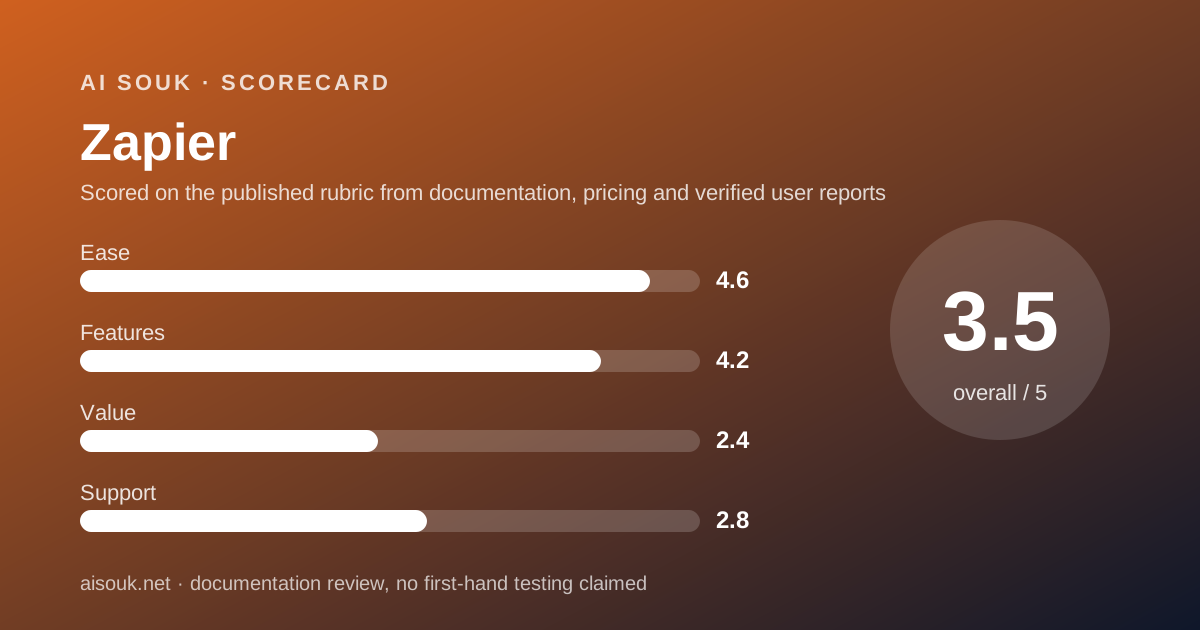
Scored on the published rubric, from documentation, pricing and verified user reports.
Best for: Someone who wants one small automation running today, between two apps that nothing else connects, and who can live inside 100 successful actions a month.
Verdict
This page is a documentation review: it is built from Zapier's own pricing page, help centre and app directory read on October 11, 2026, not from a logged-in account, so nothing here is a first-hand claim about the interface. On the documented design, Zapier is the broadest connector in the category. The app directory states 10,240+ apps, which is roughly three times what the nearest rival publishes. The free plan is permanent and needs no card. It is also the tightest free plan of the three tools in this cluster: 100 tasks a month, two-step workflows only, and a 15-minute gap between checks for new data. A task is a successful action step, so the count is not as brutal as it first reads, and the help centre lists a long set of steps that are free. The ease score is the highest here because nothing else gets a first automation running with less setup. The value score is the lowest here because 100 tasks is an evaluation budget rather than a working one, and the first paid step is more than double what the nearest rival charges.
Visit Zapier
We have no affiliate relationship with this vendor. Link goes to the official site.
Where it is strong
- The app directory states 10,240+ apps as of October 11, 2026, so the odds that both ends of your automation are already supported are higher than with any competitor in this cluster
- The free plan does not expire and does not ask for a card, per the pricing page checked October 11, 2026
- Triggers, Filter and Paths steps, Formatter, Delay, Looping, Digest, Storage and Zapier Manager steps are all listed as not counting against your task total, per the help centre
- Steps that error or halt are not charged, so a broken automation does not quietly eat the month's allowance
- Hitting the task ceiling holds new runs until the billing cycle resets rather than charging you, unless you switch on pay-per-task billing yourself
Where it falls short
- 100 tasks a month on the free plan is the smallest free allowance in this cluster by an order of magnitude, per the pricing pages of all three tools checked October 11, 2026
- Free workflows are capped at two steps, one trigger and one action, so any automation that needs to touch three apps is a paid feature
- The free plan checks for new data every 15 minutes, against 2 minutes on Professional and 1 minute on Team, per the pricing page
- The first paid step is $29.99 a month billed monthly, or $19.99 billed annually, for 750 tasks - more than double the entry price of Make
- Public user sentiment is poor: Trustpilot shows a TrustScore of 1.3 out of 5 across 322 reviews, read October 11, 2026, with refunds and auto-renewal the most repeated complaints
At a glance
| Starting price | $0 (Free plan, no card) |
|---|---|
| First paid step | $19.99/mo billed annually (Professional, 750 tasks) |
| Free plan | 100 tasks a month, two-step Zaps, 1 user |
| Apps listed | 10,240+ (app directory, October 11, 2026) |
| Update time on free | 15 minutes |
| Seat minimum | 1 on Free and Professional; Team is a shared seat pool |
What Zapier actually is
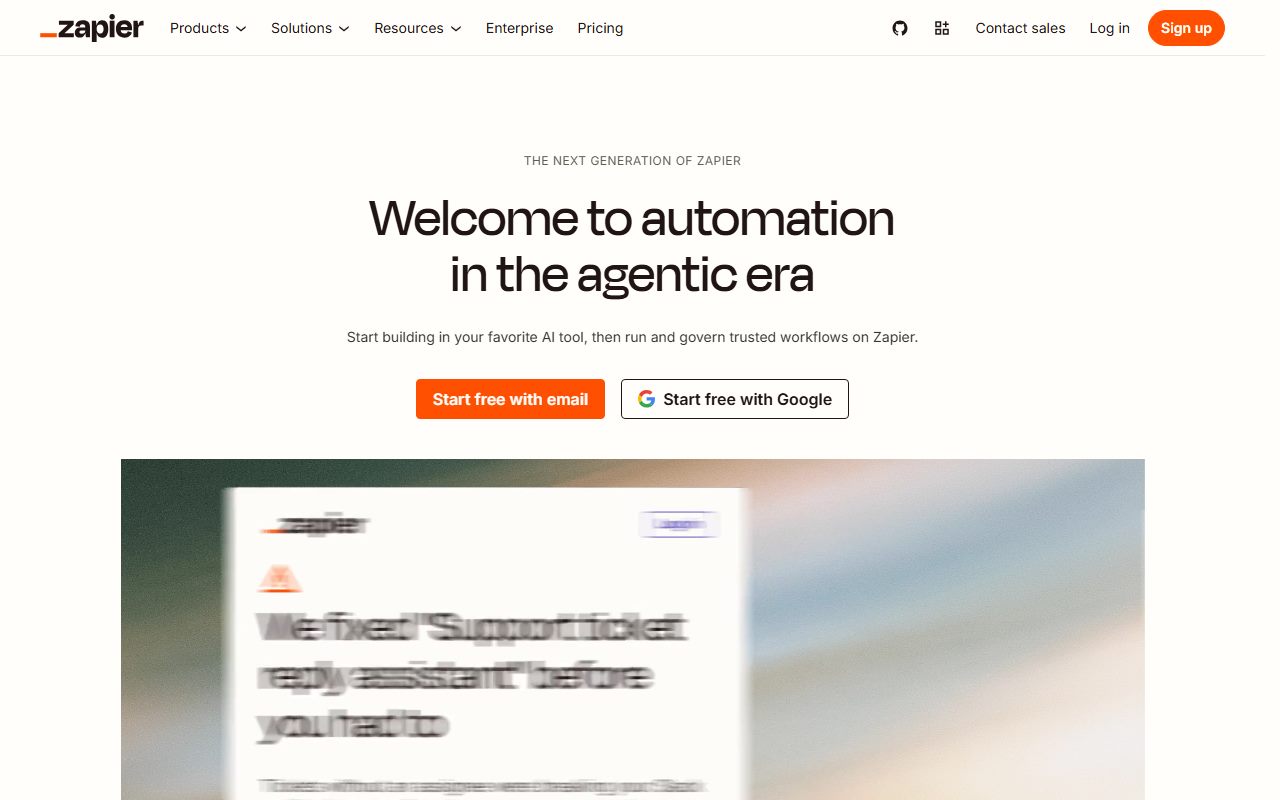
Zapier is a hosted trigger-and-action service. Something happens in one app, and Zapier does something in another. The unit of work is called a Zap, and a Zap is a straight line of steps.
That shape is the whole product. There is no canvas to lay out and no server to run. You pick a trigger app, pick an action app, map the fields, and switch it on.
The company's bet is coverage rather than depth. The app directory states 10,240+ apps as of October 11, 2026, the largest published figure in this category by a wide margin.
AI has been layered on top of that model rather than replacing it. Copilot builds a Zap from a sentence, and the directory carries connectors for the large model providers, so an automation can call a model as one of its steps.
If you have read our note on how to read an AI free tier before you sign up, the questions below are the same four, pointed at automation instead of chat.
What the free tier includes (as of October 2026)
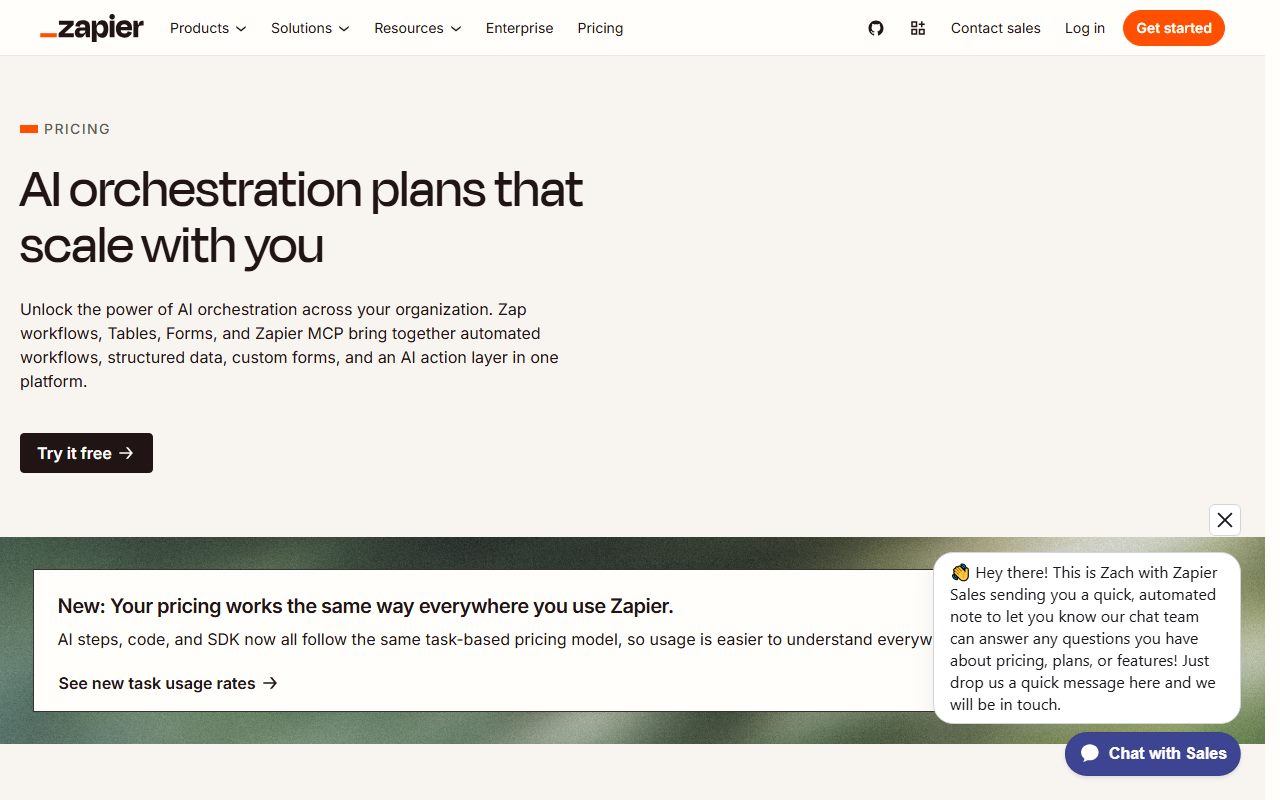
The pricing page, checked October 11, 2026, lists the Free plan at $0 a month. It does not expire and does not ask for a card.
What you get is listed below. The ceiling that matters is the first one.
- 100 tasks a month. A task is one successful action step, not one run and not one Zap
- Unlimited Zap workflows, Tables and Forms. The cap is on work done, not on how many automations exist
- Two-step Zaps only. One trigger, one action. Three apps in a row is a paid feature
- 15-minute update time. The gap between Zapier checking the trigger app for new data
- One user. No shared folders, no shared connections
- Copilot with a daily limit, and basic access to AI products. The page does not publish the number behind the word limit
What a task really is, because the number is misleading
100 sounds like nothing, and it is small, but it is smaller on paper than in practice. The help centre is unusually specific about what is billed.
Charged: all successful action steps, any successful step inside an error-handler path, and previously successful steps that run again when you replay a whole Zap run. A search action set to proceed if nothing is found costs one task.
Not charged: all trigger steps. All Filter and Paths steps. All action steps that error or halt. Steps that never run because a filter stopped them. Formatter, Delay, Looping, Digest, Storage and Zapier Manager steps. Zapier Tables and Forms steps.
That list is the single most useful thing on Zapier's help centre for a free user. A two-step Zap that fires 200 times but is filtered down to 40 real actions costs 40 tasks, not 200.
Still, by our own arithmetic, 100 successful actions a month is about three a day. That is an evaluation budget. The same reasoning applies to credit-metered tools, which we set out in what AI credits actually mean.
What sits behind the paywall
Three things, and the first is the one that pushes most people to pay.
Multi-step Zaps. Anything past one trigger and one action is a paid feature. Most real automations grow a third step within weeks, usually a lookup or a notification.
Speed. The free plan checks for new data every 15 minutes. Professional is listed at 2 minutes, Team at 1 minute, and Enterprise at 1 minute. If your automation answers a customer, 15 minutes is often too slow.
Volume. Task tiers run from 750 on the entry Professional plan up to figures the page prices at $5,099 a month billed monthly. Paths and the governance features arrive with the paid tiers as well.
What does not sit behind the paywall is the app directory. Free users can reach the same connectors, which is not true of every automation vendor.
How the pricing is structured
Zapier charges for throughput, not for seats, which is unusual and worth understanding before you compare prices with anything else.
Professional's entry tier is 750 tasks at $29.99 a month billed monthly, or $19.99 a month billed annually. The pricing page describes the annual saving as 33 percent. The same plan scales up through task tiers that the page prices as high as $5,099 monthly, or $3,389 a month billed annually.
Team starts at 2,000 tasks for $103.50 monthly or $69.00 a month billed annually, and tops out on the page at $5,999 monthly or $3,999 annually. Team is where shared connections and collaboration live.
Enterprise is quoted by sales only, and the page does not publish a figure.
All prices were read from zapier.com/pricing on October 11, 2026. The practical consequence is that a one-person shop running a handful of automations pays about the same as a ten-person team running the same handful, which is the opposite of per-seat tools.
Ease of use: what the score is built from
4.6 out of 5, and it is the highest ease score in this cluster.
The grade rests on documented structure rather than on feel. A Zap is linear, so there is nothing to arrange. The free plan permits exactly two steps, which removes the main way a beginner gets lost. The trigger app is chosen from a searchable directory rather than configured.
Copilot adds a plain-language route into that: describe the automation, get a draft. The pricing page confirms Copilot is on the free plan with a daily limit.
The mark is not 5 for two documented reasons. The 15-minute update time on free means a beginner testing a new Zap waits a quarter of an hour to see whether it fired, which is a bad feedback loop. And the step restrictions mean the first thing a new user tries to add is often the thing the plan will not allow.
No account was opened for this page, so this score is a reading of the published design, not a report on the interface.
Features: breadth is the whole pitch
4.2 out of 5. Breadth is excellent, depth per workflow is mid-range.
The 10,240+ figure from the app directory is the headline, and it is the one hard reason to pick Zapier over a cheaper rival. If you need to connect a niche appointment-booking tool to a niche invoicing tool, Zapier is the service most likely to have both.
Beyond connectors, the platform carries Tables, Forms, Interfaces and an agent product. The help centre notes that Tables and Forms steps do not consume tasks, which makes them genuinely usable on the free plan.
What holds the score down is control. Branching lives in Paths, which is paid. There is no self-hosted option at all, so data always passes through Zapier's infrastructure. And the linear Zap model is less expressive than a canvas when a workflow has to loop, merge or fan out.
For AI-specific work, the model providers are present as connectors, so you can route a message through ChatGPT or Claude as a step. Note that this bills twice: once in Zapier tasks, once in the model provider's own metering.
Value: why this score is the lowest here
2.4 out of 5, and the reason is arithmetic rather than opinion.
On published figures read October 11, 2026, Make's free plan lists 1,000 credits a month against Zapier's 100 tasks. The two units are not identical, but both count work done, and the gap is ten to one.
The first paid step is the second problem. Zapier's cheapest paid plan is $19.99 a month billed annually. Make's Core plan is listed at $9 a month. n8n's Starter is listed at 20 euros a month but with 2,500 executions and unlimited users.
Against that, Zapier's defence is the directory. 10,240+ apps is a real asset, and nothing in this cluster matches it. If your integration only exists here, the price comparison is academic.
The honest summary: you are paying a premium for coverage. Our checklist for leaving a free tier is the right next read if the 100 tasks are gone by the twentieth of the month.
Support: what verified users report
2.8 out of 5. The documentation is strong and the public review record is weak, and the score sits between those two facts.
The help centre is the best in this cluster. The article on plan limits publishes an itemised list of what does and does not count as a task, which most vendors do not do.
The public sentiment is a different story. Trustpilot showed a TrustScore of 1.3 out of 5 from 322 reviews when read on October 11, 2026. The repeated themes are a strict no-refund stance, unexpected charges from auto-renewal, and support replies that quote policy rather than solve the problem.
Two cautions on reading that. Trustpilot skews toward billing disputes, because people angry about a charge go there. And 322 reviews is a small sample against Zapier's user base.
We did not contact support and make no claim about response times. Of the three tools here, this is the one whose billing policy generates the most public complaint.
Privacy and data use
This is the weakest-documented area of the three, and we could not close the gap.
Zapier is hosted only. Every record your automation moves passes through Zapier's systems, which is the trade for not running a server.
We looked for a plain statement about whether customer data is used to train models for the AI features. Several candidate pages on zapier.com returned 404 when fetched on October 11, 2026, and the pricing page does not address it.
So the honest position is that we could not read a published answer on that date, and we will not guess at one. If training on your workflow data is a blocker, ask the vendor in writing before you connect a system of record. The general shape of this question is set out in our note on free AI tiers and your data.
Alternatives worth a look
Make is the direct price rival. Its free plan lists 1,000 credits a month, two active scenarios, a 15-minute minimum interval and a 5-minute execution ceiling, per its pricing page on October 11, 2026. Choose Make if your free allowance needs to do real work and you are willing to learn a visual canvas. Choose Zapier if the apps you need are not in Make's 3,500+ directory.
n8n is the control rival. There is no permanent free cloud plan, but the self-hosted Community edition is free indefinitely under the Sustainable Use License, and the integrations page lists 2,329 integrations. Choose n8n if you can run Docker and want the data to stay on your own infrastructure. Choose Zapier if you never want to see a server.
If what you actually need is not an automation platform but a single tool that already does the job, check the specific review first. A meeting automation may be unnecessary once you read what Otter.ai exports on its own, and a document-generation Zap may be unnecessary once you read what Gamma does from a prompt.
Buy it if, skip it if
Start here if your two apps are obscure, if you want one automation live this afternoon, if the automation is genuinely two steps, and if a 15-minute delay is acceptable.
Skip it if your workflow branches, if you expect more than a few actions a day, or if support quality matters to you more than app coverage.
The free plan is the correct way to find out which of those you are. It costs nothing, it does not expire, and it will tell you within a month whether 100 tasks is a budget or a wall. Our starter kit for a small business owner covers what to put at either end of that automation.
Frequently asked
Is Zapier free forever? Yes. The pricing page, checked October 11, 2026, lists Free at $0 with no expiry and no card.
What counts as a task? Successful action steps only. Triggers, Filter and Paths steps, errored actions, and Formatter, Delay, Looping, Digest, Storage, Zapier Manager, Tables and Forms steps do not count, per the help centre.
How many Zaps can I have free? Unlimited, per the pricing page. The limits are on tasks and on two steps per Zap.
What happens when I run out of tasks? Zapier holds new runs until the billing cycle resets. You can upgrade or enable pay-per-task billing yourself.
How much is it for a small team? Professional starts at $19.99 a month billed annually for 750 tasks. Team starts at $69.00 billed annually for 2,000 tasks.
Does the free plan include the AI features? Copilot is listed on Free with a daily limit. The number behind that limit is not published.
Bottom line
Zapier is the easiest way into automation and the most expensive way to stay there.
The free plan is a genuine permanent plan, not a trial, and it is worth opening for the directory alone: searching 10,240+ apps will tell you in two minutes whether your integration exists anywhere.
But 100 successful actions a month and two steps per workflow mean the free plan is a demonstration of the idea rather than a working system. The first paid step costs about double its nearest rival, and the public review record on billing is the worst in this cluster.
The sensible sequence is to start free, prove the automation is worth money, and then check whether Make can run the same thing for $9. If it can, the only argument left for Zapier is an app that nothing else connects, and that is an argument worth paying for when it is true.
Scored on our published rubric from documentation, pricing pages and verified user reports, not from a trial. If you are assembling several free tiers rather than buying one tool, our note on building a free-tier stack is the companion to this page.
Buy it if
- Your two apps are obscure. The 10,240+ directory is the reason to start here rather than anywhere else
- You want something running in an afternoon and would rather not learn a visual canvas first
- Your automation is genuinely two steps, such as a form entry creating a row, and the volume is low
- You need a 15-minute delay to be acceptable. Nothing on the free plan runs faster than that
Skip it if
- Your workflow branches. Paths and multi-step Zaps are paid, and most real workflows branch by the second month
- You expect to run more than a few automations a day. 100 successful actions a month is roughly three a day by our own arithmetic
- Support matters to you more than app coverage. The public review record here is the weakest of the three tools in this cluster
Frequently asked
Is Zapier free forever?
Yes. The pricing page, checked October 11, 2026, lists a Free plan at $0 a month with no expiry and no card required. It includes 100 tasks a month, unlimited two-step Zaps, one user, and Copilot with a daily limit.
What counts as a task in Zapier?
Successful action steps count. The help centre states that triggers, Filter and Paths steps, errored or halted actions, and Formatter, Delay, Looping, Digest, Storage, Zapier Manager, Tables and Forms steps do not. A search set to proceed if nothing is found counts as one task.
How many Zaps can I have on the free plan?
The pricing page lists unlimited Zap workflows, Tables and Forms on the Free plan as of October 11, 2026. The cap is on tasks, not on how many automations you build, and on steps per automation, which is two.
What happens when I run out of tasks?
Per the help centre, Zapier holds new Zap runs until your billing cycle resets. You can upgrade, or switch on pay-per-task billing to keep running immediately. Nothing is charged automatically unless you enable that yourself.
How much does Zapier cost for a small team?
Professional starts at $29.99 a month billed monthly or $19.99 billed annually for 750 tasks, per the pricing page checked October 11, 2026. Team starts at $103.50 monthly or $69.00 billed annually for 2,000 tasks. Both scale by task volume, not by seat.
Does the free plan include the AI features?
Partly. The pricing page lists Copilot with a daily limit and basic access to AI products on the Free plan as of October 11, 2026. It does not publish what the daily limit is, so plan on the AI builder being a sampler rather than a working tool.
Sources
- Zapier pricing page - checked October 11, 2026
- Zapier help centre: plan features, limits and what counts as a task - checked October 11, 2026
- Zapier app directory - checked October 11, 2026
- Trustpilot reviews for zapier.com - checked October 11, 2026
Visit Zapier
We have no affiliate relationship with this vendor. Link goes to the official site.