 AI

Make
A visual automation canvas with the most generous free allowance in its category: 1,000 credits a month, but only two scenarios may be switched on.
Scored on the published rubric, from documentation, pricing and verified user reports.
Best for: Someone who wants a free automation allowance that can do real monthly work, and who is willing to learn a visual canvas to get it.
Verdict
This page is a documentation review: it is built from Make's own pricing page, help centre and terms page read on October 11, 2026, not from a logged-in account, so nothing here describes what the editor feels like to use. On the published figures, Make has the most generous permanent free plan in this category. The pricing page lists 1,000 credits a month on Free against Zapier's 100 tasks, which is a ten-to-one gap in the unit each vendor uses to meter work. The catch is in a different column: only two scenarios may be active at once, execution is capped at 5 minutes, and data transfer at 512 MB a month. The AI layer is not held back for paying customers. Maia, the AI agents in beta and the AI toolkit are listed across all plans, including Free. The ease score is the lowest of the three scores that matter here, because a branching canvas with routers is a steeper first hour than a two-step form. The value score is the highest in this cluster, and the first paid step at $9 a month is the cheapest.
Visit Make
We have no affiliate relationship with this vendor. Link goes to the official site.
Where it is strong
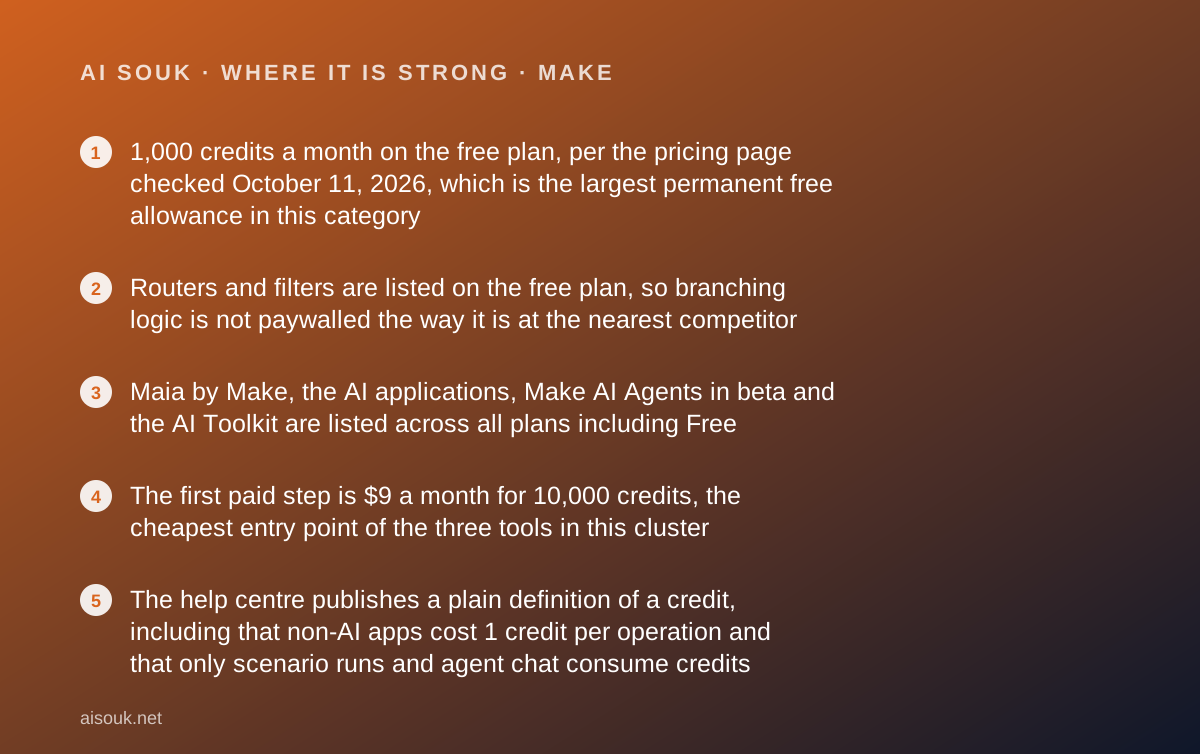
- 1,000 credits a month on the free plan, per the pricing page checked October 11, 2026, which is the largest permanent free allowance in this category
- Routers and filters are listed on the free plan, so branching logic is not paywalled the way it is at the nearest competitor
- Maia by Make, the AI applications, Make AI Agents in beta and the AI Toolkit are listed across all plans including Free
- The first paid step is $9 a month for 10,000 credits, the cheapest entry point of the three tools in this cluster
- The help centre publishes a plain definition of a credit, including that non-AI apps cost 1 credit per operation and that only scenario runs and agent chat consume credits
- The pricing page publishes the hard ceilings, not just the prices: interval, active scenarios, execution time and data transfer are all stated per plan
Where it falls short
- Only 2 scenarios may be active at once on Free, so a free user is choosing which two automations are allowed to exist
- Maximum execution time on Free is 5 minutes and data transfer is 512 MB a month, against 40 minutes and 5 GB on Core
- The free plan's minimum interval between runs is 15 minutes, the same as the competitor's free plan, so nothing on Free is near real time
- Third-party AI modules cost 1 credit per operation plus token usage, and some built-in AI modules cost more than 1 credit, so the AI work is metered twice
- The billing unit was renamed from operations to credits as of August 27 per the pricing page FAQ, so older guides and forum posts you find will use a different word for the same thing
- Public sentiment is split rather than good: Trustpilot shows 2.7 out of 5 from 173 reviews, read October 11, 2026, with complexity and slowness the repeated complaints
At a glance
| Starting price | $0 (Free plan) |
|---|---|
| First paid step | $9/mo (Core, 10,000 credits) |
| Free plan | 1,000 credits a month, 2 active scenarios, 1 user |
| Apps listed | 3,500+ standard apps and 350+ AI apps (pricing page, October 11, 2026) |
| Minimum interval on free | 15 minutes |
| Free execution ceiling | 5 minutes per run, 512 MB data transfer a month |
What Make actually is
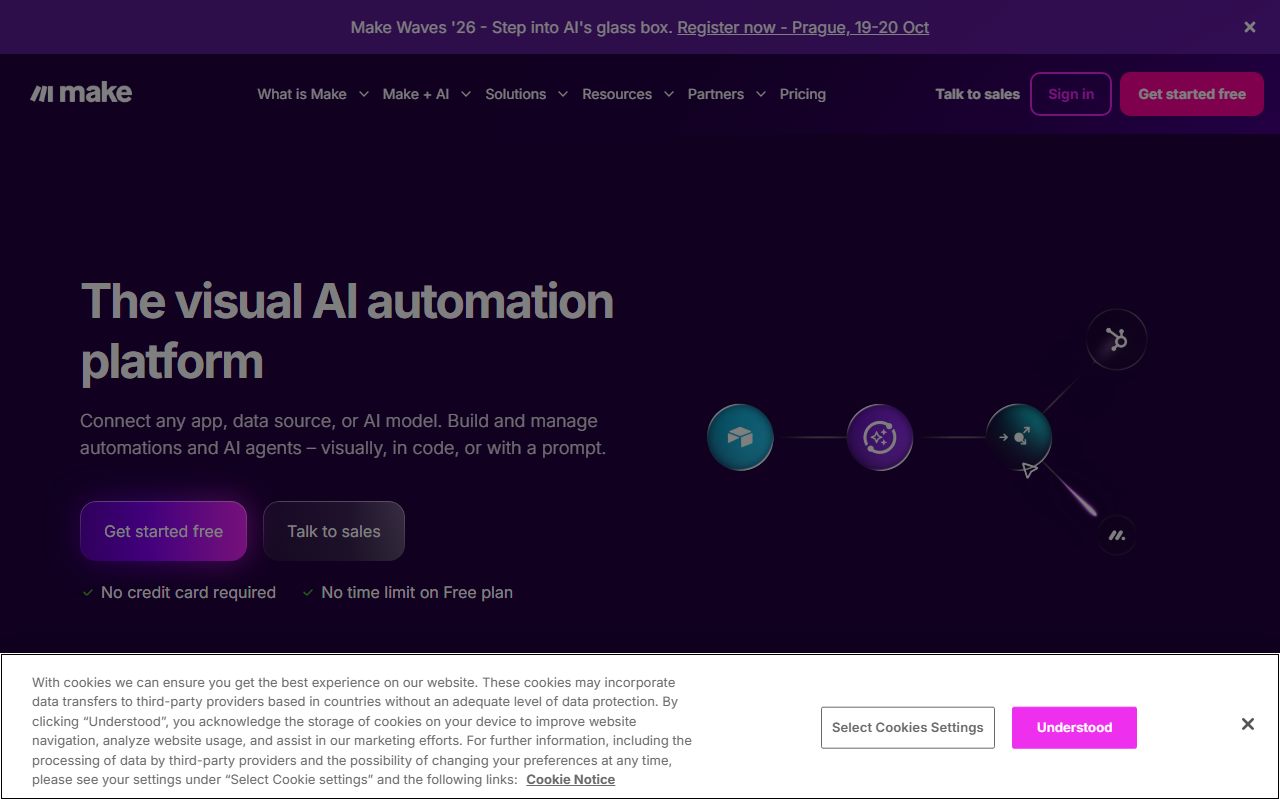
Make is a visual automation canvas. You place modules on a board, draw lines between them, and insert routers where the path has to split.
That is a different model from a linear trigger-and-action list, and the difference shows up in what you can express. A scenario can branch on a condition, iterate over an array, merge two paths back together, and handle its own errors.
The cost of that expressiveness is a steeper first hour. You are arranging a diagram rather than filling in two dropdowns.
The pricing page states 3,500+ standard apps and 350+ AI apps as of October 11, 2026. The AI layer is not a separate product: Maia builds scenarios from a conversation, model connectors sit on the canvas as modules, and an agents product is listed in beta.
Make is sold by Celonis. The terms page carried the footer notice copyright 2026 Celonis, Inc. when read on October 11, 2026, which is worth knowing if you are assessing vendor stability.
What the free tier includes (as of October 2026)
The pricing page, checked October 11, 2026, lists Free at $0 a month. The allowance is the headline and the ceilings are the fine print.
- 1,000 credits a month. For non-AI apps, one operation equals one credit, per the help centre
- 2 active scenarios maximum. Switched-off scenarios do not count, so you can build more than two and rotate them
- 15-minute minimum interval between scheduled runs
- 5 minutes maximum execution time per run
- 512 MB data transfer a month
- The full no-code visual builder, 3,500+ apps, routers and filters, and customer support
- The AI layer: Maia by Make, AI applications, Make AI Agents in beta and the Make AI Toolkit are listed on all plans
The two-scenario cap is the real limit, not the credits
1,000 credits a month is enough to run a useful automation. 2 active scenarios is the number that will shape how you use the free plan.
A scenario is one automation. Two means you are picking which pair of jobs is allowed to exist at any moment. A third idea waits.
There is a workaround that the pricing page implies: the cap is on active scenarios, not stored ones. You can build a library and switch two on. That is fine for jobs that run in seasons and useless for jobs that have to run every day.
The 5-minute execution ceiling is the second constraint, and it bites in a specific place. A scenario that loops over a few hundred records can exceed five minutes, and on Free it will be cut off. Core raises that to 40 minutes.
We set out the general version of this problem in what AI credits actually mean: the published allowance is rarely the binding limit, and the binding limit is rarely the number in the headline.
What sits behind the paywall
Core at $9 a month lifts four ceilings at once, and that bundle is why the free plan feels like a trial with a long fuse.
Active scenarios go from 2 to unlimited. The minimum interval drops from 15 minutes to 1. Execution time goes from 5 minutes to 40. Data transfer goes from 512 MB to 5 GB. Credits go from 1,000 to 10,000 at the entry tier.
Above Core, the additions are for teams rather than for capacity. Pro at $16 a month adds full-text search of execution logs, which matters when a scenario fails at three in the morning and you have to find out why. Teams at $29 adds team roles and scenario templates.
Enterprise adds custom functions, 24-hour support and the advanced security controls, and is quoted by sales with no published figure.
All four prices were read from the pricing page on October 11, 2026. The page describes the Pro annual plan as saving 15 percent or more, and lists discounted annual rates on the other tiers without publishing a single percentage for each.
Ease of use: what the score is built from
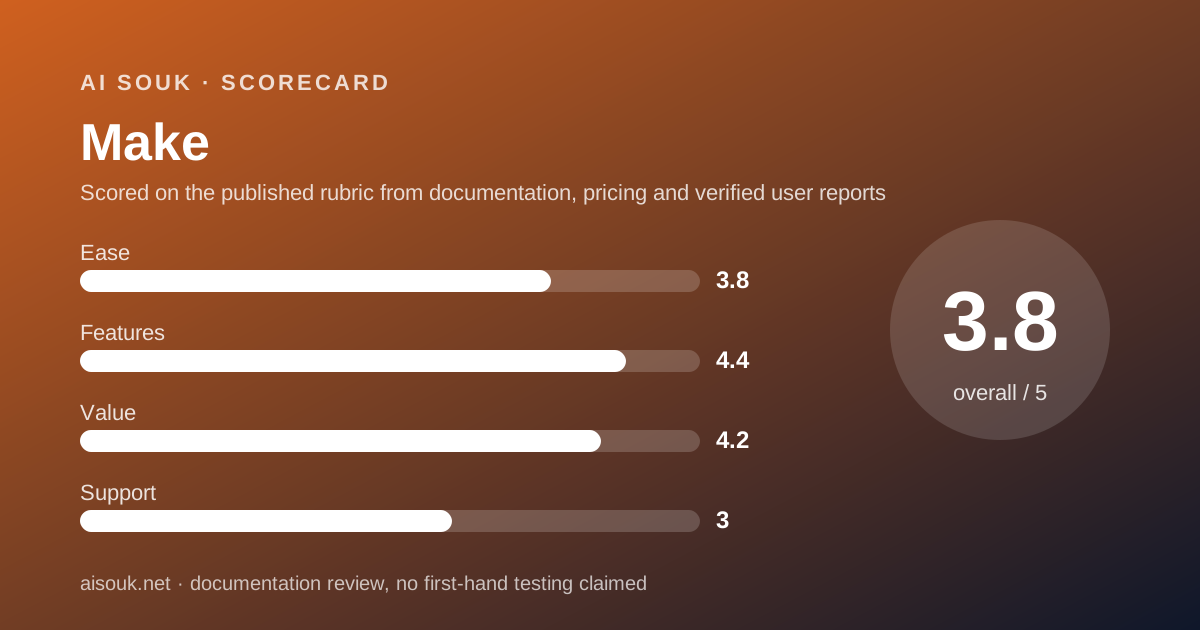
3.8 out of 5. This is the hardest of the three tools in this cluster to get started with and the easiest to keep using once a workflow grows.
The grade comes from documented structure. A canvas with routers, iterators and aggregators has more concepts to learn than a trigger plus an action. The help centre's own material on scenarios runs considerably longer than the equivalent material for a linear builder.
Maia is the published answer to that. Describe the automation in a conversation and get a scenario back. It is listed on every plan, so a free user can use it.
Two documented frictions hold the score down. The free plan's 15-minute minimum interval means testing a scheduled scenario involves waiting, though a manual run is immediate. And public reviewers repeatedly describe the web interface as slow, which is a usability fact even though we did not measure load times ourselves.
No account was opened for this page. This is a reading of the published design, not a report on the editor.
Features: branching on the free plan is the differentiator
4.4 out of 5, the highest feature score in this cluster among the hosted options.
The reason is one line on the pricing page: routers and filters are listed on the Free plan. At the nearest competitor, branching is a paid feature and the free plan is capped at two steps. Here a free user can build an automation with real logic in it.
The AI story is also better than the price suggests. Maia, the AI applications, the agents beta and the AI toolkit are listed across all plans. Model connectors for the major providers sit on the canvas as modules, so an automation can hand a message to ChatGPT, Claude or Gemini and act on the reply.
Read the metering before you build that, though. The help centre states that third-party AI apps cost one credit per operation plus token usage, and that some built-in modules, such as certain AI Content Extractor modules, consume more than the default one credit per operation because of processing complexity.
What holds the score below 4.6 is coverage and control. 3,500+ apps is good but roughly a third of what the market leader publishes, and there is no self-hosted option, so every record passes through the vendor's infrastructure.
Value: the best free allowance and the cheapest first step
4.2 out of 5, the highest value score in this cluster, and the arithmetic is straightforward.
On figures read October 11, 2026, Free lists 1,000 credits a month. The nearest hosted competitor's free plan lists 100 tasks. The units are not interchangeable, but both count work performed, and a ten-to-one gap is not a rounding difference.
The first paid step is $9 a month against $19.99 a month billed annually at the competitor. The entry credit allowance at that price is 10,000.
What stops this being a 5 is that the free plan's generosity is in the wrong column for some users. An unlimited allowance across two scenarios is worth less than a small allowance across ten, if what you need is ten small automations. Decide which shape your work is before you compare the headline numbers.
If the free plan is already not enough, our checklist for leaving a free tier sets out the questions worth asking before the first invoice.
Support: what verified users report
3.0 out of 5. Customer support is listed on the free plan, which is unusual, and the public record is polarised rather than bad.
Trustpilot showed 2.7 out of 5 from 173 reviews when read on October 11, 2026. The distribution was roughly half five-star and a third one-star, which is the signature of a product that either fits or does not.
The repeated complaints are complexity, slowness of the web app, scenarios breaking after platform updates, and difficulty reaching anyone other than sales. The repeated praise is the free tier, the breadth of what the canvas can express, and in some accounts support that went well beyond expectations.
One reviewer's comparison is worth quoting as sentiment rather than as fact: a more generous free tier than the self-hosted alternative. That is consistent with the published numbers.
We did not contact support and make no claim about response times. 24-hour support is listed only on Enterprise.
Privacy and data use
Make is hosted only, so every record your scenario touches passes through the vendor's systems. There is no self-hosted edition to fall back on.
We looked for a plain published statement about whether customer data is used to train models for the AI features. The AI automation page describes the capabilities and the model providers it connects to, but it did not address training when read on October 11, 2026, and the pricing page does not either.
So the honest answer is that we could not read a published position on that date. The terms page links a master services agreement and a data processing agreement as PDFs, which is where that language would sit, and those were not read for this page.
If training on workflow data is a blocker for you, get the answer in writing before you connect a system of record. The general shape of this question across AI tools is in our note on free AI tiers and your data.
Alternatives worth a look
Zapier is the coverage rival. Its app directory states 10,240+ apps against Make's 3,500+, but its free plan lists 100 tasks a month and two-step workflows only. Choose Zapier if your app simply is not on Make's list, or if you want a first automation running in ten minutes. Choose Make if the free allowance has to do a month of real work.
n8n is the control rival. There is no permanent free cloud plan, but the self-hosted Community edition is free indefinitely under the Sustainable Use License, and the integrations page lists 2,329 integrations. Choose n8n if you can run Docker and want your data to stay on your own machines. Choose Make if you would rather nobody had to patch a server.
Before building any of it, check whether the tool at either end already does the job. A scenario that pushes meeting notes into a CRM may be unnecessary once you read what Fireflies.ai exports by itself, and our starter kit for a small business owner covers what belongs in that stack.
Frequently asked
Is Make free forever? Yes. Free is listed at $0 with 1,000 credits a month, the full visual builder, routers and filters, as of October 11, 2026.
What is a credit? Per the help centre, the currency you consume to use Make. Only scenario runs and the AI agent's chat consume credits. One operation equals one credit for non-AI apps.
Why only two scenarios? That is the published cap on Free. From Core upward it is unlimited. Scenarios you have switched off do not count.
How much is it after Free? Core $9 a month, Pro $16, Teams $29, each with 10,000 credits at the entry tier. Enterprise is quoted by sales.
Are the AI features free? Maia, the AI applications, the agents beta and the AI Toolkit are listed on all plans. They still consume credits, and third-party model calls also consume the provider's tokens.
Who owns Make? The terms page carried the footer notice copyright 2026 Celonis, Inc. on October 11, 2026.
Bottom line
Make has the free plan to beat in this category, and the limit that will stop you is not the one on the marketing page.
1,000 credits a month is a working allowance. Routers and filters on the free plan mean a free automation can have real logic in it. Maia and the agents beta are not held back for paying customers. At $9 a month, the escape hatch is the cheapest here.
The binding constraint is two active scenarios, and it is worth deciding up front whether your work is two big jobs or ten small ones. If it is ten small ones, the free plan will frustrate you no matter how many credits are left over.
The second thing to budget for is the learning curve. A canvas is more capable and less obvious, and a third of public reviewers are unhappy enough to leave one star, mostly about complexity and speed.
Scored on our published rubric from documentation, pricing pages and verified user reports, not from a trial. If you are assembling several free tiers rather than buying one tool, read building a free-tier stack next, and how to read an AI free tier before you sign up before you hand over an email.
Buy it if
- Your free allowance has to do real work. 1,000 credits a month is an order of magnitude more than the nearest free plan
- Your workflow branches. Routers and filters are on the free plan, so an if-this-then-that-else automation fits
- You intend to pay eventually. At $9 a month, Core is the cheapest first paid step here
- You want the AI features now. Maia, AI agents in beta and the AI toolkit are listed on every plan including Free
Skip it if
- You need more than two automations running at once. Free caps active scenarios at 2, and that is the limit most free users hit first
- Your app is not in the directory. 3,500+ is good coverage but it is roughly a third of what Zapier publishes
- You want to be running in ten minutes. A canvas with routers is a steeper start than a linear two-step builder
Frequently asked
Is Make free forever?
Yes. The pricing page, checked October 11, 2026, lists Free at $0 a month with 1,000 credits, the visual builder, 3,500+ apps, routers and filters, and customer support. The limits are 2 active scenarios, a 15-minute minimum interval, 5 minutes per run and 512 MB of data transfer.
What is a credit in Make?
Per the help centre, credits are the currency you consume to use Make, and only features triggered by scenario runs or the AI agent's chat consume them. For non-AI apps, one operation equals one credit. Third-party AI apps cost one credit per operation plus token usage.
How many credits does the free plan give me?
1,000 a month, per the pricing page on October 11, 2026. Core, Pro and Teams all list 10,000 credits at their entry tier. The pricing page FAQ notes that credits became the billing unit as of August 27, replacing the word operations.
Why can I only run two scenarios on the free plan?
That is the published cap. The pricing page lists maximum active scenarios as 2 on Free and unlimited from Core upward, as of October 11, 2026. Scenarios you have built but switched off do not count against it.
How much does Make cost after the free plan?
Core is listed at $9 a month, Pro at $16 and Teams at $29, each with 10,000 credits at the entry tier, per the pricing page checked October 11, 2026. The page describes the Pro annual plan as saving 15 percent or more. Enterprise is quoted by sales.
Does Make include AI features on the free plan?
The pricing page lists Maia by Make, the AI applications, Make AI Agents in beta and the Make AI Toolkit across all plans as of October 11, 2026. What it does not remove is the metering: AI modules consume credits, and third-party model calls also consume the provider's own tokens.
Who owns Make?
The terms and conditions page at make.com carried the footer notice copyright 2026 Celonis, Inc. when read on October 11, 2026. Make is sold as a Celonis product rather than by an independent company.
Sources
- Make pricing page - checked October 11, 2026
- Make help centre: what a credit is and what consumes credits - checked October 11, 2026
- Make terms and conditions - checked October 11, 2026
- Trustpilot reviews for make.com - checked October 11, 2026
Visit Make
We have no affiliate relationship with this vendor. Link goes to the official site.