 AI
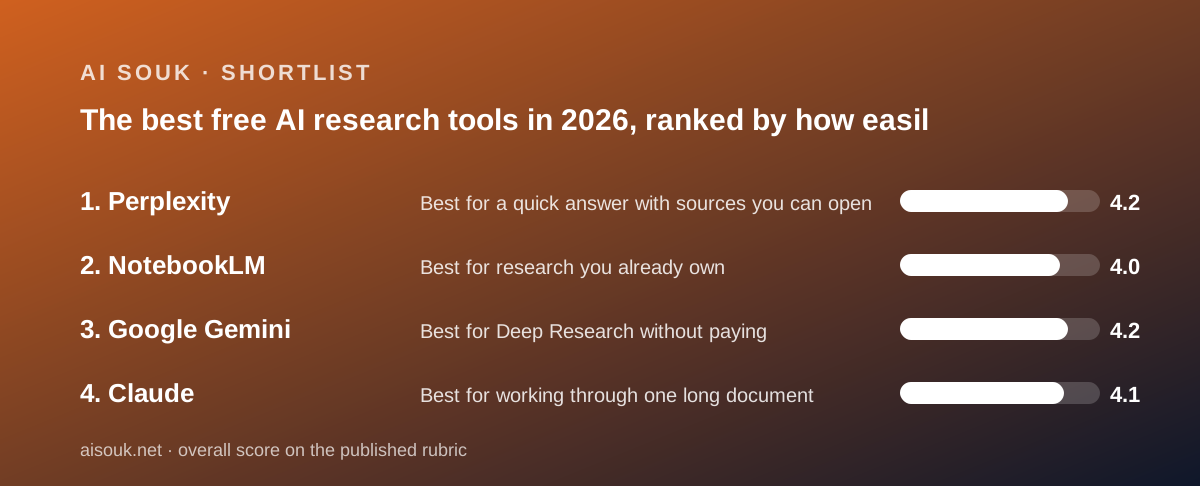
AIThe best free AI research tools in 2026, ranked by how easily you can check the answer
Research is the one job where a fluent wrong answer costs more than no answer, so this shortlist ranks free AI research tools on a single question: how easily can you check what they tell you? Four tools, four methods. Perplexity searches the web and attaches sources to every claim. NotebookLM answers only from documents you upload and cites the passage. Gemini runs Deep Research reports on its free plan, with daily caps. Claude reads long material in projects and searches the web, with its dedicated Research feature held back for paid tiers. Everything here is from the vendors' documentation and public reports as checked in October 2026; no account was opened for this page.
Our picks
- Best for a quick answer with sources you can open: Perplexity
- Best for research you already own: NotebookLM
- Best for Deep Research without paying: Google Gemini
- Best for working through one long document: Claude
The word research covers four different jobs, and the free tools on this list each do one of them well and the others badly. The first job is the quick question with a source - what is the current threshold for a regulation, which supplier changed its terms, what did a competitor announce - and that is Perplexity, whose free tier delivers the product's core behaviour: an answer with the pages it drew on attached, so the claim can be traced instead of trusted. The second job is understanding a pile you already have - contracts, a reading list, a year of transcripts - and that is NotebookLM, which answers only from the uploaded sources and cites the passage. The third job is the long report that takes a browsing session to assemble, and that is Gemini's Deep Research, which is on the free plan with daily request caps. The fourth is working through one long document in a session - reading, questioning, drafting from it - and that is Claude, with its five free projects and web search. Pick the job first; the tool follows.
Before the tools, one sentence that applies to all four and is the whole reason this page ranks on checkability: a citation shows provenance, not accuracy. Perplexity will cite a weak page as readily as a strong one, per this site's review. NotebookLM's grounding reduces invention but does not remove it; a misread passage still produces a confident wrong sentence with a citation attached, and the model will not tell you a source is outdated or contradicted by one you left out. Gemini's Deep Research assembles a report from what it found, and what it found is what was easy to find. Claude will summarise a forty-page document and quietly skip the appendix. The discipline that costs nothing and separates research from reading is to click the citation and read the paragraph. Every tool here makes that click possible; none makes it unnecessary. The ranking below rewards the tools that make the click short.
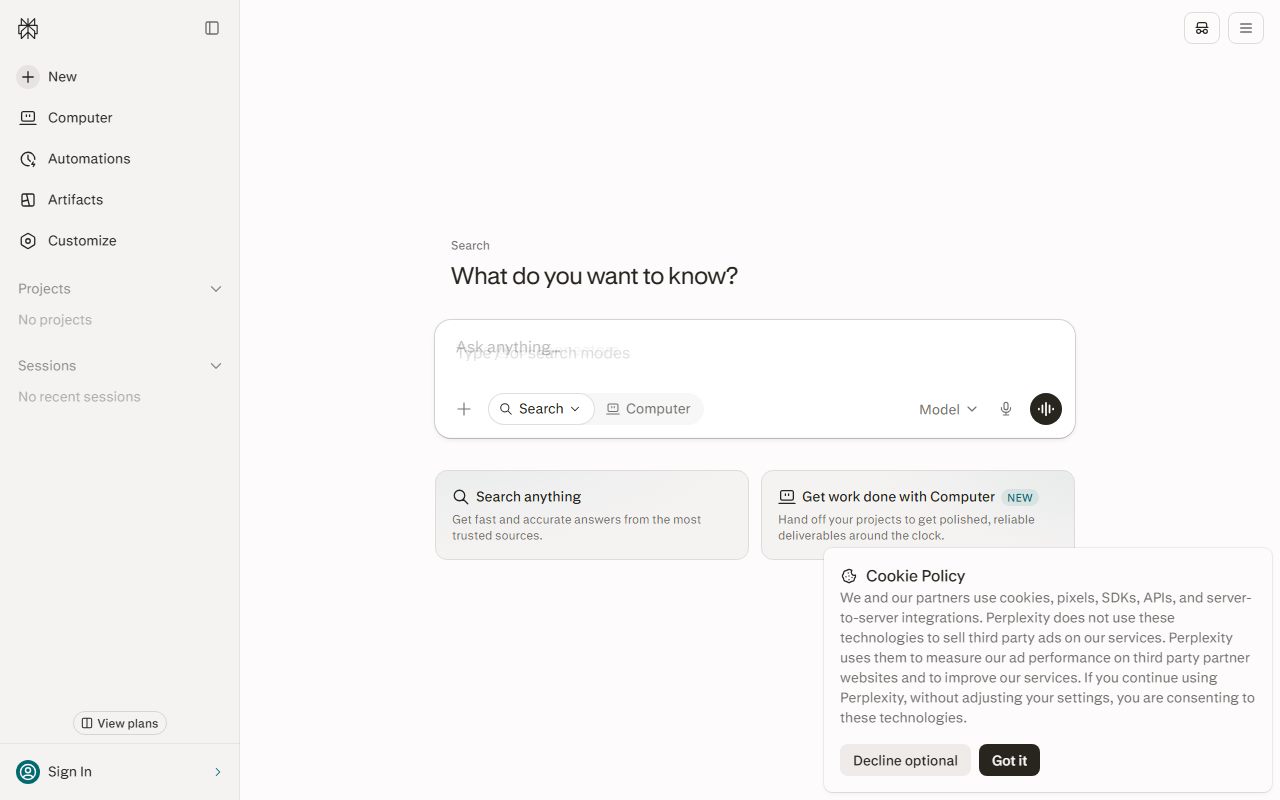
Perplexity's free tier is the simplest to describe and the hardest to quantify, because the vendor changes the per-tier allowances and the model behind each mode often enough that any number written here would go stale before you read it - which this site's review notes as a documented pattern rather than a complaint. What the free tier reliably does is the core thing: a researched answer with links, follow-up questions that keep the thread's context, and the ability to restrict a search to a domain or to recent material, which the review identifies as the fastest way to a usable answer. What it does not do is long-form drafting; it is not trying to be a writing assistant, and asking it to be one produces thin results. Support is self-service, as it is across consumer AI at this price. For a small business the practical use is the dozen factual questions a week where you need to know where the answer came from, and the practical caution is that a cited answer from a content-farm page is still a content-farm answer.
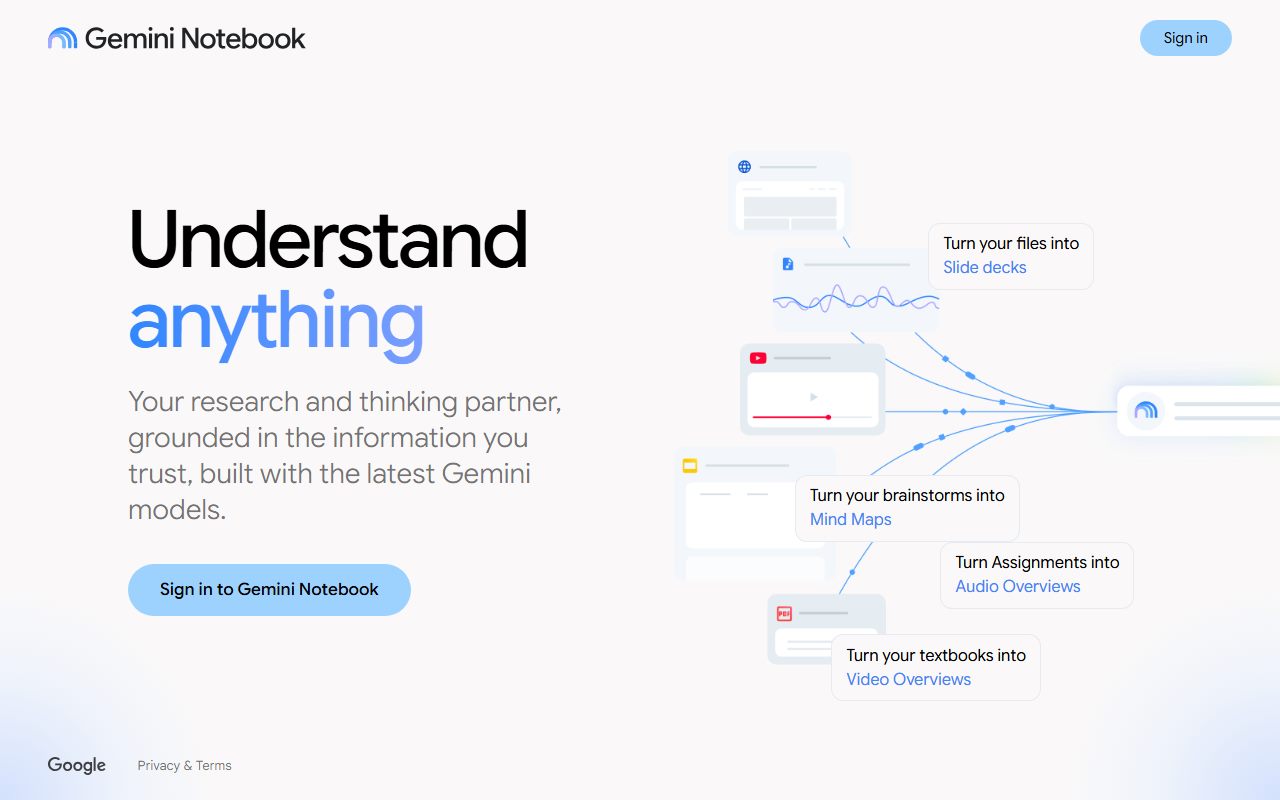
NotebookLM is the tool for the research you already own. Upload a mixed pile - documents, pasted text, slides, web pages, transcripts - and it becomes one searchable corpus with its own notebook boundary, answering questions from those sources only, with inline citations pointing at the passage behind each claim. That removes the most common failure of a general assistant, which is answering from the model's memory when you wanted an answer from your file. The free tier delivers the product's actual behaviour rather than a restricted demonstration; the constraint is per-notebook and per-source caps, and the numbers behind them change often enough that this page quotes none. Two things to accept. Garbage in stays garbage in: the model grades nothing, so the curation of the pile is the research. And the citation is the product: an answer you did not click through is an answer you did not check. For a contract set, a regulatory file or a competitor's published materials, it is the free tool that does what the others claim to.
Gemini's free plan is the surprise on this list, because Deep Research - a long-running job that browses, reads and writes a multi-page report, which is a paid feature in several rival products - is listed on the free tier, per the subscriptions page checked October 7, 2026. The support article confirms that all signed-in users aged 18 and over can use it, subject to daily request limits and a cap on how many jobs run at once, and says a report typically takes five to ten minutes, longer for complex topics; paid plans get higher daily limits and the Pro model for reports. The free plan also lists Canvas, Gems, Gemini Notebook and 15 GB of storage. Two cautions keep it from the top. The free model line is documented inconsistently this month - the subscriptions page lists 3.6 Flash with varying 3.1 Pro access, while the usage-limits article's table shows Flash-Lite only for accounts without a plan from October 9, 2026 - and overall limits are compute-based, refreshing every five hours up to a weekly cap, with the base quantity unpublished and Deep Research named among the features that consume it fastest. With Keep Activity on, chats may be read by human reviewers and retained up to three years.
Claude's research case is different and narrower than its marketing suggests, and the pricing page is clear about the boundary. On the free plan, as of October 2026: web search, file creation, code execution, Artifacts, memory, app connections and up to five projects, on the Sonnet and Haiku models. Not on the free plan: the Research feature, Claude Science, Opus and Fable. So free Claude is not a report generator in the Deep Research sense; it is a reader. Put the long document, the data file and the brief into a project - the help center says project content is cached and counts less against your limits when reused - then question it, ask for a summary by section, draft the memo from it, and search the web for the one fact that is missing. Usage is one allowance with no fixed message count, described as a session-based limit resetting every five hours and varying with demand, and long documents pasted into a fresh chat each time spend it fastest, which is the whole argument for the project. For a single large document worked over a session, it is the most capable free reader on this list.
A fifth tool belongs in this paragraph rather than on the shortlist. ChatGPT's free plan, per its pricing page, includes web search and limited deep research, the cap unpublished, alongside unlimited text chat. If your research is mostly ordinary questions answered with a search and occasionally a longer job, that may be enough without a dedicated tool, and the unlimited text means the follow-up drafting is free too. It is not on the shortlist because its deep research allowance is described only as limited, while Gemini's is documented with a mechanism - daily caps, concurrent-job limits, typical duration - and because its default model on free is not the reasoning model that the longer jobs are built around. Microsoft Copilot's Premium tier at $19.99 a month includes a Researcher agent the page describes as producing source-cited reports, but that is paid; the free Copilot's limits are not published at all, so it cannot be ranked for research from documentation.
The first trap in free research tools is the moving target, and it is worse here than in general chat because research allowances are the expensive ones. Gemini's support article records changes to limits and models in May, July and October 2026. Perplexity's per-tier allowances and model assignments change frequently, per this site's review. NotebookLM's caps change often enough that no figure is quoted. Several of Anthropic's help center pages about free limits returned not-found errors when checked. The consequence is that the budget you have today for Deep Research jobs, source counts or searches is not knowable from any page but the vendor's on the day you need it, and a guide that gives you a number - including this one if it did - would be wrong soon. Plan research around the mechanism, not the quantity: Gemini jobs run five to ten minutes and are capped daily, so queue the important ones; NotebookLM is bounded by sources per notebook, so build one notebook per project rather than one for everything; Claude spends usage on pasted length, so use the project.
The second trap is who reads your research, and for a business it is not a small question. Gemini's documentation states that with Keep Activity on, chats may be read by human reviewers and that reviewed chats are retained for up to three years even if you delete them; the Keep Activity toggle, temporary chats and auto-delete settings are documented in plain language, and the setting to make is before the first upload. Claude documents a training toggle, incognito chats excluded from training, and connector content excluded from training data. ChatGPT, if you use it instead, publishes a training opt-out and a Temporary Chat mode. For Perplexity and NotebookLM, this site's reviews describe the features and the caps and do not make a claim about training defaults, so read the current privacy page of each before uploading a client's contract or a confidential competitor analysis. The free tier of a research tool is the one place where the material you put in is often more sensitive than the answer you get out.
Choosing by situation, and a workflow that uses all four for nothing. The quick fact with a source: Perplexity, restricted to a domain or to recent results, then click the source. The pile you already have: NotebookLM, one notebook per project, questions answered with citations you actually open. The long report on a topic you do not own: a Gemini Deep Research job, queued with the daily cap in mind, then read as a draft to verify rather than a finding to act on. The single long document to work through and write from: Claude, in a project, in a session. Pass the output of one into the next - a Deep Research report becomes a NotebookLM source; a NotebookLM answer becomes the question for Perplexity - and the citations survive the handoff. What no free tier gives you is the judgment about whether the source is any good, and no paid tier does either. For the two assistants most often compared for this work, this site has a longer side-by-side at ChatGPT vs Claude. The pricing and support pages on the day you decide are the only current sources; this page is a snapshot of October 2026.
Best for a quick answer with sources you can open: Perplexity
Perplexity takes first place on the criterion this page is built around: every answer arrives with the pages it drew on, so the claim can be traced in one click instead of trusted. The free tier delivers that core behaviour rather than a crippled demonstration of it; follow-up questions keep the thread's context, and restricting a query to a domain or to recent material is the documented fastest route to a usable answer. For a small business that is the dozen factual questions a week - a regulation threshold, a supplier's current terms, what a competitor announced - where knowing the source is the point. The honest limits, per this site's review: a citation shows provenance, not accuracy, and a weak page is cited as readily as a strong one; per-tier allowances and which model sits behind which mode change often enough that no number is quoted here, and a reader should check the current pricing page on the day; it is weaker than a dedicated assistant for long-form drafting and is not trying to be one; and support is self-service in character. Pair it with a reader - NotebookLM for your own pile, Claude for a long document - and the sourced answer becomes the start of the research rather than the end.
Visit Perplexity
We have no affiliate relationship with this vendor. Link goes to the official site.
Best for research you already own: NotebookLM
NotebookLM is the pick for the research that sits on your own drive: a contract set, a regulatory file, a competitor's published materials, a year of meeting transcripts. Upload the pile and it becomes one searchable notebook, answering questions only from those sources with inline citations pointing at the passage behind each claim, which turns verification into a click. That removes the most common failure of a general assistant, answering from memory when you wanted an answer from the file. The free tier delivers the product's actual behaviour; the constraint is per-notebook and per-source caps, which the vendor changes often enough that this page quotes none, so check the current page and build one notebook per project rather than one for everything. Two conditions, both from this site's review. Grounding reduces invention but does not remove it - a misread passage still produces a confident wrong sentence with a citation attached, and the citation is there to be opened. And garbage in stays garbage in: the tool will not tell you a source is unreliable, outdated or contradicted by one you left out, so the curation is the research. Support is self-service in character, which at this price is normal and still the weakest part.
Visit NotebookLM
We have no affiliate relationship with this vendor. Link goes to the official site.
Best for Deep Research without paying: Google Gemini
Gemini is here because Deep Research - the long-running job that browses, reads and writes a multi-page report, which is a paid feature in several rivals - is listed on the free plan, per the subscriptions page checked October 7, 2026. The support article confirms all signed-in adults can use it, subject to daily request caps and a limit on concurrent jobs, with a typical report taking five to ten minutes; paid plans get higher daily limits and the Pro model for reports. Canvas, Gems, Gemini Notebook and 15 GB of storage are also listed on free. Three cautions. The free model line is documented two ways this month - 3.6 Flash with varying 3.1 Pro access on the subscriptions page, Flash-Lite only for accounts without a plan from October 9 in the usage-limits table - and the review cannot say which will be true when you read this. Limits are compute-based, refreshing every five hours up to a weekly cap, with the base quantity unpublished and Deep Research named as a heavy consumer. And with Keep Activity on, chats may be read by human reviewers and retained up to three years even if deleted; set the toggle first. Google AI Plus at $4.99 a month, 2x the free limits, is the cheapest paid step this site covers.
Visit Google Gemini
We have no affiliate relationship with this vendor. Link goes to the official site.
Best for working through one long document: Claude
Claude's free plan is not a report generator - the pricing page lists the Research feature, Claude Science and the Opus and Fable models as Pro and above, as of October 2026 - and it is on this list for what it is instead: the most capable free reader. Free users get web search, file creation, code execution, Artifacts, memory, app connections and up to five projects on the Sonnet and Haiku models. Put the long document, the data file and the brief into a project; the help center states project content is cached and counts less against your limits when reused, which is the difference between a session that works and one that hits the wall by lunch. Then question it by section, draft the memo from it, and search for the missing fact. Usage is one allowance with no fixed message count, described as a session-based limit that resets every five hours and varies with demand; pasting a forty-page file into a fresh chat each time is the documented way to exhaust it. Data controls are documented, including incognito chats excluded from training. The first paid step is $20 a month or $17 annually, with no cheaper rung, which is the honest reason to try the project workflow on free before deciding.
Visit Claude
We have no affiliate relationship with this vendor. Link goes to the official site.
How we chose
Four tools were ranked, chosen because each does one of the four distinct research jobs - a sourced answer, a grounded answer from your own documents, a long-running report, and a long-document reading session - on its free plan as documented by the vendor on October 7, 2026. The ranking rests on one primary criterion, how directly an answer can be checked against its source, and on four secondary ones: whether the vendor publishes the free allowance or at least its mechanism; which model answers free users; what the documentation says about who can read your material and whether it trains on it; and how stable the free tier has been over 2026. Sources were the vendors' pricing and subscription pages, support articles and help centers, privacy documentation, this site's own documentation reviews of each product, and public user reports used only where they match the documentation. No account was opened and no query was run for this page; answer quality is not graded and no claim is made about it. Where vendor pages disagree with each other - Gemini's free model line this month - both versions are reported. Prices are US and change often.
Frequently asked
Which free tool is best for a question I need a source for?
Perplexity: every answer carries the pages it drew on, and restricting a query to a domain or to recent results is the documented fastest route to a usable answer. Click the source; a citation shows where a claim came from, not whether it is right. Its per-tier allowances change often, so check the current pricing page rather than relying on any number.
Can I run a Deep Research report for free?
As of October 2026, Gemini lists Deep Research on its free plan, with the support article confirming daily request caps, a limit on concurrent jobs and a typical five-to-ten-minute run; paid plans get higher limits and the Pro model. ChatGPT's free plan lists limited deep research without a number. Claude's Research feature is Pro and above; its free plan offers web search and projects instead.
Which tool should I use for my own contracts and documents?
NotebookLM: it answers only from the sources you upload, with inline citations to the passage, so each answer can be checked against the page it came from. The free tier delivers the actual product, subject to per-notebook and per-source caps the vendor changes often. It will not judge whether a source is reliable or complete; that curation is yours.
Do these tools train on, or let people read, what I upload?
Gemini's documentation states that with Keep Activity on, chats may be read by human reviewers and retained up to three years even if deleted; the toggle, temporary chats and auto-delete are documented. Claude documents a training toggle and incognito chats excluded from training. For Perplexity and NotebookLM, read the current privacy page before uploading anything confidential; this page makes no claim about their defaults.