 AI
AIGemini vs Microsoft Copilot free: the one you already have vs the one that tells you more
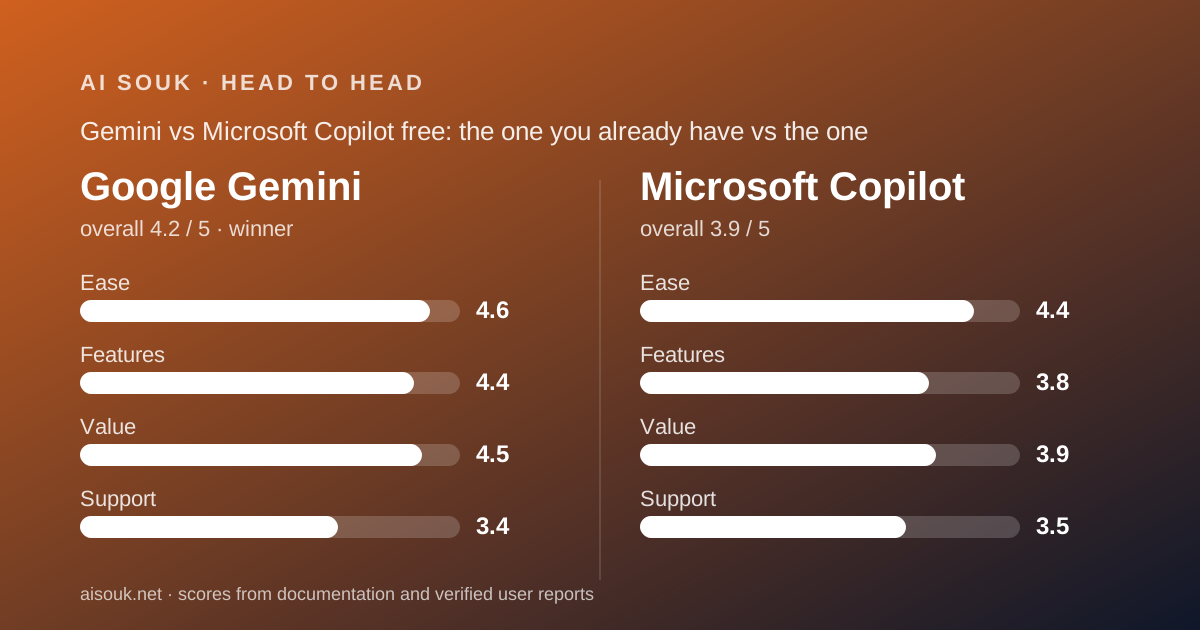
Most small businesses already have one of these without choosing it. Google Workspace users have Gemini in their account; Windows and Microsoft 365 users have Copilot in their taskbar. So the real question is whether the free tier you did not pick is worth opening on purpose. Short answer: Gemini, because Google publishes a longer free feature list, a documented limit mechanism and a $4.99 first paid step, while Microsoft's consumer pages say almost nothing about what the free Copilot allows. If your money already goes to Microsoft 365, the calculus changes, and this page says how.
 4.2Google Gemini
 3.9Microsoft Copilot
The short answer
This is a documentation comparison built from the Gemini subscriptions page, Google's usage-limits and Deep Research support articles, the copilot.com consumer site, the Microsoft 365 plan pages and both vendors' privacy documents, all checked October 7, 2026. No account was opened for it. The full single-product pages are Gemini and Microsoft Copilot.
Gemini wins for a reader choosing on the merits of the free tier, and it wins on a specific ground: Google tells you what you are getting. The subscriptions page lists Deep Research, image generation and editing, Gemini Live, Canvas, Gems and 15 GB of storage on the free plan, and the support article explains how the limits work even though it does not say how big they are. Microsoft's copilot.com page says the assistant is free with a Microsoft account, names chat, create and search, and then says only that some capabilities are subject to usage limits, with no model, no count and no feature named.
Copilot wins a narrower case: a business already paying for Microsoft 365 Personal, Family or Premium, for whom the AI inside Word, Excel and Outlook is bundled rather than a second subscription, and for whom the free consumer Copilot is simply the front door to a product they own. That case is real, but it is a case about the paid plan, not the free one.
What each free tier includes (as of October 2026)
Google's Gemini subscriptions page, checked October 7, 2026 with US pricing displayed, lists the free plan at $0 with: access to 3.6 Flash and varying access to 3.1 Pro; image generation and editing; Deep Research; Gemini Live for voice conversation; Canvas for documents and code; Gems for saved custom instructions; limited access to Google Flow with the Nano Banana Pro image model; Gemini Notebook; and 15 GB of storage shared across Gmail, Drive and Photos. The Deep Research support article confirms that all signed-in adults can use it, subject to daily request caps and a limit on concurrent jobs.
There is one complication that this page has to carry forward from the Gemini review. Google's model-availability and usage-limits article, checked the same day, says that from October 9, 2026 accounts without an AI subscription get Flash-Lite only, with Flash listed from AI Plus upward and Pro from AI Pro upward. The subscriptions page and the support article therefore describe the free model line differently. This page does not know which will be true when you read it; check both.
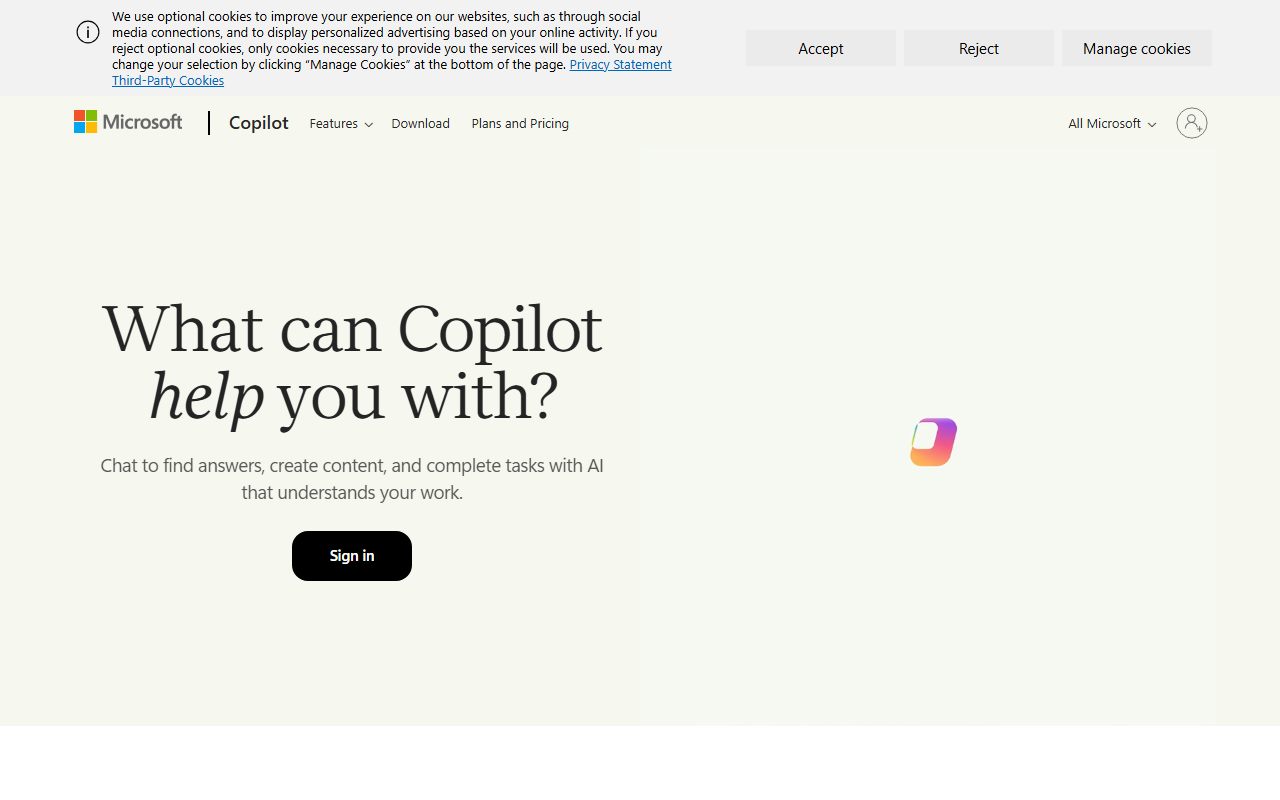
Microsoft's copilot.com site, checked the same day, states that Copilot is free with a signed-in Microsoft account and describes three things it does: chat, create (including images) and search. It names two features, Cowork, formerly Tasks, and Notebook, formerly Project, and lists the web, Windows and Mac desktop apps and iOS and Android. Then: some capabilities are subject to usage limits. The page does not say which capabilities, how much, which model, or what happens when a limit is reached. The Microsoft support hub for Copilot, also checked, contains no free-tier limits either.
The comparison on inclusions is therefore lopsided by documentation rather than necessarily by product. Gemini's free list is long and specific; Copilot's is short and general. A reader can plan around the first and cannot plan around the second.
Daily limits and what happens when you hit them
Google's support article describes a compute-based limit that refreshes every five hours until a weekly cap is reached, calculated from prompt complexity, the features used and the length of the chat. It names the expensive features: image, video and music generation, Deep Research, the Pro model, extended thinking and Deep Think. The paid tiers are described as multipliers of the standard limit, 2x for Plus and 4x for Pro, and the standard limit itself is not published as a number. The Deep Research article adds that every plan has daily request caps and a cap on concurrent jobs, and that a report typically takes five to ten minutes.
The article also records the history: limit and model changes took effect on May 17, 2026 for adults, July 24 for under-18s, and again in October. Public forum discussion describes the free tier as a moving target, which is exactly what that record would produce.
Microsoft's documents, as checked, give nothing to describe. The copilot.com page says some capabilities are subject to usage limits; the Microsoft 365 pages say AI usage limits apply and a subscription unlocks higher ones; the consumer Copilot page says the Pro tier has the highest limits. None attaches a number, a period or a feature. Public forum reports describe limits on deeper reasoning modes and on image creation that arrive without warning, and confusion over which Copilot a person is in, the free consumer one, the Microsoft 365 one or a work-provided one, since they share a name. This page treats those as reports, not documentation.
What happens when you hit a limit is documented for Gemini, a five-hour refresh toward a weekly cap, and undocumented for Copilot. That asymmetry is the heart of this comparison.
Quality of output for everyday work
Output quality cannot be graded from documentation, and this page will not. It can say what each vendor tells you about the engine behind the free tier, and the answer is: Google says more and Microsoft says nothing.
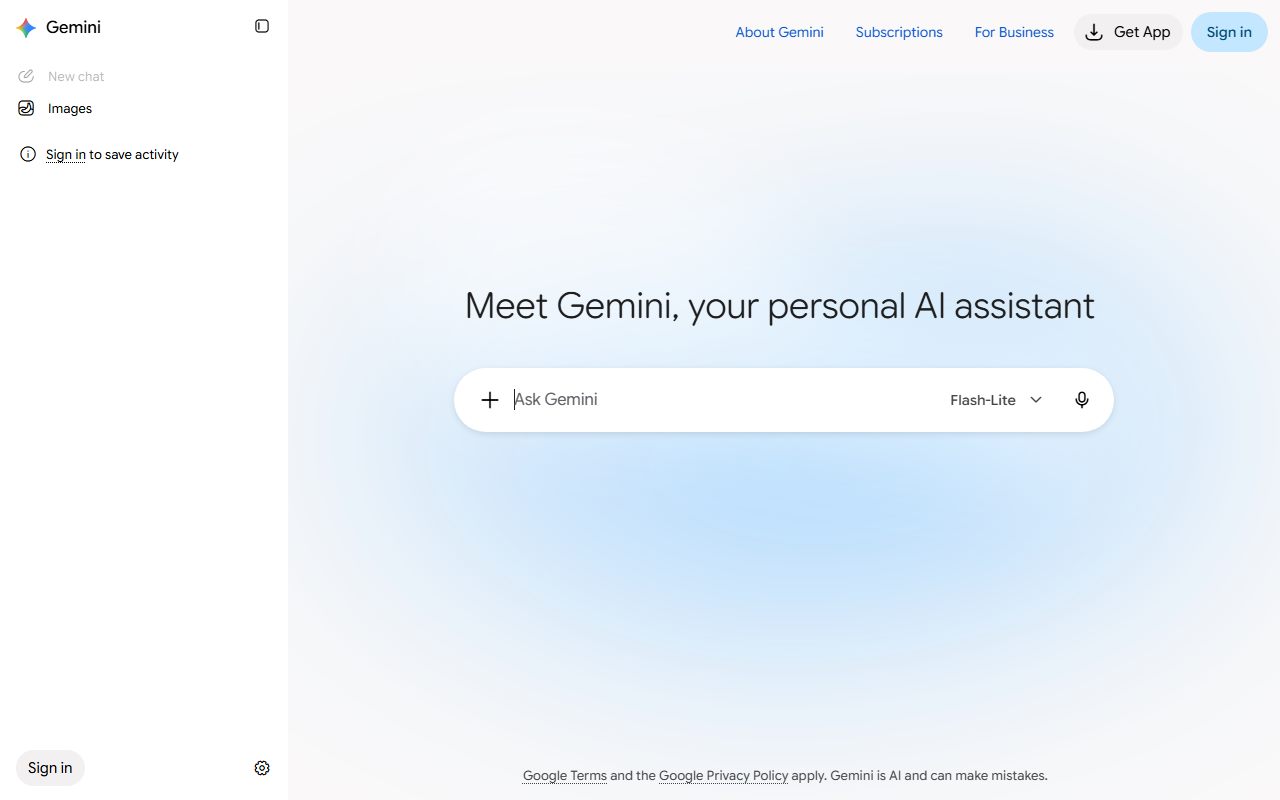
Gemini's free plan names its models on the subscriptions page, 3.6 Flash with varying 3.1 Pro access, and the usage-limits table says Flash-Lite only from October 9 for accounts without a plan. Either way the free user is told which model is answering and that the Pro model, extended thinking and Deep Think sit behind the paid tiers. For everyday work, drafting an email, summarising a document, asking for a formula, the Flash line is what Google positions as the fast general model, and Deep Research on free is the feature that stands out, because it is a paid feature in several competing products.
Copilot's consumer pages do not name the model that answers free users, and the Premium page describes advanced Copilot features as currently exclusive to Premium subscribers without listing them. The Researcher and Analyst agents, which the page describes as producing source-cited research reports and data analysis, are Premium. So a free Copilot user does not know, from the documentation, what they are talking to, and the richest output the product offers is paid.
For a business that lives in Google's apps, there is a documented path from free Gemini to Gemini inside Gmail and Docs at the $4.99 tier. For a business that lives in Microsoft's apps, Copilot inside Word and Excel starts at the Microsoft 365 Personal tier. Both are paid; the difference is that Google documents what the free step does on the way.
Privacy and training defaults
Both vendors document their consumer privacy controls well, and in both cases the clarity is unflattering in places.
Google's Gemini Apps privacy hub states that with Keep Activity on, your chats and what you share, including audio, Live video and screen shares, are saved and used to improve Google's AI, and that human reviewers assess chats for quality and safety after they are disconnected from your account. Standard activity auto-deletes after 18 months by default, adjustable to 3 or 36 months or indefinite, but chats a human has reviewed are retained for up to three years even after you delete them. With Keep Activity off, temporary chats are still kept for 72 hours. Chats are not used to show you ads.
Microsoft's privacy controls page gives the path to a training toggle, with a separate toggle for voice conversations, and then qualifies it: turning training off does not exclude conversations from other general product improvement, nor from advertising, digital safety, security and compliance uses. Personalisation and memory are a separate switch, history can be deleted in full, and personalised ads have their own toggle. In plain terms, Microsoft's training opt-out is narrower than its name, and advertising use survives it.
Neither consumer tier is where client or regulated material belongs. Google's human-review retention and Microsoft's advertising carve-out are different problems with the same answer: an organisational plan with organisational terms, and a decision from whoever owns the risk. On the documents, Google's controls are the more complete set, because the temporary-chat and auto-delete options exist on free; Microsoft's are easier to misunderstand, because the toggle sounds broader than it is.
Price of the first paid step
Gemini's first paid step is the cheapest in this site's assistant batch. Google AI Plus is $4.99 a month as of October 2026, described as 2x the free limits, with video generation, 200 Flow credits, Gemini inside Gmail and Docs, and 400 GB of storage; under the usage-limits table it is also the first tier listed with the Flash model rather than Flash-Lite. Google AI Pro is $19.99 for 4x, 5 TB and the Pro model; Ultra starts at $99.99. Prices are US; the page shows different local pricing elsewhere.
Copilot's first paid step is not a Copilot subscription at all; it is Microsoft 365. Personal is $9.99 a month or $99.99 a year with 1 TB; Family is $12.99 for up to six people; Premium is $19.99 and is marked as best for AI, with the Researcher and Analyst agents and the advanced features. A Pro tier at $99.99 is listed as having the highest usage limits. Two footnotes matter: AI usage limits apply on every paid plan without being stated, and on Family and Premium the AI features belong to the subscription owner alone and cannot be shared with other members.
So the cheapest way to buy more Gemini is $4.99, and what it buys is documented as a multiplier. The cheapest way to buy more Copilot is $9.99, and it comes with an office suite and a terabyte of storage, which is either a bargain or irrelevant depending on whether you needed the suite. If you already pay for Microsoft 365, the Copilot step costs nothing extra and the comparison inverts. Read both pricing pages before relying on any figure here; both have moved before.
Pick this one if…
Pick Gemini if you want to know what you are getting before you start. Its free feature list, its limit mechanism and its model line are all published, even where they are published inconsistently.
Pick Gemini if Deep Research or image generation matters on a free plan. Both are listed on Gemini's free tier; Copilot's free tier lists image creation and no research agent.
Pick Copilot if you already pay for Microsoft 365 Personal, Family or Premium. Copilot in Word, Excel, PowerPoint and Outlook is bundled, and a separate assistant subscription would duplicate it. Remember that on Family and Premium the AI belongs to the owner only.
Pick Copilot if you are a Windows user who wants a free assistant without creating another account and does not need to plan around limits. For occasional questions the undocumented cap may never be reached.
Pick Gemini if your business runs on Gmail, Drive and Docs and you want the cheapest documented path, $4.99, to the assistant inside those apps.
Frequently asked
Which free tier is more generous? On the documents, Gemini, because it lists more features and describes its limits; but Google does not publish the free quantity, and Microsoft publishes neither the quantity nor the features. A reader who wants a number will not find one on either side as of October 2026, and this page will not invent one.
Can one person use both for free? Yes. A Google account and a Microsoft account cost nothing, and the two products are different enough, Gemini for Deep Research and the Google apps, Copilot for the Windows desktop and the Office apps, that a small business may reasonably keep both open. Visit the privacy settings on each: Keep Activity on Gemini, the training and personalised-ads toggles on Copilot.
What about Copilot for business accounts? That is a different product with different terms: Microsoft 365 Copilot Business is listed at $18 per user per month billed yearly, shown as reduced from $21 during a promotion running July 1 to December 31, 2026, on top of a business Microsoft 365 plan. It is not graded here. For a general-purpose assistant with a cheaper first step and no suite attached, ChatGPT at $8 for Go is the comparison to read next, and Claude if projects and file creation on a free plan matter more than price.
Visit Google Gemini
We have no affiliate relationship with this vendor. Link goes to the official site.
Visit Microsoft Copilot
We have no affiliate relationship with this vendor. Link goes to the official site.